Skip to content
Detect Video AI
Restore access
Analyze a video

AI Media Technology

32 published guides

Guides filed under AI Media Technology

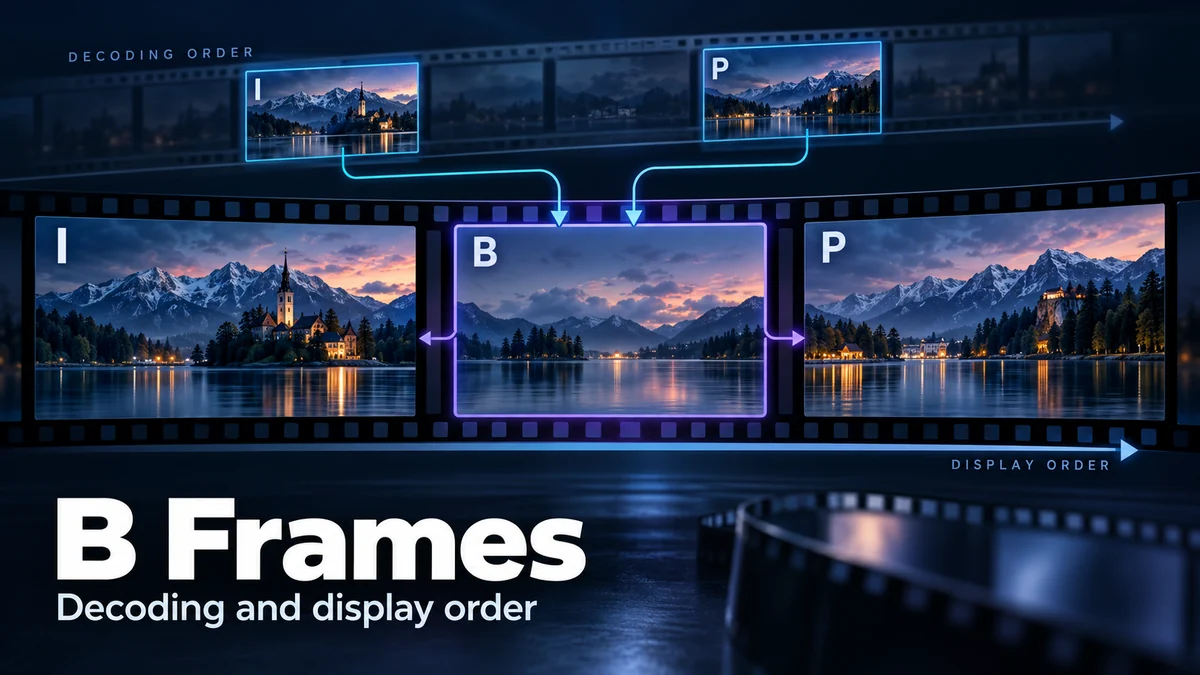
B Frames: Why Video Decoding and Display Order Differ

B frames are a compressed-video picture type associated with prediction from reference pictures. In a conventional reordered sequence, a picture that appears later during playback can be decoded first so that another picture can use it as a reference. The viewer still sees the intended timeline. This is an encoding relationship, not evidence that a […]

Optical Flow: How Software Estimates Motion Between Frames

Optical flow estimates apparent movement between images, usually represented by arrows or a field of two-dimensional vectors. It asks where an image feature appears to have moved from one frame to another. That is not the same as directly measuring an object’s three-dimensional movement, identifying its cause, or deciding whether the video depicts a true […]

Motion Interpolation: How Extra Frames Change Your Video

Motion interpolation creates additional images between the frames already present in a video sequence. Those inserted frames can make playback look smoother or support a slowed-down edit, but they are estimates, not new camera observations. If you are inspecting unusual motion, the important distinction is whether you are seeing recorded material, an exported processed version, […]

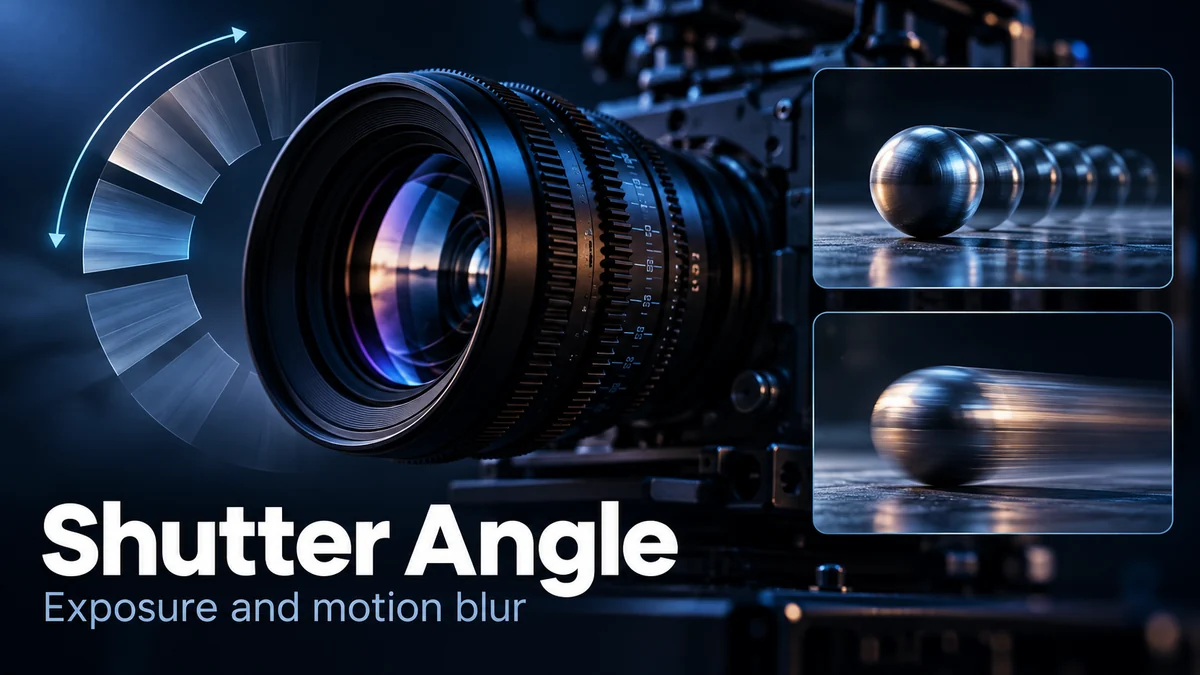
Shutter Angle: How Exposure Time Shapes Video Motion Blur

Shutter angle expresses a video exposure as a portion of a frame interval. For ordinary regular capture, a larger angle gives each exposure more time; a smaller angle gives it less. At 25 frames per second, 180 degrees corresponds to 1/50 second. The setting helps explain motion blur, but a sharp or smeared frame cannot, […]

Lens Distortion: Why Cameras Change Faces and Straight Lines

Lens distortion changes how a camera maps a scene into an image, sometimes curving straight lines or altering proportions near the frame edge. Perspective is a different issue: camera position changes the relative appearance of objects at different distances. A close selfie, a wide group photograph, and a corrected architectural image can look unfamiliar for […]

Rolling Shutter Effect: Why Real Video Can Look Distorted

The rolling shutter effect is a timing artifact: different parts of a frame are recorded at slightly different moments. When a subject or camera moves during that process, a straight pole can look slanted, a building can wobble, or a rotating object can acquire an unfamiliar shape. These appearances can occur in genuine recordings. They […]

Video Fingerprinting: Finding Clips Across Reposts and Edits

Video fingerprinting creates a compact representation of a clip so a system can compare it with reference videos. Depending on the method, a match may survive some changes to the file or presentation. The result is evidence of shared content, not automatic proof of the original uploader, recording date, copyright ownership or truth of a […]

Perceptual Hashing: How Similar Images Are Matched Online

Perceptual hashing turns an image’s visual content into a compact fingerprint for approximate comparison. It can help retrieve near-duplicate copies even when their files differ, but a close match does not prove who made an image, what happened in the scene or whether it is authentic. Use the match to select evidence for review, not […]

Generative Extend: What AI Adds Beyond Your Video Clip

Generative Extend creates additional video frames or ambient audio at a clip boundary. In Adobe Premiere, it can help an editor fill a short timing gap, but the new section is generated rather than recovered from a camera recording. Keep that distinction visible in your project, your export notes and any claim you make about […]