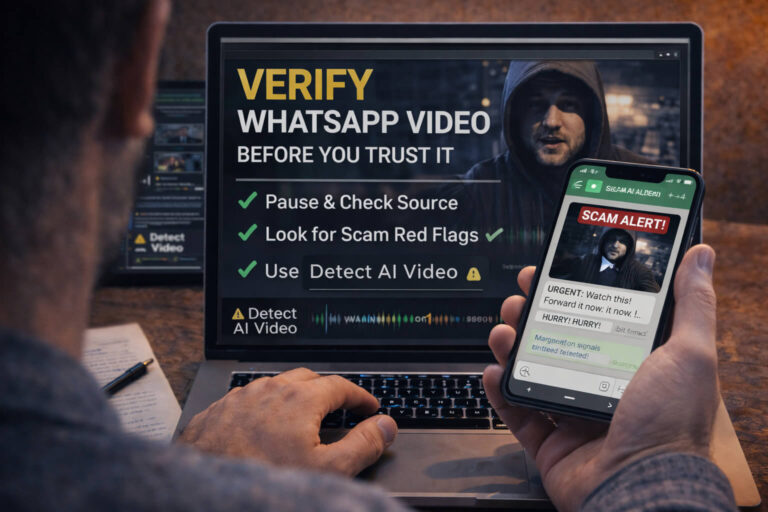
WhatsApp scams are fraud attempts that use messages, calls, groups, links, QR codes, voice notes, videos, or stolen accounts to make a request feel trustworthy. The scam may begin with a stranger, but it can also arrive from the real account of someone you know after that account has been compromised.
The strongest warning sign is usually not one strange word or one suspicious video. It is the combination of trust and pressure: a familiar identity, an urgent story, and a request that moves you toward money, a verification code, a device link, a password, personal information, or an unfamiliar website.
Quick answer: if a WhatsApp message asks you to act urgently, verify the person or organization through a channel you already trust before doing anything else. Never share a WhatsApp verification code or PIN, be cautious with QR codes and device-linking requests, and do not send money based only on a chat, voice note, or video. If a suspicious clip is part of the story, verify its source separately before deciding whether the message is genuine.
| WhatsApp scam type | Typical opening | What the scammer wants | Best first response |
|---|---|---|---|
| Friend or family impersonation | “This is my new number” | Money, gift cards, bank transfer | Call the person on a number you already know |
| Account takeover | “I sent you a code by mistake” | Verification code, PIN, linked-device access | Do not share the code or approve the link |
| Investment or crypto scam | “Guaranteed returns” or a private investment group | Deposits, crypto transfers, escalating payments | Stop before sending money and verify the firm independently |
| Job or task scam | Easy remote work for unusually high pay | Upfront fees, deposits, personal data | Verify the employer outside the chat |
| Prize or giveaway scam | “You won” or “claim today” | Fees, card details, login information | Do not pay to receive a supposed prize |
| Fake support or business account | Security alert, refund, parcel, bank issue | Credentials, card data, remote access | Contact the company through its official website or app |
| AI voice or video impersonation | A convincing voice note, video, or urgent video call | Trust followed by money or sensitive information | Verify identity through an independent channel |
What Are WhatsApp Scams?
A WhatsApp scam is a social-engineering attack delivered through WhatsApp. The attacker tries to persuade you to take an action that benefits them, usually by impersonating someone, inventing an urgent situation, promising a reward, or creating a relationship that gradually moves toward money or sensitive information.
The messaging app is the delivery channel. The underlying fraud may be impersonation, account takeover, phishing, investment fraud, romance fraud, job and task scams, fake prizes, payment fraud, malicious links, or AI-assisted identity deception.
Meta has said scam operations increasingly move victims across several services, for example from a social platform or text message into private messaging and then to a payment or cryptocurrency service. In the first half of 2025, WhatsApp said it detected and banned more than 6.8 million accounts linked to criminal scam centers. For current platform guidance, see WhatsApp’s official messaging-scam update.
This matters because a WhatsApp scam may not look like fraud at the beginning. The first message can be friendly, accidental, helpful, romantic, or professionally written. The harmful request may appear much later.
How a WhatsApp Scam Usually Develops
Specific stories change, but many scams follow the same underlying sequence.
1. The contact creates a reason to respond
The message may appear to come from a relative, recruiter, bank, delivery company, public figure, investment expert, wrong number, or group administrator. The goal is to make replying feel normal.
2. Trust or urgency is increased
The attacker adds emotional pressure: an emergency, a limited-time opportunity, a security problem, a private tip, a personal relationship, or a request that supposedly cannot wait.
3. The conversation moves toward a controlled action
You may be asked to click a link, scan a QR code, share a verification code, install an app, join another group, share your screen, send documents, make a small payment, or transfer cryptocurrency.
4. The request escalates
If the first action works, the next one is often more expensive or more sensitive. A small investment becomes a larger deposit. A harmless-looking code request becomes account takeover. A friendly conversation becomes a financial emergency.
This pattern is more useful than memorizing hundreds of scam scripts. If a conversation keeps increasing pressure while reducing your ability to verify the story independently, treat that as a major warning sign.
The Most Common WhatsApp Scams
Friend or family “new number” scams
A message claims to be your child, parent, friend, colleague, or another familiar person using a new phone number. The story quickly leads to an emergency payment, invoice, loan, gift card, or bank transfer.
The simplest defense is also one of the strongest: contact the person using a phone number or channel you already had before the message arrived. Do not verify the identity using only information supplied inside the suspicious chat.
WhatsApp verification-code scams
The attacker triggers a legitimate WhatsApp verification process and then tries to persuade you to share the code you receive. A common story is that the code was “sent to you by mistake.”
A verification code is an authentication credential. If someone asks you to forward it, type it into another site, or read it aloud, stop. The fact that the code genuinely came from WhatsApp does not make the request legitimate.
Device-linking and QR-code scams
Account takeover no longer depends only on SMS codes. A scammer may try to trick you into linking your WhatsApp account to a device they control, sometimes through a fake voting page, contest, support process, or QR code.
In 2026, WhatsApp introduced warnings when behavioral signals suggest that a device-linking request may be suspicious. The warning can show where the request originated and give the user a chance to reconsider before linking the device. Meta describes this current protection in its 2026 anti-scam tools update.
Investment and crypto scams
These scams may begin with an investment group, an “analyst,” a social-media ad, a romantic contact, or a stranger who appears to have messaged the wrong person. The conversation gradually introduces trading screenshots, success stories, or a platform that appears professional.
A common pattern is an early apparent profit followed by pressure to deposit more money. Withdrawal then becomes difficult or requires additional “tax,” “verification,” or “unlock” payments.
Consumer-protection agencies consistently warn that scams frequently use impersonation, prizes, fake services, romance, and investment stories to obtain money, often through payment methods that are difficult to reverse. The Consumer Financial Protection Bureau’s current fraud overview provides a useful reference for these wider scam patterns.
Job and task scams
A recruiter offers easy remote work, flexible hours, or unusually high pay for simple tasks. The victim may initially receive small payments, which increases confidence. Later, the platform requires a deposit or payment to unlock commissions or higher-level tasks.
Real employers do not normally require applicants to transfer money to unlock wages. Verify the company, role, recruiter, domain, and job listing outside WhatsApp before sharing documents or financial information.
Romance and relationship scams
Some scammers build trust over days, weeks, or months. WhatsApp may be only one stage of a relationship that began on a dating app, social platform, or another messaging service.
The red flag is not simply that someone develops feelings online. It is the transition from emotional trust to financial requests, secrecy, investment advice, repeated emergencies, or refusal to verify identity in a meaningful way.
Fake prizes, giveaways, and government benefits
The message says you won a prize, qualified for a payment, or can claim a benefit if you act quickly. The next step may ask for a fee, card details, identity documents, or login information.
A reward that requires an unexpected payment before it can be released deserves immediate scrutiny.
Fake customer support, bank, delivery, or business messages
Scammers impersonate recognizable organizations because a familiar brand lowers resistance. The message may claim that your parcel is delayed, account is locked, card is at risk, refund is waiting, or payment must be confirmed.
Do not use the contact information or link inside the suspicious message to verify it. Open the organization’s official app or website independently and contact support from there.
How to Tell If a WhatsApp Message Is a Scam
Scammers can write polished messages, so spelling mistakes are no longer a reliable primary test. Look at the behavior the message is trying to produce.
Unexpected urgency
Statements such as “do it now,” “last chance,” “today only,” “your account will close,” or “I need this immediately” reduce the time you have to think and verify.
Secrecy
Requests not to call someone, not to contact the bank, not to tell family, or not to discuss the opportunity with others are especially suspicious when money is involved.
A request for codes, PINs, passwords, or screen sharing
Authentication information should not be shared because someone asks for it in a chat. Screen sharing can expose codes, banking data, notifications, and personal information in real time.
Pressure to leave normal payment channels
Be cautious when the conversation moves toward crypto, gift cards, wire transfers, unfamiliar payment apps, or a platform supplied by the sender.
A mismatch between identity and behavior
A family member suddenly uses unfamiliar language. A business writes from a personal number. A supposed executive asks for secrecy. A recruiter refuses to email from the company’s domain. These inconsistencies deserve verification.
The story cannot be checked outside the chat
If every piece of “proof” comes from the same sender, group, dashboard, screenshot, or website, you do not have independent verification.
The Best Response to a Suspicious WhatsApp Message
Use a four-part response: stop, verify, inspect, decide.
Stop
Do not click, pay, scan, share a code, or install anything while you are still deciding whether the message is genuine.
Verify the identity independently
If the sender claims to be someone you know, call them using a number you already have. If it is a company, use the official app, website, or known customer-service channel.
Inspect the request
Ask what the sender ultimately wants. Money? A code? A login? A QR scan? A device link? Personal documents? The requested action often exposes the scam more clearly than the story.
Decide based on independent evidence
Do not let urgency decide for you. If the identity, organization, investment, job, or emergency cannot be verified independently, do not proceed.
WhatsApp Video Scams: When the “Proof” Is the Bait
Video creates a powerful sense of evidence. Seeing a familiar face, news presenter, celebrity, executive, or family member can make a message feel more credible than plain text.
But a scam video can be misleading in several different ways:
- a real video is reused with a false caption
- an old clip is presented as a current event
- a genuine endorsement is edited to promote something else
- the audio is replaced while the video remains real
- AI lip sync changes what a person appears to say
- a face or voice is synthetically impersonated
- a short excerpt removes the context that changes the meaning
The dedicated scam video guide explains these patterns in more depth.
How to Verify a Suspicious WhatsApp Video
If a WhatsApp message depends on a video being genuine, verify the clip separately from the text surrounding it.
- Define the claim. What exactly is the video supposed to prove?
- Look for attribution. Check usernames, logos, watermarks, channel graphics, subtitles, and visible source information.
- Search for the original. Extract a few useful frames or distinctive phrases and trace older or longer versions with a reverse video search.
- Compare dates and context. An older upload can immediately disprove a “happening now” claim.
- Listen independently. Does the voice fit the person, room, emotion, and visible mouth movement?
- Inspect suspicious moments. Look for local changes across frames rather than relying on one screenshot.
- Add technical analysis when needed. If the clip itself may be AI-generated or manipulated, use DetectVideo AI as an additional evidence layer.
A failed source search does not prove that the video is synthetic, and an AI detector score does not prove that the surrounding scam story is true or false. Treat source verification and media analysis as separate questions.
AI Voice and Deepfake Impersonation on WhatsApp
Generative AI makes one classic scam technique more convincing: impersonation. A criminal no longer has to rely only on text. Voice cloning, face manipulation, lip synchronization, and synthetic video can make a familiar identity appear to support the request.
The most important defense is therefore identity verification outside the media itself. If a voice note says a relative needs money, the voice is evidence but not authentication. If a video call appears to show an executive, the face is evidence but not authentication.
For identity-focused cases, use the AI impersonation guide. If the suspicious element is specifically a cloned or generated voice, the voice deepfake guide provides a separate audio-verification workflow.
Forwarded News and Viral WhatsApp Claims
Not every misleading WhatsApp message is a financial scam. Viral posts can spread false warnings, recycled disaster footage, fake public statements, health misinformation, fabricated announcements, or videos from the wrong country or year.
When a forwarded message claims to show breaking news, the correct question is not “How many people forwarded this?” It is “Where is the original source, and do independent sources confirm the claim?”
Use a structured news verification process for serious public claims. Forwarding volume is not evidence of authenticity.
Protect Your WhatsApp Account Before a Scam Reaches You
Good scam detection matters, but account security reduces the damage if someone tries to hijack your identity.
Turn on two-step verification
WhatsApp offers two-step verification with a six-digit PIN that adds another layer of protection when the account is registered or reset. Keep that PIN private.
Never share verification codes
A verification code is for the account owner completing a legitimate authentication process. Do not forward it to a contact, support agent, recruiter, family member, or anyone claiming it arrived by mistake.
Review linked devices
Check whether you recognize the devices connected to your WhatsApp account. Be especially cautious when a website or person asks you to scan a QR code or enter a device-linking code.
Use Privacy Checkup
WhatsApp’s privacy tools let you review settings such as who can add you to groups and other account controls. Reviewing these settings reduces unnecessary exposure.
Block and report suspicious accounts
If an unknown account is clearly attempting fraud, blocking stops direct contact and reporting gives WhatsApp information it can use against abusive accounts.
Silence unknown callers if it fits your use
WhatsApp offers a setting that prevents calls from unknown numbers from ringing while still leaving them visible in the call list. This can reduce spam and scam-call disruption.
WhatsApp summarizes two-step verification, block and report, Silence Unknown Callers, and related safety controls in its official privacy and scam-safety guidance.
Be Careful With Screen Sharing During Calls
A scammer on a call may ask you to share your screen to “help” with a payment, refund, account problem, or investment. This can expose authentication codes, banking information, private messages, and notifications.
WhatsApp introduced warnings when users attempt to share their screen with unknown contacts during video calls, specifically because scammers may pressure people into revealing sensitive information. This protection is described in Meta’s current scam-safety update.
A platform warning is useful, but the underlying rule is simpler: do not share your screen with an unverified person who is guiding you through a financial, account, or security process.
What to Do If You Already Responded to a WhatsApp Scam
The right response depends on what you shared or did.
If you only replied
Stop the conversation, do not provide more information, and block and report the account if appropriate. A reply alone does not automatically mean your device or account is compromised.
If you clicked a suspicious link
Close the page. If you did not enter information or install anything, the risk may be limited, but remain alert. If you entered a password, change that password through the legitimate service and review the account for unauthorized activity.
If you shared a WhatsApp verification code or approved device linking
Treat this as a potential account-takeover event. Check linked devices, regain control of the account through WhatsApp’s legitimate verification process, enable or review two-step verification, and warn your contacts if the account may have sent messages you did not write.
If you shared card or banking information
Contact the bank or payment provider using a trusted number or official app. Explain exactly what information was shared and follow their fraud instructions.
If you sent money
Contact the bank, card issuer, transfer service, or payment provider as quickly as possible. Recovery depends on the payment method and timing, so do not wait for the scammer to promise a refund.
If you installed an unknown app
Disconnect from the scam conversation and seek device-security assistance. Review app permissions, remove suspicious software using appropriate device-security procedures, and change sensitive credentials from a trusted device if compromise is possible.
If a Friend’s Real WhatsApp Account Sends the Scam
A familiar account is not the same thing as a verified person. If an account has been taken over, the scammer inherits the name, profile photo, chat history context, and access to existing groups.
Signs of a compromised contact can include:
- a sudden money request that does not fit the person’s behavior
- unusual language or tone
- pressure not to call
- a request for a verification code
- a strange investment or giveaway recommendation
- messages sent to many people at once
Verify the person through a different communication channel. Do not confront the suspected scammer with private information that could help them imitate your contact more convincingly.
What End-to-End Encryption Does and Does Not Protect You From
WhatsApp’s end-to-end encryption protects the contents of personal messages and calls while they travel between participants. It does not determine whether the person on the other side is honest.
Encryption cannot stop someone from lying about their identity, sending a phishing link, asking for money, using a stolen account, sending an AI-generated voice or video, or persuading you to share a code or screen.
Security of the channel and trustworthiness of the sender are different problems.
What Has Changed in WhatsApp Scam Protection in 2026?
WhatsApp’s anti-scam defenses continue to evolve. One notable 2026 change is the introduction of warnings for suspicious device-linking attempts. Meta says these warnings use behavioral signals to alert users before a potentially risky account link is completed.
WhatsApp has also been developing additional scam-detection features and warnings across messaging experiences. These platform protections are valuable, but they do not remove the need for independent verification. A scam can use a real account, a patient long-term conversation, or a legitimate external service in ways that do not trigger an obvious warning.
The safest model remains layered: platform warnings, account security, independent identity checks, source verification, and skepticism toward unexpected financial or authentication requests.
A WhatsApp Scam Checklist Before You Click, Pay, or Reply
| Check | Question |
|---|---|
| Identity | Have I verified who this person is outside this chat? |
| Urgency | Am I being pushed to act before I can verify the story? |
| Secrecy | Am I being told not to call, ask others, or contact the organization? |
| Codes | Is anyone asking for a verification code, PIN, or authentication step? |
| Device linking | Am I being asked to scan a QR code or link a device for an unusual reason? |
| Money | Does the request involve an unexpected payment, crypto, gift card, or transfer? |
| Links | Can I reach the organization independently instead of using this link? |
| Proof | Does every piece of evidence come from the same sender or group? |
| Video or voice | Am I treating familiar media as identity proof without independent confirmation? |
| Source | If a video or news claim is central, can I find the original source? |
Key Takeaway
The most effective WhatsApp scams do not necessarily look suspicious. They look familiar, useful, urgent, profitable, or emotionally important. That is why the best defense is not memorizing every scam message. It is recognizing the point where a conversation asks you to surrender control.
Before you send money, share a code, scan a QR code, link a device, reveal personal information, or trust a dramatic video, verify the identity and claim independently. Treat voice, video, screenshots, and familiar account names as evidence, not as automatic proof.
WhatsApp can provide useful security warnings and account protections. Your strongest additional layer is a verification habit: slow the interaction down, move outside the suspicious chat, and require independent evidence before you act.
FAQ About WhatsApp Scams
What are the most common WhatsApp scams?
Common WhatsApp scams include friend or family impersonation, verification-code and account-takeover scams, investment and crypto fraud, job and task scams, romance scams, fake prizes, fake customer support, phishing links, and AI-assisted voice or video impersonation.
How can I tell if a WhatsApp message is a scam?
Look for behavior rather than only spelling mistakes. Major warning signs include unexpected urgency, secrecy, requests for money or authentication codes, suspicious device-linking instructions, pressure to use unusual payment methods, and an identity or story that cannot be verified independently.
Can a scam message come from someone already in my contacts?
Yes. A scammer may take over a real WhatsApp account and then message the victim’s contacts. Verify unusual requests through another channel even when the message appears to come from someone you know.
What is the WhatsApp verification-code scam?
The scammer tries to obtain a legitimate code sent to your phone during account registration or verification. They may claim the code was sent to you by mistake. Never share a verification code with another person.
Can someone steal my WhatsApp account with a QR code?
A QR code can be used legitimately to link devices, but scammers may use false instructions to trick you into linking your account to a device they control. Only approve device linking when you intentionally initiated the process and recognize the device.
How do I verify someone who says they have a new WhatsApp number?
Contact the person through a phone number, email address, or other channel you already trusted before the new-number message arrived. Do not rely on the profile photo, writing style, voice note, or information supplied inside the new chat alone.
Are WhatsApp investment groups scams?
Not every investment discussion on WhatsApp is fraudulent, but unsolicited investment groups, guaranteed returns, pressure to deposit quickly, unfamiliar trading platforms, and requests for crypto payments are strong warning signs. Verify the company and financial service independently before sending money.
Can scammers use AI voices or deepfake videos on WhatsApp?
Yes. AI can be used to imitate voices, alter faces, synchronize new speech to existing video, or create synthetic identities. The safest response is to authenticate the person through a separate trusted channel rather than relying on the media itself.
How do I check whether a WhatsApp video is real?
Start by identifying the exact claim, then search for the original or an older version, compare dates and captions, inspect the audio and visible source information, and use technical AI-manipulation analysis only when the video itself appears suspicious.
What should I do if I clicked a scam link on WhatsApp?
Close the page and do not install anything. If you entered a password or financial information, secure the affected account or contact the financial provider through a trusted channel. The necessary response depends on what information you shared and whether software was installed.
What should I do if I sent money to a WhatsApp scammer?
Contact your bank, card issuer, payment service, or transfer provider as soon as possible. Keep records of the chat, phone number, transaction, links, and payment details. Do not send more money to anyone promising to release or recover the original payment.
Does WhatsApp end-to-end encryption stop scams?
No. Encryption protects message content while it is transmitted, but it cannot determine whether the sender is honest. A scammer can still lie, impersonate someone, send malicious links, request money, or use a stolen account inside an encrypted conversation.
Should I block and report a WhatsApp scammer?
If the account is clearly suspicious or attempting fraud, blocking prevents further direct messages and reporting can help WhatsApp identify abusive activity. Preserve any information you may need for your bank, employer, platform, or local fraud-reporting process before deleting the chat.
Is a forwarded WhatsApp message automatically fake?
No. Forwarding does not make a message false, but it often removes the original source and context. Treat important forwarded claims as unverified until you can identify the source and confirm the information independently.