
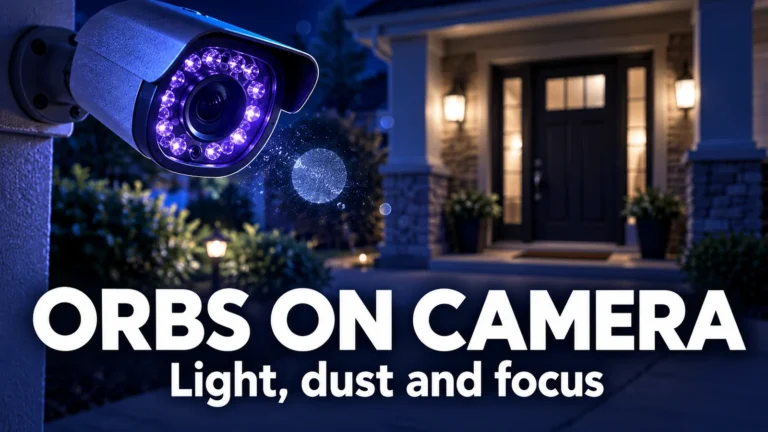
Orbs on security cameras are often out-of-focus particles or reflections made conspicuous by night illumination. A tiny object close to the lens can appear as a large pale disc while the doorway behind it remains recognizable. Dust, droplets and insects are plausible explanations, but the shape of one bright spot does not identify its exact cause.
The best first move is to examine the sequence and the camera’s lighting arrangement, not to name a mystery from a screenshot. This guide helps you distinguish observations that support a near-camera explanation from questions that still require a different source, a safe equipment check or manufacturer support.
Why something tiny can look surprisingly large
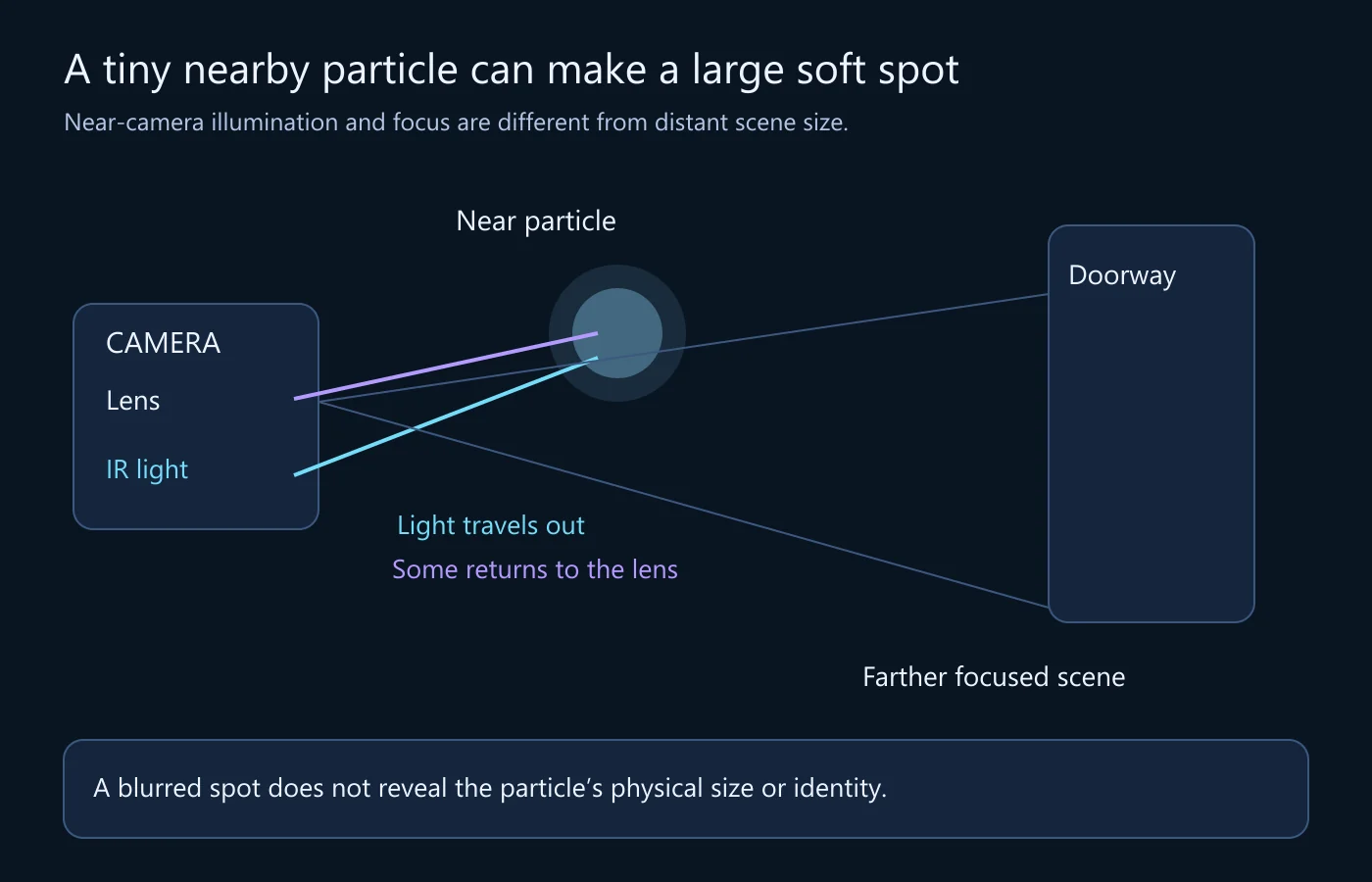
A camera focused on a doorway is not necessarily focused on material a few inches from its lens. Light from a nearby small object can spread across an out-of-focus region rather than forming a crisp outline. Its apparent disc size is therefore not a direct measurement of the object’s physical diameter.
That breaks an intuitive but misleading interpretation: a spot covering half a window in the image does not necessarily represent something half a window wide in the scene. A tiny nearby particle and a much larger distant object can occupy similar image areas for very different reasons. Focus and depth must be considered before size.
The object also needs enough light to register. With illumination near the camera, nearby material can return conspicuous light toward the lens while more distant surroundings remain dark. The visible contrast can make a small particle seem like the scene’s dominant event, even though its physical significance may be modest.
SimpliSafe’s night-vision support explanation describes near-camera reflections involving dust, droplets and other nearby particles. It supplies an ordinary mechanism, not a test that identifies every circular mark in every recording. Keep the model and the actual installation in view.
Night illumination changes which surfaces matter
Many cameras use integrated infrared illumination when available visible light is limited. Infrared is light outside the visible range normally seen by people; the camera’s night mode can use it to form an image. The resulting grayscale scene is a presentation of the camera’s response, not a direct map of the colors a person would see in daylight.
The illuminator and lens can be close together. That arrangement is convenient for lighting the camera’s view, but it can also illuminate nearby surfaces or debris. A web near the housing, water on a cover or a reflective object at the edge of the installation may matter even when it does not resemble a prominent object in the recorded scene.
Axis’s technical explanation of infrared reflections in dome cameras identifies nearby objects, material on the dome and external lights as relevant pathways. It also notes that the illumination field can extend beyond the camera’s visible field. Not seeing the reflecting surface in the picture therefore does not rule out a reflection.
A camera looking through glass deserves particular attention. Light can reflect from the window back toward the camera instead of usefully illuminating the exterior. An indoor setup that works well during daylight may behave differently after night mode engages. Consult the model’s placement instructions; do not assume an image problem means the sensor has failed.
Separate five observations before choosing an explanation
A drifting soft disc
A blurred spot moving across the image is consistent with nearby airborne material passing through the illuminated region. Its apparent speed depends on distance, motion and projection, so it should not be converted directly into a physical travel speed. Without depth information, a dramatic crossing can remain an ordinary near-lens event.
Watch how the spot enters and leaves, whether the background remains stable and whether other small spots behave similarly. These observations can guide a particle hypothesis. They cannot identify a particular insect or establish the material’s composition from an indistinct disc.
A persistent patch in the same image area
A mark that stays in roughly the same place may be associated with the cover, lens, a nearby fixed surface or the scene itself. Compare it with the background geometry and with recordings under other lighting. “Stationary” describes its image behavior, not yet its location in the physical world.
If the mark remains fixed while the camera’s view changes, that can help distinguish a camera-associated issue from one attached to a distant object. Do not move a mounted camera casually just to test this. Use existing footage or supported adjustments that do not compromise coverage or safety.
A broad haze or ring rather than a discrete object
Reflected illumination can degrade an area of the image without producing an isolated round spot. A dome or window reflection may look like a glow, wash or repeated shape. Describing its distribution is more useful than forcing every night-image defect into the word “orb.”
Note whether the glow appears when a known light turns on, when a vehicle approaches or when the camera changes mode. A temporal association suggests a useful comparison but does not prove the light’s complete path. Keep the event sequence rather than only the frame with maximum glare.
A fine moving strand
A strand close to the camera may be out of focus, strongly illuminated or intermittently visible. It can look much stranger than an ordinary web seen from a distance. Compare adjacent moments and inspect the housing externally when safe. Do not identify a web solely from a vague streak if the object itself cannot be inspected.
If a strand appears to bend with airflow, that observation differs from a fixed optical reflection. Retain the distinction. The goal is to choose a next check that can separate alternatives, not to accumulate a list of colorful descriptions for the same uncertain feature.
A sharply outlined object in the scene
A feature with resolved structure, consistent depth relationships and meaningful interaction with scene objects deserves a different examination from an amorphous near-lens disc. Do not dismiss a clear object as dust merely because dust is common. The general mechanism does not override what the actual recording shows.
For a consequential event, preserve the footage and seek appropriate review. The optical explanation for some bright spots is not a guarantee that the installation is secure or that nothing else happened. Observation and safety decisions should not be collapsed into a reassuring label.
An observation matrix for the next useful check
| Observed relationship | Plausible question | Useful next material |
|---|---|---|
| Soft moving spot; distant scene stays focused | Could material be close to the lens? | Longer sequence and safe exterior inspection |
| Glow begins with night illumination | Is light returning from a nearby surface? | Installation view and model documentation |
| Patch persists after rain | Is water or debris on the cover? | Daylight inspection without opening the unit |
| Feature appears in multiple independent views | Does it occupy a shared scene location? | Synchronized context with timing uncertainty recorded |
| Only a cropped repost is available | What context and processing are missing? | Original export with preceding and following footage |
The matrix deliberately leaves room for uncertainty. Several causes can produce similar appearances, and more than one can operate at once. A dirty cover can coexist with airborne particles and a nearby lamp. Removing one contributor does not establish that every remaining mark has the same explanation.
A worked example: the bright disc at the doorway
Imagine a night clip from a fixed camera covering a doorway. A pale disc crosses the foreground while the door and paving remain sharply recognizable. The disc seems large enough to cover a person’s shoulder. The shared post contains only a few seconds and calls it an unexplained object.
Start by requesting the untrimmed interval from the camera’s normal export, if the owner can supply it. You want to see what happened before the spot entered and after it left. A frame enlargement can help describe the shape, but it cannot restore missing duration or show whether similar particles crossed earlier.
Record the installation relationship: is the illuminator built in, is there glass in front of the camera, and is a nearby wall or overhang present? These details bear directly on possible light paths. Avoid publishing identifying views of a private property merely to document the setup; a limited diagram or description may be enough.
Suppose the longer sequence shows several soft discs at different times, with no resolved object interacting with the doorway. That supports investigating nearby particles and illumination. It does not establish the discs’ exact distances, composition or physical sizes. The large projected shape is precisely why those measurements should not be guessed.
Now suppose a safe daylight inspection reveals a web on the housing. You have found a real installation condition worth addressing. Do not rewrite the conclusion as “every disc was a spider.” The web may explain some features, while the drifting discs could still involve other nearby material. Keep the observations and causal certainty at their actual levels.
A useful conclusion would say that the sequence and setup are consistent with near-camera illumination artifacts, with the particular particles unresolved. If another event in the clip remains concerning, evaluate it separately. Explaining the bright disc does not authenticate the rest of the recording or settle a security incident.
Inspect and improve the setup without creating another problem
Begin with a safe external inspection in daylight. Look for visible debris, moisture, a nearby reflective surface or an obstructed cover. Follow the manufacturer’s instructions for the exact model. A coating, cleaner or mechanical adjustment recommended for one product may be inappropriate for another.
Do not open sealed housings, remove internal light barriers or improvise a repair around powered equipment. Do not climb to an unsafe mounting point just to investigate an uncertain spot. If access is difficult or the device shows damage or internal moisture, use a qualified installer or manufacturer support.
Cleaning is a maintenance step, not an authenticity test. Preserve any footage relevant to an incident before changing the setup. Note what was cleaned and when, then compare later recordings under reasonably similar conditions. If the marks disappear, you have useful operational evidence; you still may not know the exact path responsible for each earlier mark.
When the model supports an illumination adjustment, consider it only within the documented workflow and operational needs. Do not leave an area without necessary coverage for a demonstration. Compare one setting at a time and restore the original if the change is unhelpful. There is no universal infrared-strength number suitable for every camera, distance and reflective surface.
Placement may be a better issue to discuss with an installer than buying a replacement camera. A nearby wall, window or cover can influence the light path. A new device in the same problematic arrangement may reproduce the issue. Identify the relationship before assuming that a higher-resolution product is the answer.
Comparing daylight, night and a second camera
A daylight-versus-night comparison also needs a careful description. The lighting, exposure and camera mode may all change, and airborne material may not be present on both occasions. “The spot was absent the next afternoon” is not equivalent to a controlled test in which only infrared illumination changed. It can still be useful operational information if you retain that limited meaning.
Where a supported comparison is practical, note the conditions rather than claiming to control what you did not control. Record whether the scene was dry, whether the same nearby lamp was on and whether the cover had been cleaned between recordings. These details explain why a later clear image may not identify the cause of an earlier unclear one. You can improve maintenance and narrow hypotheses without pretending that ordinary household observations are a laboratory experiment.
What an independent camera view adds
An independent view can help establish whether an event occupies a shared scene location. If a clearly identifiable object passes the doorway, a second suitable view may show a corresponding event. That is different from expecting a particle near one lens to appear near another lens.
Failure to see a spot in the second view is not proof that it was fabricated. The views differ in depth, illumination, angle, focus and timing. The second camera may not show the same region at the relevant moment, or its recording may omit the event. Document these limitations before drawing a conclusion from absence.
Also distinguish independent capture from duplicate distribution. Two online accounts posting the same export are not two camera observations. For a multi-camera comparison, preserve which device produced each file and how the time relation was established. On-screen clocks that look similar are not necessarily synchronized accurately enough for a brief event.
A useful comparison notes a shared scene action, approximate alignment and uncertainty. Avoid using an uncertain offset to claim that a transient could not have occurred. If exact timing matters to an incident, a qualified examination may be more appropriate than a casual side-by-side player view.
Retain a support package that answers the practical question
Send support a short original export with surrounding context, the camera model and a description of the lighting and placement. Say whether the issue occurs only at night, after rain, near a particular lamp or after a mode change. These conditions help someone choose a relevant diagnostic step.
Include a clear description such as “soft discs drift across the foreground after night mode begins.” Avoid labels such as “sensor failure” unless an actual diagnosis supports them. If you tried a documented adjustment, report the original and tested values and whether you restored them. Do not describe an unperformed test as a result.
Do not share account passwords, private stream links, device tokens or unrelated recordings of people. Use the vendor’s supported private channel where appropriate. A public crop may be enough to ask a general question, but it is rarely enough for a confident equipment diagnosis.
For questions about editing or source history rather than equipment, the existing video forensics guide provides a broader framework. It complements this optical explanation without turning a round highlight into a universal sign of tampering.
Questions that often lead to the wrong conclusion
Does a fast-moving orb have to be a large object?
No. Image speed and image size depend on distance and projection as well as physical motion. A nearby blurred particle can cross the frame dramatically. Without reliable depth and timing information, do not assign it a real-world size or speed from appearance alone.
Does an orb prove that a camera is faulty?
No. Nearby material and reflected light can affect a working camera. Persistent image degradation still deserves attention, especially if it reduces useful coverage. Use the observed conditions and model documentation to decide on maintenance or support, not a blanket claim that every bright spot is either normal or a defect.
Does an ordinary explanation prove the video is authentic?
No. A credible explanation for one artifact does not establish the origin or integrity of the entire recording. Equally, an unexplained spot does not establish generation. The guide to edited, staged and AI-made clips separates those broader questions.
The most useful outcome is usually a better account of the light, focus and installation—not a dramatic label. Preserve the sequence, investigate the nearest plausible light paths and keep unresolved details explicit. That approach can improve a camera’s practical usefulness while avoiding both needless alarm and unjustified reassurance.
Camera references
- SimpliSafe: Orbs or bubbles during night vision — near-camera reflections and particles.
- Axis: IR reflections in dome cameras — illumination paths, covers and nearby reflective surfaces.
The doorway example organizes observations and next questions; it does not describe a real incident or identify material from a blurred spot.