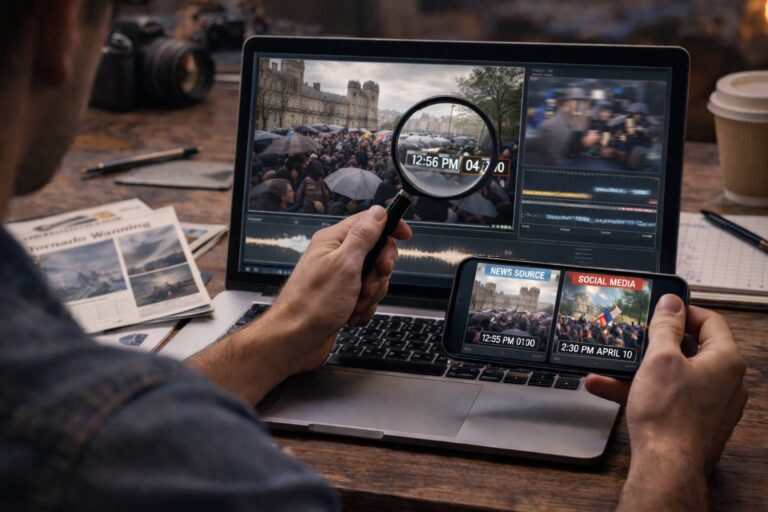
Video verification is the process of testing whether a clip supports the claim attached to it. That sounds simple, but a video can fail in several different ways: the footage may be old, the location may be wrong, the clip may be edited, the audio may have been replaced, the uploader may not be the original source, or part of the media may be AI-generated.
The mistake is to begin by asking only, “Does this video look real?” A better verification starts with a different question: “What exactly is this video supposed to prove, and what evidence would I need before believing that claim?”
Quick answer: verify a video by defining the claim, preserving the best available copy, tracing the earliest credible source, extracting searchable frames, checking location and time, comparing versions, reviewing provenance when available, and investigating manipulation only where the evidence requires it. A strong result explains what has been verified, what has not, and why.
Video Verification Is About a Claim, Not Just a File
A clip can be technically authentic and still support a false story. It can also be edited without being deceptive. That is why video verification needs to separate several questions that are often collapsed into “real or fake.”
| Question | What you are verifying | Useful evidence |
|---|---|---|
| Who published this? | Source and chain of publication | Original account, earlier posts, creator attribution, source records |
| Where was it recorded? | Location | Landmarks, signs, roads, architecture, maps, other footage |
| When was it recorded? | Time and event chronology | Upload history, weather, shadows, event schedules, metadata |
| Was the media changed? | Integrity and manipulation | Version comparison, audio continuity, file evidence, forensic analysis |
| Does it prove the caption? | Context and factual claim | Independent reporting, official information, corroborating footage |
Professional forensic authentication focuses on whether media is consistent with what it purports to be, including its content, context, structure, provenance, and integrity. The SWGDE Best Practices for Digital Video Authentication provides a technical framework for that narrower forensic layer. Everyday video verification adds source research and real-world corroboration around it.
The Video Verification Chain at a Glance
A useful workflow moves from evidence that is easy to lose toward evidence that is harder to interpret.
| Stage | Main question | Possible outcome |
|---|---|---|
| Claim | What is the clip being used to prove? | A precise statement you can test |
| Preservation | What is the best version available? | Stable link, original file, caption and account context |
| Source | Where did the footage come from? | Earliest credible publication or original creator |
| Place and time | Do location and chronology match the claim? | Confirmed, contradicted, or unresolved |
| Media integrity | Was anything meaningfully changed? | Unaltered, normally edited, manipulated, or uncertain |
| Corroboration | Does independent evidence support the event? | Verified claim, partial verification, contradiction, or no confirmation |
You do not always need every stage. If reverse search shows that a “breaking” video was uploaded three years ago, the current claim may already be disproved. The purpose of a workflow is to reach the strongest justified conclusion efficiently, not to perform every possible test.
Freeze the Claim Before You Investigate the Video
Verification becomes much easier when the claim is written as a testable sentence.
Instead of:
“This video is shocking.”
write:
“This video shows event X at location Y on date Z.”
Or:
“This person really made this statement.”
Or:
“This recording proves that object A caused event B.”
Now you know what evidence matters.
A clip may clearly show an explosion but provide no evidence about the city named in the caption. A person may genuinely appear in a recording while the audio has been replaced. A video may prove that two people were present but not prove what happened before the recording began.
Verification should never claim more than the evidence can carry.
Preserve the Best Available Version Before Context Disappears
Online video changes quickly. Posts are edited, deleted, recaptioned, downloaded, cropped, and reposted. Before investigating a high-value clip, preserve the context you already have.
Record or save:
- the direct post URL
- the uploader’s account name and profile
- the caption and visible claims
- the publication time shown by the platform
- the best available copy of the media
- relevant comments or source credits that may point upstream
Whenever possible, work from the original file rather than a screen recording. Screen recording and repeated platform downloads can strip metadata, change encoding, remove provenance, and create compression artifacts that complicate later analysis.
Find the Earliest Credible Source, Not Just the Oldest Search Result
Source tracing is often the most decisive part of video verification.
Start with the uploader you can see and work backward. Look for credits, watermarks, usernames, logos, spoken names, captions, distinctive phrases, or platform handles that may identify an earlier source.
Then compare publication history.
But keep one important distinction in mind:
The earliest version you can find is not automatically the camera original.
It may be the earliest indexed copy, an early repost, an edited export, or a version from a platform that preserved more searchable context.
If source tracing is the main task, use the dedicated reverse video search workflow rather than turning this page into a complete source-finding tutorial.
Turn the Video Into Searchable Evidence
Search engines are better at searching images than arbitrary video files. That is why keyframes are so useful.
Choose frames with information, not just faces
A useful frame might contain:
- a street sign
- a building or bridge
- a logo
- a vehicle
- a unique piece of clothing
- a stage or event backdrop
- a landscape feature
- a distinctive object
Google Lens can return visually similar images and websites containing the same or similar image, making selected video frames useful for source discovery. Google’s official Lens documentation explains how image-based search works.
Use several frames from different moments
One frame may be too generic. A second frame may contain the clue that connects the clip to an older post, a different location, or a longer video.
Use dedicated keyframe tools when needed
The InVID Verification Plugin can fragment supported videos into representative keyframes, run reverse-image-search workflows, inspect contextual information, and read available metadata. It is particularly useful when manually capturing screenshots would miss important scene changes.
For a focused frame-search workflow, the site’s reverse image search for video guide covers the process separately.
Verify Location and Time as Two Different Problems
A video can show the right type of event in the wrong city, or the correct city at the wrong time. Geolocation and chronolocation should therefore be tested separately.
Location: build a match from multiple features
Useful clues include:
- street and shop signs
- language and writing system
- road markings and traffic direction
- license plates
- public transport
- landmarks and skyline
- mountains, coastlines, vegetation, and architecture
A single clue may be ambiguous. Several independent matches are much stronger.
Time: test the chronology
Useful time evidence can include:
- the earliest known upload
- weather conditions
- seasonal vegetation
- clothing
- sun position and shadows
- visible screens, clocks, posters, or event branding
- known event schedules
Metadata can support these checks when you have a useful original file, but ordinary metadata can be missing or editable. It should be treated as evidence, not as an unquestionable timestamp.
Compare Versions: What Changed Between the Original and the Viral Clip?
If you find an earlier or longer version, do not stop at “source found.” Compare it with the viral version.
Look for changes in:
- beginning and ending
- sequence of shots
- playback speed
- crop and framing
- subtitles
- voice or soundtrack
- logos and overlays
- color or visual effects
This is where many verification cases are actually solved.
A 12-second viral clip may remove the sentence immediately before the speaker’s answer. A crop may hide another participant. A repost may add dramatic audio. A sequence may be reversed or accelerated.
Editing itself is normal. The question is whether the changed version materially alters what viewers are being led to believe.
For deeper analysis of staging, deceptive editing, and other non-AI forms of manipulation, use the fake video guide.
Check Provenance When the File Carries It
Some media now includes Content Credentials or other provenance information that can document part of its creation and editing history.
The official Content Credentials Verify tool currently supports common video formats including AVI, MOV, and MP4. If compatible provenance exists, the tool can expose information recorded about the asset’s history.
Provenance can be valuable because it comes from the media workflow rather than from visual guesswork. But it must be interpreted correctly:
- a valid credential can strengthen a documented source or edit history
- missing credentials do not prove a video is fake
- a provenance record does not automatically prove that an external caption is true
- a signed history is different from independent confirmation of the depicted event
The Content Credentials guide explains how to interpret those results without turning provenance into a truth badge.
Use AI and Deepfake Analysis as an Escalation Layer
AI analysis is useful when the media itself remains suspicious after source and context checks. It should not be the automatic first move for every viral video.
Use synthetic-media analysis when questions remain such as:
- Was the face or identity changed?
- Was the voice generated or replaced?
- Was the entire scene synthesized?
- Was a real video locally altered with generative tools?
- Do temporal or audio-video signals conflict with the claimed recording?
NIST distinguishes synthetic-content detection from provenance, authentication, watermarking, and labeling because these methods answer different questions. The NIST AI 100-4 overview describes those complementary approaches.
The underlying detection technologies are covered in the AI video detection methods guide.
Where DetectVideo AI Fits in a Verification Case
DetectVideo AI is most useful when you have already identified the verification question and need another technical evidence layer.
For supported media, available analysis can help examine visual, temporal, audio-video, compression, metadata, source, and manipulation signals.
The important point is that a detector does not replace source verification.
A detector may find evidence consistent with AI manipulation while telling you nothing about whether the clip was filmed in Berlin or Tehran. It may find no strong synthetic signal while the video is still a genuine recording from 2021 falsely described as today’s event.
Use technical analysis to answer the media question. Use source and contextual verification to answer the real-world claim.
“I Have Video Proof”: What Does the Video Actually Prove?
A video can be powerful evidence, but the phrase “I have video proof” often claims more than the recording establishes.
| The video may prove… | The video may not prove… |
|---|---|
| A visible person was present in the recorded scene | Why that person was there |
| A visible action occurred during the recorded interval | What happened immediately before or after |
| Words are audible in the submitted file | That the audio was recorded live with the video |
| A particular object appears on screen | Who owns it or how it arrived there |
| A scene visually resembles a location | The exact date and location without corroborating evidence |
| A file contains a recorded sequence | That the file is the complete, original, unedited recording |
Strong verification therefore asks not only whether the footage is genuine, but whether the inference being drawn from it is justified.
“Is This Video Correct?” Ask a More Precise Question
A video is not usually “correct” or “incorrect” in the way a sentence is. The claim about the video can be accurate, inaccurate, incomplete, or unresolved.
If someone asks, “Is this video correct?”, translate the question into something testable:
- Is this the original source?
- Is the location correct?
- Is the date correct?
- Is the footage authentic?
- Was the video materially edited?
- Does the recording prove the caption?
Once the question is precise, the verification path becomes much clearer.
Five Verdicts Are Better Than “Real or Fake”
A professional verification should end with the narrowest conclusion the evidence supports.
| Verdict | What it means |
|---|---|
| Verified | Source, context, media, and relevant claim are supported by sufficient evidence. |
| Partially verified | Some elements are confirmed, but an important part such as date, location, or authorship remains unresolved. |
| Authentic media, false context | The footage appears genuine, but the attached story, date, place, or identity is wrong. |
| Manipulated | Evidence indicates meaningful editing, synthetic alteration, or other changes relevant to the claim. |
| Unverified | The available evidence is too limited or contradictory for a responsible conclusion. |
This outcome system prevents two common errors: calling an unverified clip fake, and calling an authentic-looking clip verified.
The related concept of what makes media itself authentic is covered separately in the video authenticity guide.
Video Verification Tools: Match the Tool to the Question
No single video verification tool does everything. A useful toolkit assigns each tool a specific job.
| Question | Useful tool or method | What it can help establish |
|---|---|---|
| Where else has this footage appeared? | Keyframe extraction + Google Lens | Earlier copies, similar visuals, source pages |
| Can I extract representative frames? | InVID Verification Plugin | Keyframes for reverse search and contextual inspection |
| Does the place match? | Maps, satellite imagery, local visual references | Geolocation consistency |
| Is provenance attached? | Content Credentials Verify | Recorded creation and editing history when available |
| Does the media show synthetic or manipulation signals? | Technical video analysis | Supporting evidence about AI generation or alteration |
| Did the claimed event actually happen? | Independent source research | Real-world corroboration |
A tool is strongest when it answers the question it was designed for. Reverse image search cannot prove audio authenticity. An AI detector cannot geolocate a street. Metadata cannot prove a caption is true.
Common Video Verification Mistakes
Stopping after finding one older upload
An older upload is useful, but it may still be a repost. Keep tracing when authorship or origin matters.
Using virality as corroboration
Twenty accounts repeating the same clip may still represent one source. Independent confirmation needs a genuinely separate evidence path.
Calling compression a deepfake
Re-encoding, screen recording, frame interpolation, low light, and platform processing can create visual anomalies. One bad frame is not a verification result.
Treating missing metadata as suspicious by itself
Platforms routinely strip ordinary metadata. Missing fields reduce available evidence but do not prove manipulation.
Using an AI detector as a universal verdict
Detection models can disagree, especially on short, compressed, edited, or novel synthetic media. Their results should be interpreted with the rest of the case.
Forgetting to verify the caption
A perfectly authentic recording can still be used to support a false claim. Context verification is not optional.
How to Document a Verification So Someone Else Can Audit It
A good verification result should be reproducible. Another person should be able to understand how you reached the conclusion without trusting your intuition.
Record five things:
- Claim: the exact statement you tested.
- Source: the strongest publication or origin evidence you found.
- Checks: the relevant source, location, time, media, provenance, and corroboration work.
- Limitations: what could not be verified or what evidence was unavailable.
- Conclusion: verified, partially verified, false context, manipulated, or unverified.
This format is useful for journalists, moderators, brands, investigators, and ordinary users because it separates evidence from opinion.
When Video Verification Should Stop
More analysis is not always better.
You can usually stop when one of three things happens:
- The claim is decisively contradicted. An older source proves the footage predates the alleged event.
- The relevant evidence converges. Source, time, place, media, and independent confirmation support the claim at the level you need.
- The evidence ceiling is reached. The available copy is too degraded, the source is missing, or essential context cannot be recovered.
In the third case, the correct conclusion is not a guess. It is unverified.
Key Takeaway
Video verification is the discipline of matching a claim to evidence.
Start by defining what the clip is supposed to prove. Preserve the strongest version you can access. Trace the source, make the video searchable through keyframes, verify location and time separately, compare earlier and viral versions, inspect provenance when it exists, and use technical AI analysis only where the media itself remains in question.
The best verification does not simply say “real” or “fake.” It explains which parts of the claim are supported, which are contradicted, and which remain unknown.
FAQ About Video Verification
What is video verification?
Video verification is the process of testing whether a video’s source, location, time, media integrity, and surrounding claim are supported by evidence. It combines source research, contextual checks, media analysis, provenance, and independent corroboration as needed.
How do I verify a video?
Define the claim, preserve the best available copy, trace the earliest credible source, extract and search useful keyframes, check location and time, compare versions, inspect provenance when available, and use technical manipulation analysis if the media itself remains uncertain.
How do I verify the original source of a video?
Work backward from the post you have. Check credits, watermarks, account names, earlier upload dates, matching keyframes, quoted text, and longer versions. The earliest version you can find is useful evidence but is not automatically the camera original.
Can Google Lens verify a video?
Google Lens searches images rather than verifying an entire video. Extracting distinctive frames from a clip can help find matching or similar images and websites, which is useful for tracing earlier appearances and source context.
What is the best tool for video verification?
There is no single best tool for every task. InVID is useful for keyframes and contextual video work, Google Lens for frame search, Content Credentials Verify for compatible provenance, mapping tools for location, and technical detectors for synthetic-media evidence.
I have video proof. Is that enough?
It depends on the claim. A video can prove what is visibly recorded during the captured interval, but it may not establish what happened before or after, the exact location or date, authorship, motive, or whether audio and context were later changed.
Is this video correct?
Ask a more specific question. You may need to verify whether the source is genuine, the location and date are correct, the footage is authentic, the clip was materially edited, or the recording actually supports the caption.
Can a real video still be misinformation?
Yes. Authentic footage can be reused with a false date, location, identity, subtitle, or description. This is why verifying the claim is separate from verifying the pixels.
Can metadata prove when and where a video was recorded?
Metadata can support time, location, device, or editing claims when useful fields are present, but ordinary metadata may be removed or changed. It should be checked against other evidence rather than treated as proof by itself.
Can Content Credentials verify a video?
Content Credentials can provide cryptographically verifiable provenance information for compatible media. They can strengthen source and edit-history evidence, but they do not automatically prove that the depicted event or external caption is factually correct.
Can an AI detector verify a video?
An AI detector can contribute evidence about synthetic generation or manipulation, but it does not verify source, location, date, or the factual claim surrounding the video. It should be one layer of a broader verification process.
What if I cannot verify a video?
Use an unverified conclusion. Do not convert missing evidence into a fake verdict or present the clip as confirmed. Preserve the source and state clearly which facts remain unresolved.