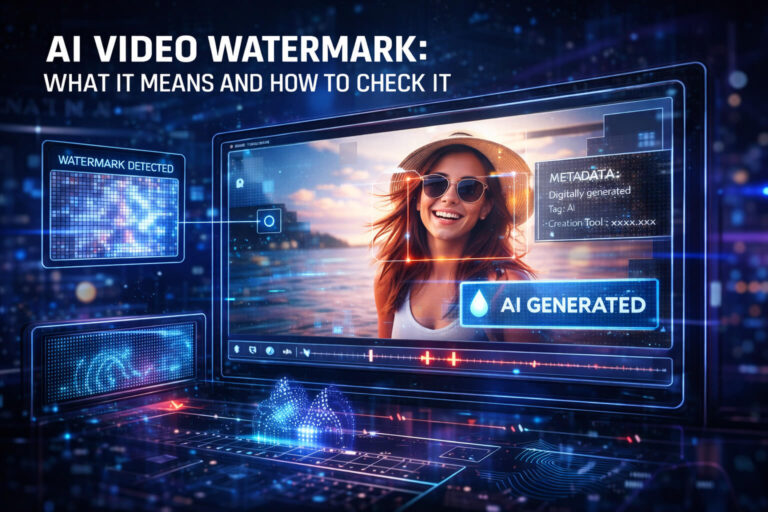
An AI video watermark is a provenance signal, not a truth badge. It may tell you that a compatible AI system generated or edited a video, but it does not automatically prove that the clip is unedited, correctly captioned, legally owned, or presented in the right context.
The biggest source of confusion is that people use the word watermark for several different things. A visible logo in the corner, an invisible signal embedded into video frames, cryptographically signed provenance metadata, and a platform label such as “AI-generated” are not the same technology.
What Is an AI Video Watermark?
An AI video watermark is a marker associated with AI-generated or AI-edited video that helps identify its origin or production workflow. The marker may be designed for people to see or for software to detect.
In a narrow technical sense, a watermark is information embedded into or overlaid on the media. In everyday discussion, however, the term is often mixed with metadata, digital signatures, platform labels, and Content Credentials.
That distinction matters because each signal answers a different question.
If you want the broader explanation of synthetic media itself, see the AI-generated video guide.
Visible Watermark vs Invisible Watermark vs Digital Signature
| Signal | Where it lives | How you check it | Main limitation |
|---|---|---|---|
| Visible watermark | Rendered into or over the video image | Visual inspection | Can be cropped, covered, copied, or added later |
| Invisible watermark | Embedded into the media signal | Provider-compatible watermark detector | Detection is scheme-specific and may fail after unsupported transformations |
| Digital signature / Content Credentials | Cryptographically bound provenance data | C2PA-compatible verifier | Metadata can be absent or lost, and provenance does not prove factual truth |
| Platform AI label | Website or app interface | Read the platform disclosure | May depend on creator disclosure, platform detection, or available provenance |
This is the answer to a common search intent around checking a signature, watermark, or mark in a video webpage: first determine whether you are checking the video file itself or information displayed by the webpage around it.
How Invisible AI Video Watermarks Work
An invisible watermark is designed to add a detectable signal without creating a visible logo or obvious change in quality.
The exact implementation depends on the provider. A watermark may be distributed across frames or other parts of the video signal so that compatible software can later test whether the pattern is present.
The key property is that the mark is part of the media signal rather than ordinary file metadata. That can make it more resilient to common transformations.
Google DeepMind’s SynthID, for example, embeds an imperceptible watermark in AI-generated images and video. Google says the video watermark is designed to tolerate modifications such as cropping, filters, frame-rate changes, and lossy compression.
Designed to survive does not mean impossible to damage. Watermark robustness depends on the scheme, the amount of processing, and what portion of the original signal remains available.
Google SynthID: The Most Useful Current Video Watermark Example
SynthID is one of the clearest current examples of an AI video watermark that users can actually verify.
Google states that AI-generated media created or edited with Gemini Apps contains an invisible SynthID watermark. Google also uses Content Credentials as an additional provenance layer in Gemini Apps.
How to check a video for SynthID
For signed-in users, Gemini can check supported images, videos, and audio for Google AI provenance signals. Upload the video and ask whether it was created or edited by Google AI.
Google’s AI verification documentation makes the result interpretation especially important:
- If SynthID is detected in the video, all or part of it was created or edited using Google AI.
- If SynthID is not detected, the video was not identified as Google AI content by that check.
- A negative SynthID result does not prove that the video is not AI-generated by another provider.
This is why there is no universal “AI watermark checker” that can clear every video. A detector normally understands specific watermark schemes.
Visible Google Watermarks Are a Separate Signal
Google now treats visible and invisible watermarks as separate layers.
In Gemini Apps, the visible media watermark setting can control whether a visible mark appears on generated visual media for eligible users. That setting does not remove SynthID or Content Credentials.
Google’s current Gemini watermark settings documentation states that video watermarks can appear as a persistent visible overlay, while the invisible SynthID and C2PA provenance layers remain separate.
That leads to an important verification rule:
No visible watermark does not mean no invisible watermark.
Content Credentials Are Not the Same as an AI Watermark
Content Credentials are often described next to watermarks because both can help with provenance, but technically they solve different problems.
C2PA Content Credentials are tamper-evident, cryptographically signed records that can describe how an asset was created or edited. They may contain AI-related provenance, creation actions, tools, ingredients, or other source information.
C2PA can also use techniques such as soft bindings to help reconnect media with provenance, but the Content Credential itself should not be reduced to “an invisible watermark.”
The C2PA’s 2026 implementation guidance specifically addresses how Content Credentials can communicate AI-generated, AI-modified, and non-synthetic media. See the C2PA implementation guide.
For the practical checker workflow and interpretation of C2PA results, use the Content Credentials guide.
How to Check a Watermark or Signature on a Video Webpage
If you only have a video webpage rather than the original file, separate page-level signals from file-level signals.
A webpage can tell you what the platform knows or what the creator disclosed. It cannot automatically expose every invisible watermark embedded inside the media.
YouTube AI Labels: Useful, but They Are Not Watermarks
YouTube requires creators to disclose realistic content that has been meaningfully generated or altered using AI. YouTube may show an AI label in the player or expanded description.
YouTube also says it may automatically apply an AI disclosure when content was made with YouTube’s generative tools, contains C2PA metadata, or is identified by its internal systems. The current details are in YouTube’s GenAI disclosure guidance.
This is a platform disclosure, not an invisible video watermark.
If the label appears, treat it as relevant provenance information. If it is absent, do not treat that absence as proof of non-AI origin.
TikTok AI Labels Work the Same Way: Label Is Not Watermark
TikTok also distinguishes creator labels from automatic AI-generated labels.
TikTok says it may auto-label content that it identifies as AI-generated or significantly edited, including uploads with Content Credentials attached. The platform’s AI-generated content guidance explains how those labels are applied.
Again, the UI label and the underlying provenance mechanism are different layers.
What an AI Video Watermark Can Prove
The strength of a watermark depends on what was actually detected.
| Finding | Reasonable conclusion | Do not conclude |
|---|---|---|
| Provider-specific invisible watermark is positively detected | The media contains a watermark associated with that supported provider or workflow | The caption is true, the video is unedited, or the uploader is the creator |
| Visible provider logo appears in the video | The clip presents itself as associated with that provider | The logo is genuine or proves the actual generation source |
| Valid Content Credentials describe AI generation | The signed provenance records AI generation or editing in the documented workflow | The real-world story attached to the clip is correct |
| Platform AI label appears | The platform has a disclosure or detection signal indicating AI use | Every frame is AI-generated |
| No watermark is detected | That specific check did not find the signal it supports | The video is real or human-created |
Why “No Watermark Found” Is a Weak Authenticity Result
This is one of the most important ideas on the page.
An AI-generated video can have no detectable watermark for several reasons:
- the generating provider does not use the watermark you checked
- the checking tool only supports one provider or scheme
- the video was generated through a workflow without that mark
- heavy editing or transformation damaged the signal
- the clip contains only a short or altered portion of the original watermarked media
- the provenance metadata was removed during download, export, or platform processing
So a negative watermark result should be written narrowly:
“This checker did not detect the supported watermark.”
Not:
“This video is authentic.”
Can AI Video Watermarks Be Removed?
There is no one answer because the term “watermark” covers different technologies.
Visible watermarks
They can often be cropped, covered, reframed, or obscured. That makes them useful for disclosure but relatively weak as forensic proof.
Metadata-based provenance
Ordinary metadata and embedded provenance can sometimes be lost when media is re-exported, transformed, or passed through systems that do not preserve it.
Invisible watermarks
They are specifically designed to be harder to remove accidentally. Some schemes are engineered to survive common editing operations. That does not mean every invisible watermark survives every transformation or deliberate attack.
The practical conclusion is more useful than a binary “removable / not removable” answer:
Preserve the original file whenever watermark verification matters.
Why a Fake Watermark Can Be as Misleading as No Watermark
A visible watermark is just visual content. Someone can place a copied logo or “Made with AI” overlay on a video that was not created by that tool.
The reverse is also possible: someone may add a fake AI watermark to authentic footage to discredit it.
That is why visible marks should be corroborated with:
- the original source
- provider-specific invisible watermark detection
- Content Credentials
- generation or project records
- platform disclosure
A visible logo is strongest when other provenance evidence agrees with it.
A Practical AI Video Watermark Check
Use this sequence when you need a reliable result without turning the investigation into a full forensic examination.
1. Identify the signal
Is it a visible logo, an invisible watermark, C2PA provenance, or a platform AI label? Do not use the wrong checker for the wrong signal.
2. Preserve the best copy
An original export is better than a social-media screen recording. Reposts can change compression, crop frames, or remove metadata.
3. Use the correct verifier
If you suspect Google AI, use a SynthID-compatible Google check. If the media carries Content Credentials, use a C2PA verifier. Do not assume that a generic metadata scanner can detect a pixel-level invisible watermark.
4. Interpret the result correctly
A positive result can be strong provider or workflow evidence. A negative result is usually much weaker because it only describes what the current checker did not find.
5. Verify the larger claim if necessary
A watermark does not verify the caption, location, date, identity, or intent. If those questions matter, use the broader video verification process.
When You Need an AI Detector as Well as a Watermark Check
Watermark checking and AI detection are complementary.
A watermark check asks:
“Is a known provenance signal present?”
An AI detector asks:
“Does the media contain patterns associated with synthetic generation or manipulation?”
You may need both when:
- no watermark is found
- the provider is unknown
- the watermark may have been lost
- only part of the video appears synthetic
- the visible watermark looks suspicious
The technical difference between watermark, provenance, temporal analysis, visual analysis, and multimodal detection is explained in the AI video detection methods guide.
How DetectVideo AI Fits Into Watermark Verification
DetectVideo AI should be used as a separate technical evidence layer, not as a replacement for provider-specific watermark detection.
If a known watermark or Content Credential positively identifies the workflow, that provenance evidence is valuable. If no usable provenance is available, technical analysis can help evaluate whether the video contains evidence associated with AI generation or manipulation.
The strongest interpretation keeps the evidence types separate:
| Watermark / provenance | Technical analysis | Interpretation |
|---|---|---|
| Known AI watermark detected | Synthetic signals also present | Independent evidence layers support AI involvement |
| No known watermark detected | Synthetic signals present | AI remains plausible; watermark absence does not clear the video |
| Known watermark detected | No strong synthetic signal | Do not discard the watermark; investigate detector coverage and media quality |
| No watermark detected | No strong synthetic signal | Still not proof of authenticity; source and context may remain unresolved |
AI Video Watermark vs Video Authenticity
A watermark can help answer where a video may have come from. Authenticity is broader.
A video can contain a valid AI watermark and be honestly presented as a synthetic advertisement. It can also be AI-generated and falsely presented as real evidence. Conversely, an authentic camera recording can be miscaptioned or staged.
For the larger question of whether the media and the claim around it are consistent, use the video authenticity guide.
What Publishers Should Do With AI Video Watermarks
If you publish AI-generated video, provenance works best as a layered system rather than a single visible logo.
Good practice includes:
- preserve provider provenance and Content Credentials when your workflow supports them
- use visible disclosure when viewers need immediate context
- avoid removing machine-readable provenance without a legitimate reason
- keep original generation records for high-impact or commercial content
- do not imply that a watermark certifies the factual truth of a scene
This improves transparency while avoiding the false promise that one mark can solve media authenticity by itself.
Key Takeaway
The useful question is not “Does this video have a watermark?” It is “Which provenance signal is present, who can verify it, and what does that signal actually prove?”
Visible watermarks are easy to inspect but easy to imitate. Invisible watermarks such as SynthID require compatible detection technology. Content Credentials provide signed provenance and should be interpreted separately from watermarks. Platform labels add another layer but are tied to the platform’s disclosure and detection systems.
A positive provider-specific watermark result can be strong evidence of AI involvement. A negative result is usually much weaker. If no provenance signal resolves the case, continue with source verification and technical media analysis rather than treating “no watermark found” as proof of authenticity.
FAQ About AI Video Watermarks
What is an AI video watermark?
An AI video watermark is a visible or invisible marker associated with AI-generated or AI-edited video. It can help identify a provider or workflow, but it does not automatically prove that the video’s caption or real-world claim is true.
How do I check an AI video watermark?
First identify the watermark type. Visible marks can be inspected directly. Invisible marks require a compatible provider-specific detector. Content Credentials should be checked separately with a C2PA-compatible verification tool.
Is there a universal AI video watermark checker?
No. Different providers can use different watermark or provenance technologies. A checker that detects one scheme cannot be assumed to detect every other AI video watermark.
How can I check SynthID in a video?
For supported Google AI media, upload the video to Gemini and ask whether it was created or edited by Google AI. Gemini checks for supported Google provenance signals including SynthID.
What does a positive SynthID result mean?
A positive result means all or part of the checked video was identified as created or edited by Google AI. It does not prove that the video is unedited, truthful, or correctly captioned.
What does it mean if SynthID is not detected?
It means the Google check did not identify the video as Google AI content through SynthID. The video could still be AI-generated by another provider.
Are Content Credentials an invisible watermark?
No. Content Credentials are cryptographically signed provenance records. They can work alongside watermarking technologies, but they should not be treated as the same thing.
Is a YouTube “AI-generated” label a watermark?
No. It is a platform disclosure shown in the YouTube interface. It can come from creator disclosure, C2PA provenance, YouTube’s generative tools, or platform detection systems.
Can AI video watermarks be removed?
Visible marks can often be cropped or covered. Metadata-based provenance can sometimes be lost through processing. Invisible watermarks are designed to be more robust, but no watermark should be assumed to survive every possible transformation.
Does no watermark mean the video is real?
No. The video may come from a provider that uses a different watermark, no watermark, or a signal your checker does not support. A negative watermark check is not proof of authenticity.
Can someone fake a visible AI watermark?
Yes. A logo or “AI-generated” overlay can be added to any video. Provider-specific invisible signals, signed provenance, and source records are stronger evidence than a visible overlay alone.
Can a watermark prove who created the video?
Not necessarily. A watermark may identify a tool or workflow without identifying the human creator. Ownership, authorship, and provenance are separate questions.
Should I use an AI detector if a watermark is missing?
Yes when the media itself remains uncertain. Detection can provide an independent technical evidence layer, but it should still be interpreted alongside source and context.