Viral videos move faster than facts. One clip, one headline, and suddenly everyone “knows” what happened-until a day later when the original footage turns out to be old, clipped out of context, edited, or completely fabricated. If you’ve ever shared something and later thought, “Wait… was that even real?”, you’re not alone.
The good news is you don’t need advanced forensics to do solid news verification. You just need a repeatable routine-something you can run in under a minute for most videos, and a deeper checklist when the clip is high-impact. This guide gives you both, plus practical ways to validate suspicious footage using Detect Video AI.
What “News Verification” Really Means (and Why Viral Videos Fool Smart People)
News verification is not about proving a video is 100% real. It’s about confirming three things:
- The footage is authentic (not AI-generated or manipulated in a misleading way).
- The context is accurate (where/when it happened, and what the clip actually shows).
- The claim matches the evidence (the caption, the headline, and the video align).
Viral videos fool smart people because they trigger fast emotional decisions: surprise, anger, empathy, fear, or excitement. When emotions rise, careful checking tends to drop. That’s exactly what bad actors count on.
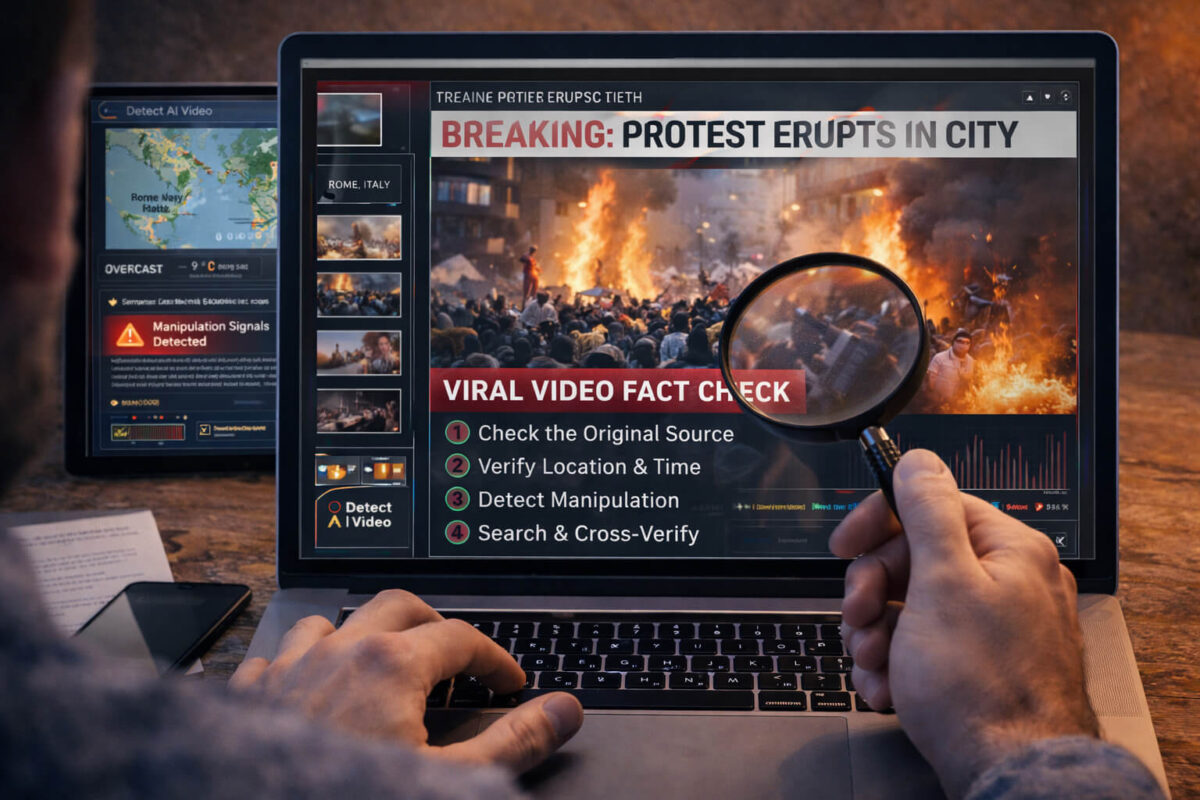
The 60-Second Viral Video Verification Routine
If you do nothing else, do this. It catches the majority of viral misinformation.
Step A: Pause and capture the claim (10 seconds)
Ask: What is the clip claiming? Write a one-sentence version in your head:
- “This happened today in X city.”
- “This person said X.”
- “This is footage of X event.”
If you can’t state the claim clearly, you shouldn’t share it yet.
Step B: Scan for context clues (15 seconds)
Look for:
- Signs, street names, uniforms, car plates
- Language, accent, local references
- Weather, sunlight direction, season clues
- News tickers, timestamps, overlays (often misleading)
Step C: Check the source (15 seconds)
Open the account and look for:
- Is it the original uploader or a repost farm?
- Do they have a history of credible posts?
- Are they pushing affiliate links or “breaking” content nonstop?
Step D: Search for the original (20 seconds)
Take a screenshot (or pause on a clear frame) and try:
- Reverse image search (frames)
- Search the exact claim + a keyword from the scene (location, name, landmark)
- Search the caption text in quotes
If the “original” is older than the claim, that’s a red flag.
Context First: What’s the Exact Claim in the Clip?
A lot of misinformation isn’t about fake pixels. It’s about fake meaning.
Before you look for AI artifacts, get crystal clear on:
- Who is in the video?
- Where is it supposedly happening?
- When is it supposedly happening?
- What is the event?
- What is the clip being used to “prove”?
Many viral posts rely on vague captions like “Look at what’s happening right now!” with no verifiable details. That’s not news verification-friendly content. Real reporting usually anchors the basics.
Source Check: Account, Upload History, and Reposts
The fastest credibility signal is often the uploader.
Look for “first upload” patterns
- Original upload often has the earliest timestamp and the cleanest quality.
- Reposts often have extra overlays, added subtitles, watermarks, or cropped framing.
Watch for common repost-farm behavior
- Hundreds of posts a week
- Unrelated topics stitched together
- Aggressive calls to action (“Share before it’s deleted!”)
- Link-in-bio funnels with questionable offers
If the account looks like a content machine rather than a real witness, treat it as unverified until proven otherwise.
Visual Forensics: 10 Signs a Viral Video Is Misleading
You don’t need to be a video editor to notice these. Train your eye once and it becomes obvious.
- Hard cuts that skip key moments
- Zoom crops that hide surrounding context
- Missing beginning and end (only the most emotional part is shown)
- Overlays covering important details (faces, signs, timestamps)
- Inconsistent lighting (sudden shifts between frames)
- Odd reflections (mirrors, glasses, shiny surfaces don’t match motion)
- Unnatural facial detail (blur around the mouth, eyes, or edges)
- Weird hands or fast gestures (still relevant for some AI edits)
- Background “wobble” (warping near moving subjects)
- Too-perfect clarity in low-light (suspicious enhancement)
If you want a deeper dive on AI-specific face cues, the article deepfake detection helps you spot them faster.
Audio and Voice Clues That Signal Manipulation
Audio is where many viral clips quietly break.
Quick checks:
- Do lip movements match speech?
- Does background noise suddenly change mid-sentence?
- Does the voice sound “too clean” compared to the environment?
- Are there robotic transitions between words?
If the clip depends on what someone “said,” audio authenticity becomes central. For voice-related hoaxes, you’ll want the article voice deepfake because audio-only manipulation is exploding.
Location and Time Verification Without Being a Detective
You can verify location and timing with simple logic.
Location cues that work:
- Street signs, store names, transit logos
- Architecture style (region-specific patterns)
- Language and dialect on the street
- Vehicles (side of steering wheel, plates, emergency markings)
Time cues that work:
- Shadows: short vs long, direction across the scene
- Weather: does it match reported conditions for that day?
- Seasonal clues: clothing, foliage, holiday decor
- Known event schedules (sports, public gatherings)
Even one confirmed detail (like a landmark) can help you trace the original source.
Reverse Search in Practice: Frames, Captions, and Keywords
Reverse searching is not one method. It’s three.
Method 1: Frame search
Pick a sharp frame showing a face, landmark, or unique object. Search it.
Method 2: Caption phrase search
Copy the most specific phrase and search it in quotes.
Example: “police announced curfew at” + city name.
Method 3: Scene keyword search
Use what you see:
- “blue tram station” + “downtown” + city guess
- “hotel lobby chandelier protest” + country name
Many viral hoaxes collapse the moment you find the same video posted two years earlier with a different story.
When a Clip Is Real but the Story Is Fake
This is one of the most common patterns in misinformation.
Real footage, wrong story
- Old protest footage reused for a new conflict
- Natural disaster footage misattributed to a different country
- A staged prank framed as a real attack
- A local incident presented as global breaking news
This is why video authenticity and “context verification” go together. Authentic pixels do not guarantee authentic meaning.
Using Detect Video AI to Speed Up Verification
Manual checks are powerful, but sometimes you want an extra layer—especially when:
- The clip shows a public figure speaking
- The account is unknown or suspicious
- The video quality is odd (over-sharpened, smeared face detail)
- The claim is high-risk (violence, war footage, financial panic)
That’s where Detect AI Video can help. Use it as a decision-support tool:
- It can flag signals of AI generation or manipulation patterns.
- It can help you decide whether the clip needs deeper human verification.
- It can save time when you’re reviewing multiple versions of the same viral clip.
Important: no tool should be treated as a courtroom verdict. Use tool signals together with context, source, and cross-checks.
If your goal is a clear, repeatable process, the article video verification will also fit naturally as your next step after this guide.
A Simple “Confidence Score” You Can Use Before Sharing
Here’s a practical way to decide without overthinking.
Green: Safe to share (high confidence)
- Original source located
- Location/time make sense
- No major signs of edits
- Multiple reputable confirmations exist
Yellow: Share carefully or don’t share yet (medium confidence)
- Clip seems plausible but lacks original source
- Some context unclear
- No strong manipulation signs but not confirmed
Red: Do not share (low confidence)
- Claim conflicts with evidence
- Video appears edited or AI-generated
- Source is suspicious or repost farm
- No credible confirmation anywhere
If it’s Yellow or Red, run it through Detect AI Video and do at least one external verification step.
Common Viral News Formats That Need Extra Caution
Some topics get targeted because they spread fast:
- “Breaking” war footage with dramatic captions
- Celebrity “statements” with perfect audio
- Police or disaster clips with no location proof
- Stock/crypto panic videos
- Election and protest footage with strong emotion
- “This will be deleted” urgency posts
If you publish content in these areas, consider writing supporting articles like scam videos and AI impersonation because they map directly to real-world misinformation patterns.
What to Do If You Shared It Already
If you shared a clip and later discover it was misleading:
- Update fast: Don’t wait for the timeline to “move on.”
- Correct clearly: Say what was wrong and what’s true now.
- Link to verification: Provide your source or the original clip.
- Avoid shame language: People learn more when the correction is calm.
If the video was part of a fraud attempt, document everything and report the account on the platform.
Quick Takeaway: Verify Before You Amplify
News verification works best when you follow a simple, repeatable routine. First, pause and define the exact claim the post is making. Next, check who uploaded the clip, look for context clues (where, when, and what’s actually shown), and search for the earliest version of the video to confirm it wasn’t reused or re-captioned. Most viral hoaxes collapse once you identify the original source and compare it to the headline story. When the stakes are high or the footage feels off, run the clip through Detect AI Video for a fast manipulation signal, then confirm with cross-checks from credible sources before you share.
FAQ
What is the fastest way to verify a viral video?
Use a 60-second routine: define the claim, check the uploader, look for context clues (place/time), and search for the earliest upload using a clear frame and keywords.
Can a real video still be “fake news”?
Yes. The video can be authentic but misrepresented, for example an old clip reposted as a new event, or a real scene described with a false location or date.
What are the biggest red flags in viral news clips?
Urgent captions (“share before deleted”), unknown repost accounts, heavy cropping or overlays, missing beginning/end, and claims with no verifiable details (no place, date, or source).
How do I check if a clip is old or reposted?
Take a screenshot of a clear frame and search it. Also search key phrases from the caption in quotes and look for earlier uploads or matching footage from past events.
How can Detect Video AI help with news verification?
Detect AI Video can flag signals of AI generation or manipulation, helping you decide whether a clip needs deeper verification. Treat it as a strong indicator, not a final verdict.
What should I do if the video includes speech and I suspect the audio is manipulated?
Watch for lip-sync mismatch, unnatural voice clarity, abrupt noise changes, and “stitched” word transitions. If the claim depends on what was said, verify using multiple sources and run extra checks.
Is it safe to share a video if multiple accounts posted it?
Not automatically. Many accounts repost the same misleading clip. What matters is finding the earliest credible source and confirming the context matches the claim.
What if I already shared a misleading video?
Correct it quickly and clearly: say what was wrong, share the verified information, and link to the original or reliable sources. Avoid defensive language-simple corrections spread better.