When a video starts trending, it feels urgent. You see it in a group chat, a timeline, or a headline, and your brain wants to decide quickly: real or fake, safe or risky, true or misleading. The problem is that modern video can lie in more than one way. A clip can be fully AI generated. It can be real footage with a false caption. It can be heavily edited to remove context. Or it can be a perfect deepfake designed to manipulate emotion.
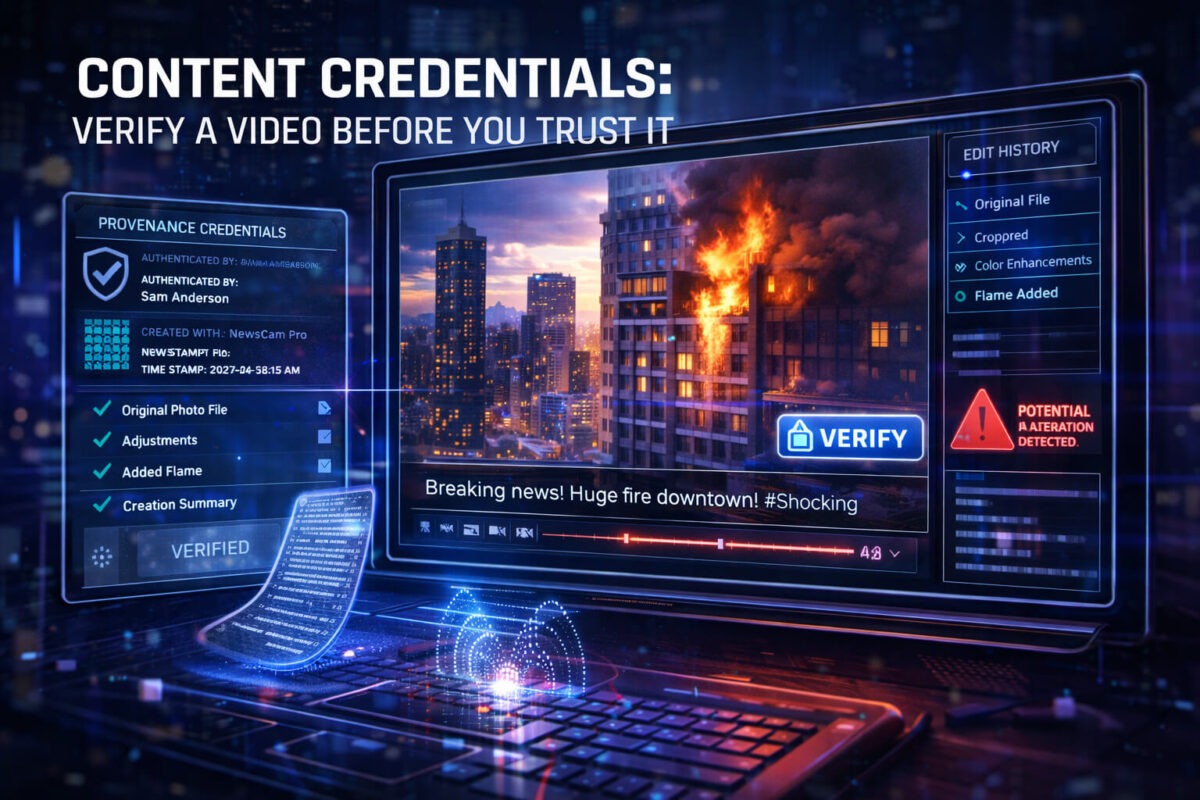
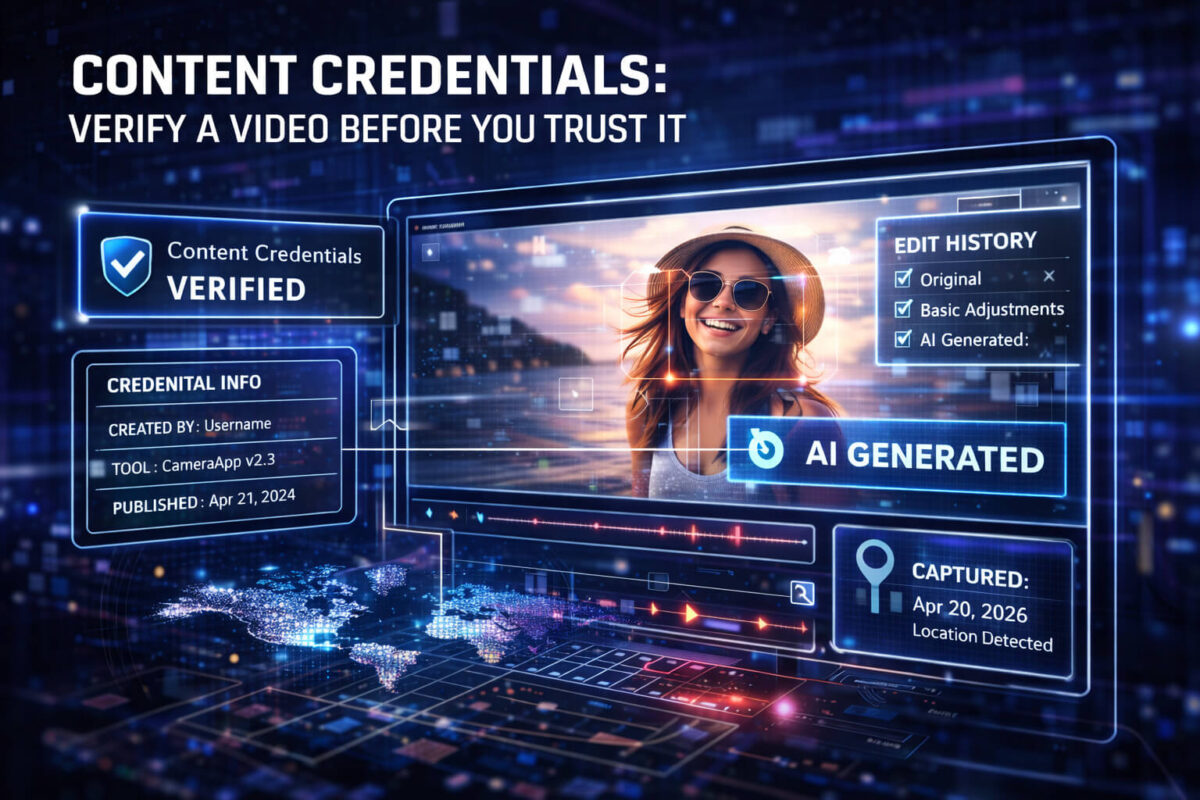
That is where content credentials come in. Think of them as a “proof trail” that travels with a piece of media when it is created and edited in a compatible workflow. When they are present and intact, they can answer a few powerful questions: Who created this, what tools were used, what changed, and when it was exported or published. They do not solve everything, but they can remove a lot of uncertainty and save you from trusting a clip that should not be trusted.
This guide explains content credentials in plain English, shows you how to check them, and gives you a practical verification workflow you can use every day. And when you want one extra signal for manipulation risk, you can run the clip through Detect AI Video to quickly flag suspicious patterns before you share it.
What Content Credentials Actually Are
Content credentials are a set of verifiable information attached to a photo or video, typically as metadata, that describes how the media was made and edited. The concept is simple:
- A creator makes a piece of media in a supported app or device workflow.
- The tool records certain information about the creation and edits.
- That information is packaged in a way that can be checked later.
In many implementations, content credentials are designed to be tamper-evident. That means if someone tries to modify the credential data or the media in a way that breaks the chain, the verification should fail or show that something changed.
It helps to think of credentials like a label on a product. A label can tell you what the product claims to be, who made it, and where it came from. But the label is only useful if it is genuine and if the product has not been repackaged.
What Content Credentials Can and Cannot Prove
Content credentials are strong at provenance questions, but they are not magic. Here is the honest breakdown.
What they can help prove
- The file was exported from a known tool or workflow that supports credentials.
- Some information about the creator or publisher identity, depending on how it was set up.
- A record of certain edits, such as cropping, color changes, compositing, or generative steps, again depending on the tool and settings.
- That the credential data has not been altered after export, if verification succeeds.
What they cannot automatically prove
- That the story in the caption is true.
- That the video shows what the uploader claims it shows.
- That the footage is not misleading or out of context.
- That there was no manipulation outside the credentialed workflow.
Credentials can be missing for normal reasons. They can also be stripped by reuploads. So the most reliable mindset is this: credentials are a strong signal when they exist and verify, but absence is not automatic guilt. It just means you must verify using other methods.
How Content Credentials Work Without the Jargon
Most credential systems follow a similar logic.
Creation and capture
A piece of media is created using a camera, an app, or an editing tool that supports credentials. The tool records details like the device or software name, timestamps, and optional creator information.
Editing
If edits happen in a supported tool, the system can record the fact that edits occurred and sometimes what type of edits they were. The level of detail depends on the ecosystem. Some workflows log broad categories. Others provide more.
Export and publish
When the video is exported, credentials are embedded into the file or included as a linked manifest. If everything stays intact, anyone later can check the credential data and validate it.
Where things go wrong
Credentials often get lost because of:
- Social platform re-encoding
- Download and reupload
- Messaging apps compressing media
- Screen recording
- Format conversions
So if you only ever see a clip as a repost, it is common to lose the credential trail even if the original had it.
What You Can Learn From a Credential
Depending on the workflow, a credential may show:
- Creator or publisher name (sometimes verified, sometimes self-declared)
- Tool used (camera model, editing software)
- Export time and basic technical details
- Edit indicators (for example, “edited,” “generated,” “composited,” “enhanced”)
- A chain of steps that suggests how the file evolved
The most useful value is not a long list of technical fields. It is the ability to answer a simple question: does this file have a credible provenance trail that matches what the uploader claims?
If someone says, “This is raw footage from today,” but the credentials show it was generated in a tool or exported months ago, that mismatch is a bright red flag.
How to Check Content Credentials Step by Step
The exact buttons depend on where you see the video, but the approach stays consistent. Your goal is to locate any provenance or credential display, then check whether it verifies and whether it matches the claim.
Step 1: Check where you got the clip
Ask yourself: is this the original upload, or a repost?
- If it is a repost, credentials may already be stripped.
- If it is the original upload from a creator or publisher, you have a better chance.
Step 2: Look for platform indicators
Some platforms and publishing tools provide a “provenance” view, a “verified media” section, or a “content credentials” panel. If you see anything like that, open it and look for:
- A verification success indicator
- The publisher or creator identity
- Edit notes or labels
Step 3: Verify the file itself when possible
If you can download the original file from a trusted source, check it at the file level. You are looking for embedded metadata or a linked manifest that indicates credentials are present.
If you cannot access the original file, treat the credential check as “not available” and rely on other verification steps.
Step 4: Compare credentials with the claim
This is the part that actually protects you.
- Does the creator identity make sense?
- Do timestamps align with the story?
- Do edits match what you see?
- Does the video claim to be “unedited,” but credentials show a full edit pipeline?
Step 5: Add a manipulation signal check
Even with credentials, it is smart to check for AI manipulation patterns when the stakes are high. Run a quick pass using Detect AI Video and treat it as an extra signal, not a final judge.
If credentials verify but your detector flags strong manipulation risk, that means you should slow down and cross-check deeper. If credentials are missing and the detector flags risk, you have even more reason to avoid sharing.
Green Flags vs Red Flags
Green flags
- Credentials verify successfully
- Identity looks consistent and credible
- Export time and context match the story
- Edit indicators are reasonable and disclosed
- The uploader is the original source and has a history
Red flags
- Credentials are present but fail verification
- The video is claimed as “raw,” but shows heavy edit indicators
- The identity looks generic or does not match the channel
- Timestamps conflict with the narrative
- The clip appears as a repost with stripped metadata and no original source link
A key detail: a video can be real and still be misleading. Credentials help with provenance, but they do not solve context. For that, you need a verification workflow.
Common Scenarios Where Credentials Help a Lot
Viral news video
If a clip is tied to breaking news, credentials can help you quickly see whether the file is recent and who published it first. Then you can switch to news verification checks to confirm the story with credible sources.
Influencer ads and giveaways
Scammy videos often reuse real influencer footage with new overlays, edits, or voice. Credentials can expose an edit trail that does not match the “official” claim. If it looks suspicious, follow a scam videos checklist before clicking anything.
“Leaked” celebrity clips
AI impersonation content spreads fast because it feels shocking. Provenance checks can quickly show whether the file came from a known publisher or a random repost pipeline. Pair it with AI impersonation logic and a manipulation scan in Detect AI Video.
AI generated content pretending to be real
Some creators label their content clearly. Others do not. Credentials can indicate generative steps or tool usage that hints the clip is synthetic.
When Credentials Are Missing (And What That Means)
Missing credentials are common. Here are legitimate reasons:
- The camera or app does not support credentials
- The creator exported in a way that stripped metadata
- The platform removed metadata during upload
- The clip was screen-recorded or re-encoded
Here are suspicious reasons:
- A scammer intentionally reposted the video to remove provenance
- The uploader is hiding origin and edits
- The clip is stitched from multiple sources and re-exported repeatedly
If credentials are missing, do not argue with the absence. Just switch to verification basics:
- Find the earliest upload
- Check the uploader’s profile and history
- Search for the same frames elsewhere
- Verify time and location context
- Use video verification steps as a full checklist
- Add a quick manipulation scan with Detect AI Video
A Practical Verification Workflow You Can Use Every Time
Here is a workflow that works for everyday sharing and for higher-stakes situations.
Start with the claim
Write the claim in one sentence. If you cannot define it, you cannot verify it.
Identify the original source
Find who posted it first and where it was originally published. If you only have a repost, do not treat it as proof.
Check credentials when available
If the platform or file supports credentials, verify them and compare them to the claim.
Confirm context
Look for:
- The full video, not the clipped version
- The date of the first upload
- Related reporting from reliable sources
- Signs that the caption is re-framing a different event
This is where news verification habits save you from accidental misinformation.
Scan for manipulation risk
Use Detect AI Video as a fast “pause” tool. If it flags suspicious artifacts, treat that as a reason to double-check source and context before sharing.
Decide what to do
- If verified and consistent, share with confidence.
- If uncertain, do not amplify. Share a question, not a claim, or wait.
If suspicious, report or warn, but avoid reposting the video itself.
How Credentials and AI Detection Work Better Together
Credentials answer “where did this come from and what happened to it in a supported pipeline?”
AI detectors answer “does this look like manipulation or synthesis based on patterns?”
They are complementary. A smart approach is:
- Use credentials as your provenance foundation
- Use Detect AI Video as a manipulation risk signal
- Use cross-checking and context verification as your truth layer
That combination is far stronger than relying on any single method.
Tips for Publishers and Creators
If you publish content and want viewers to trust it:
- Use tools that support credentials and keep them enabled
- Avoid workflows that strip metadata unnecessarily
- Export in formats and settings known to preserve credentials
- Publish from official channels and link back to originals
- Be transparent when you use AI, edits, or recreations
Trust grows when your workflow leaves a clear trail.
Trust Checklist You Can Save
Before you share a video:
- Do I know who posted it first?
- Does the claim match what the clip shows?
- Do content credentials verify, if available?
- Can I confirm context from a reliable source?
- Did I run a quick check in Detect AI Video when it mattered?
If you cannot answer the first two, slow down.
Wrap-Up: Trust the Trail, Then Trust the Context
Content credentials are one of the best practical upgrades we have for everyday video trust. When they verify, they give you a provenance trail that helps you understand where a clip came from and what happened to it. But the final truth still depends on context. The safest habit is simple: check the source, check the story, confirm context, then use Detect AI Video as a fast manipulation signal when something feels off. That extra minute can save you from sharing a clip that was engineered to mislead.
FAQ
What are content credentials in video?
Content credentials are provenance data attached to a video that can describe its origin and edits in a compatible workflow, helping viewers verify trust signals.
Do content credentials prove a video is real?
Not by themselves. They can verify provenance and edit history, but you still must check context and the claim made about the clip.
Why do content credentials disappear on social media?
Many platforms re-encode uploads or strip metadata for performance and privacy. Reposts, downloads, and messaging apps also commonly remove credentials.
If a video has no credentials, is it fake?
No. Many legitimate videos have no credentials. Treat it as “unknown provenance” and use video verification steps plus source checks.
Can scammers fake content credentials?
Good systems are designed to be tamper-evident, but scammers can reupload videos to strip credentials or use misleading context. Always compare credentials to the claim.
Should I use AI detection if credentials are present?
Yes when the stakes are high. Credentials and Detect AI Video together give you a stronger read than either alone.