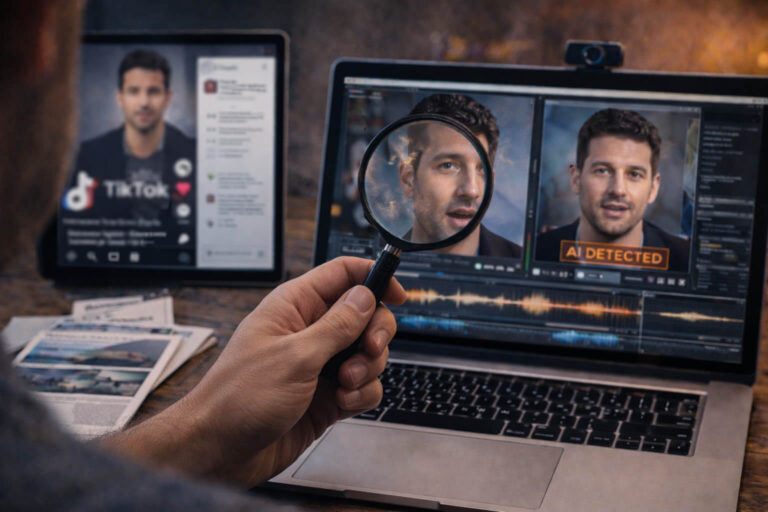
TikTok deepfakes can look like ordinary short-form videos: a creator talking to camera, a celebrity endorsement, breaking-news footage, a product demonstration, or a voice-over clip. The difficult part is that not every suspicious TikTok is a deepfake, and not every AI-generated video leaves an obvious visual glitch.
If you are asking “How can I tell if a TikTok video is AI-generated?”, start with evidence TikTok already gives you before analyzing the pixels. Check for AI labels, the creator and source, whether the clip is a repost, and whether the claim can be confirmed elsewhere. Then inspect the video itself for temporal, visual, and audio inconsistencies.
Quick answer: a TikTok video may be AI-generated or deepfake-manipulated if TikTok labels it as AI-generated, the creator discloses AI use, the source cannot be verified, or the media shows inconsistencies across frames, speech, identity, lighting, or motion. But the absence of a label or visible artifact does not prove the video is real. High-stakes clips need a layered check.
| What you see on TikTok | What it means | What to do next |
|---|---|---|
| Creator labeled as AI-generated | The creator disclosed that the content was generated or significantly edited with AI | Treat the AI involvement as disclosed, then judge the claim and context separately |
| Automatic AI-generated label | TikTok applied an AI label based on its systems, TikTok AI effects, or compatible Content Credentials | Do not treat the clip as unaltered footage |
| No AI label | No label is visible | Do not assume authenticity; continue source and content checks |
| Real video, suspicious caption | The media may be authentic while the story is false | Verify date, location, source, and full context |
| Face or voice seems inconsistent | Possible identity manipulation or post-processing | Inspect the difficult moments and compare with known source material |
What Counts as a TikTok Deepfake?
A TikTok deepfake is generally a video or audio-visual post in which AI is used to create or manipulate a realistic identity, performance, voice, or event in a way that can make something appear to have happened when it did not.
Examples include:
- a face swap that makes one person look like another
- AI-generated speech placed into a real person’s mouth
- a cloned voice paired with real or synthetic video
- facial reenactment that changes expressions or performance
- a realistic synthetic person presented as a real individual
- AI-altered footage of a real event
TikTok itself uses the broader term AI-generated content, or AIGC, for content generated or modified by AI. Its current guidance includes realistic videos in which a real person’s image, voice, words, appearance, or actions have been significantly altered, as well as fully AI-generated scenes and people.
That means every TikTok deepfake can be considered AI-manipulated content, but not every AI-generated TikTok is a deepfake. A fully synthetic landscape, animated character, or fictional scene may contain no impersonated real person at all.
For a broader forensic explanation of identity manipulation across platforms, see the deepfake detection guide.
Deepfake, AI-Generated, Edited, or Just Misleading?
Before checking for artifacts, classify the problem. TikTok mixes several kinds of media manipulation that can look similar to the viewer.
| Category | Example | Main verification question |
|---|---|---|
| Deepfake | A celebrity appears to endorse a product they never promoted | Was the person’s identity or performance synthetically altered? |
| Fully AI-generated video | A realistic street scene or person that never existed | Was the scene captured by a camera at all? |
| Conventional edit | A real interview is cut into a shorter sequence | Did editing change the meaning? |
| Real video with false context | Old footage is posted as today’s breaking news | Do the caption, date, place, and source match the original? |
This distinction prevents a common mistake: spending time searching for AI glitches when the real deception is a false caption or a misleading edit.
Check TikTok’s AI Labels Before You Inspect the Video
TikTok now provides several platform-level signals that can tell you AI was involved before you analyze a single frame.
Creator-labeled AI content
Creators can mark a post as AI-generated when the content was completely generated or significantly edited by AI. TikTok’s current support guidance says realistic AI-generated images, audio, and video must be labeled under its Community Guidelines.
A creator can also disclose AI use through clear text, a sticker, watermark, or context in the post description.
Automatic AI-generated labels
TikTok may automatically apply an AI-generated label. According to TikTok, this can happen when content uses TikTok AI effects, when its systems identify AI-generated or significantly AI-edited media, or when uploaded content carries compatible C2PA Content Credentials.
TikTok says an automatically applied AI-generated label cannot be removed by the creator.
TikTok AI effects
If a video was created only with a TikTok AI effect, the effect itself may provide the relevant context and TikTok can label the content automatically. If additional AI manipulation happened outside that effect, the creator is still expected to follow the broader disclosure rules.
TikTok’s current definitions and labeling instructions are available in its official AI-generated content guidance.
Does “No AI Label” Mean the TikTok Is Real?
No. This is one of the most important rules on this page.
A missing AI label tells you only that you do not see a TikTok AI label on that post. It does not establish that the media was captured normally or that no AI processing occurred.
There are several reasons a suspicious video may lack an obvious label:
- the creator did not disclose AI use
- the original provenance information was not available to the platform
- the media passed through another editing or distribution workflow
- the AI manipulation was not detected automatically
- the video is deceptive for reasons unrelated to AI
Labels are useful positive evidence when they are present. Their absence is not proof of authenticity.
How to Tell If a TikTok Video Is AI-Generated: A 5-Layer Check
A better TikTok workflow is to move from the easiest evidence to the hardest. You should not begin by zooming into teeth.
Layer 1: What is the post claiming?
Write the claim in one sentence. Is a politician supposedly announcing something? Is a celebrity endorsing an investment? Is a creator supposedly confessing something? Is the clip presented as live footage from a current event?
The stronger the claim, the stronger the evidence you should require.
Layer 2: What does TikTok itself disclose?
Check the post for:
- AI-generated labels
- creator disclosure
- effect names
- watermarks
- caption context
If the content is clearly labeled as AI-generated, you no longer need to prove AI involvement. Your next question is whether the post is transparent, satirical, misleading, impersonating someone, or making a factual claim.
Layer 3: Who is posting it?
Open the creator profile. Do not treat follower count as proof of identity.
Look for:
- a consistent posting history
- original content rather than endless reposts
- links to an established identity or organization
- whether the account is copying a known creator’s videos
- abrupt changes in topic, language, or identity
A brand-new or recycled account does not prove the video is fake, but it gives you less source evidence to rely on.
Layer 4: Does the media remain coherent across time?
Now inspect the video. Focus on moments that are difficult for synthetic systems rather than scanning random frames.
Useful stress points include:
- fast head turns
- hands or objects crossing in front of the face
- changes in expression
- shifts between light and shadow
- speech with large mouth movements
- glasses, earrings, hair, or detailed edges under motion
Look for details that change without a physical reason: identity drift, unstable geometry, disappearing texture, inconsistent reflections, or one region behaving differently from the rest of the frame.
Layer 5: Can you find the source outside the viral post?
Search for an earlier, longer, or higher-quality version. Compare the TikTok with official accounts, original livestreams, other camera angles, news reports, or the creator’s established channels.
If source tracing is the main task, the reverse video search workflow explains how to trace reposts and locate earlier versions without relying on one screenshot.
Why Old Deepfake Checklists Are Less Reliable on TikTok
Advice such as “look for weird blinking” became popular because older face-swap systems often failed in recognizable ways. Modern systems do not fail consistently enough for one artifact to work as a universal rule.
Blinking is weak evidence by itself
Unusual blinking can occur naturally, through frame-rate changes, compression, editing, or synthetic generation. Normal blinking also does not prove authenticity.
Perfect hands do not prove a video is real
Generative systems have improved, and many deepfakes manipulate only the face or voice while preserving real hands and body movement.
Bad teeth are not a detector
Mouth interiors can still become unstable, especially during motion, but compression and low resolution can create similar problems.
One strange frame is not enough
TikTok videos may be heavily compressed, sharpened, denoised, filtered, resized, and edited. A stronger clue is a pattern that persists or appears repeatedly in the same semantic region.
The goal is not to collect as many “AI-looking” details as possible. It is to determine which explanation best fits all the available evidence.
TikTok Compression Can Make Real Video Look Fake
TikTok delivery can complicate manual detection because the version on your screen may be different from the original upload.
Common processing effects can include:
- loss of fine skin and hair detail
- block artifacts during motion
- soft edges around faces and text
- frame-rate changes
- sharpening or smoothing
- audio recompression
This is why a blurry jawline or unusual texture should not immediately be called a deepfake. Compare the suspicious region with the rest of the frame. If every moving edge is degraded, compression is a stronger explanation than localized AI manipulation.
Audio Can Be Fake Even When the TikTok Video Is Real
Some of the hardest TikTok cases use authentic video with synthetic, replaced, or cloned speech.
Listen for:
- speech that feels acoustically detached from the room
- background noise that changes between phrases
- voice tone that remains unnaturally stable while the person turns away
- mouth closure that does not match speech timing
- breathing and pauses that do not fit the visible performance
Do not assume a clean voice is synthetic. TikTok creators frequently use microphones, noise reduction, dubbing, and voice-over workflows. The question is whether the audio and visual evidence agree.
If the suspected manipulation is primarily vocal, use the voice deepfake guide rather than treating every audio anomaly as a facial deepfake.
The TikTok Caption Can Be More Misleading Than the Video
A real clip can become a fake TikTok simply because the caption changes what viewers think they are seeing.
Common examples include:
- old footage presented as breaking news
- a video from one country presented as another location
- a parody presented as a genuine confession
- a translated subtitle that changes what was said
- a shortened interview that removes the question or correction
- a real celebrity video attached to an unrelated scam offer
This type of deception can survive every visual AI check because the underlying video may be completely authentic.
For high-impact factual claims, combine media analysis with a broader video verification process.
TikTok Deepfake Impersonation: The Account Matters as Much as the Face
Impersonation is one of the most important TikTok deepfake risks because the synthetic media is often only the first step. The post may be trying to establish trust before sending users toward a product, investment, giveaway, external website, private message, or payment.
High-risk patterns include:
Celebrity or influencer endorsement
A familiar face appears to recommend an unfamiliar product, financial service, medical claim, or giveaway. Check whether the same endorsement exists on the person’s established accounts or official channels.
Executive or business impersonation
A founder or company leader appears to announce an investment, promotion, urgent offer, or unusual request. Verify the announcement through the company’s official website and established channels.
Copied creator identity
An account reposts a real creator’s visual style or source footage while changing the face, voice, captions, or commercial message.
Emergency or emotional impersonation
A realistic voice or video attempts to create urgency around money, personal safety, or a private request.
When the identity itself is being used as proof, follow the AI impersonation verification guide. A convincing face or voice is not authentication.
How TikTok Uses Content Credentials and C2PA
TikTok can read C2PA Content Credentials attached to compatible AI-generated content and use that provenance information to help apply automatic AI-generated labels.
Content Credentials are useful because they can communicate information about the creation and editing history of a digital asset in a tamper-evident provenance structure. They are different from visual deepfake detection.
A useful mental model is:
- Content Credentials: what the provenance record declares
- Deepfake detection: what analysis infers from the media
- Source verification: whether the real-world claim and publication history make sense
If you want to understand the provenance layer in detail, see the C2PA metadata guide.
What TikTok Is Doing About AI-Generated Content in 2026
TikTok’s AI transparency system has expanded significantly beyond creator self-labeling.
In July 2026, TikTok said it had labeled more than 3 billion videos as AI-generated content using a combination of Content Credentials, creator labeling tools, and invisible watermarking technology.
The platform also said it was testing improved detection systems aimed at accounts dedicated to posting AI-generated spam in areas that can affect public trust or well-being, including politics and current events, financial advice, and medical content. TikTok also joined the C2PA Steering Committee in 2026.
These updates are described in TikTok’s July 2026 AI transparency update.
This platform-level detection is valuable, but it should not change the basic verification rule: TikTok’s systems cannot make every unlabeled post trustworthy.
How to Check a Suspicious TikTok Outside TikTok
If the post matters, leave the platform context for a moment.
Search the exact claim
Use the person’s name, the event, a distinctive phrase, and the alleged date or location. If the claim is real and important, there may be independent evidence.
Extract a useful frame
Choose a frame containing a distinctive face, object, sign, logo, landmark, stage, or background rather than a generic close-up.
Look for older versions
An older upload can reveal that the clip was reused, recaptioned, or edited from a longer source.
Compare the strongest source with the TikTok version
Check what changed: crop, subtitles, audio, sequence, speed, context, or facial identity.
This is usually more informative than counting visual artifacts in a low-resolution repost.
When Should You Use an AI Video Detector?
Use a technical detector when the media itself remains suspicious after basic source checks, especially when:
- a real person’s identity may have been manipulated
- the video has no reliable original source
- the clip is high-impact or potentially harmful
- visual and audio evidence conflict
- the post may be part of a scam or impersonation campaign
For supported video files, DetectVideo AI can provide an additional evidence layer across available video, temporal, audio-video, metadata, source, compression, and manipulation signals.
The right interpretation is not “the detector decides what is true.” A technical result should help you decide what to investigate next and how much confidence the evidence supports.
What If the TikTok Has an AI Label but Looks Real?
That is not a contradiction.
The purpose of better AI generation is to produce realistic media. A TikTok can look completely natural and still carry an AI-generated label because the AI involvement was declared by the creator, detected by TikTok, or identified through compatible provenance information.
Do not remove the AI conclusion simply because you cannot see a glitch.
Instead, ask what type of AI involvement is relevant:
- Was the whole video generated?
- Was only the face changed?
- Was the voice synthetic?
- Was the scene real but significantly altered?
- Is the post clearly creative, or is it making a deceptive factual claim?
What If the TikTok Looks Fake but Has No AI Label?
Do not jump directly to “deepfake.”
There are at least four plausible explanations:
- the video contains undisclosed AI manipulation
- ordinary editing or filtering is creating artificial-looking effects
- TikTok compression is degrading the media
- the video is authentic but the context is false
The correct next step is source verification, not stronger visual guessing.
TikTok Deepfakes Used in Scams
A deepfake becomes especially dangerous when the video is used to move viewers toward an external action.
Watch for posts combining a recognizable identity with:
- crypto or investment offers
- miracle products
- giveaways that require payment or personal data
- limited-time financial claims
- links to unfamiliar stores or platforms
- requests to continue the conversation privately
The video can be technically impressive and still be only the persuasion layer of a conventional fraud funnel. The scam video guide covers that pattern in more detail.
How to Report a Deepfake or Manipulated Video on TikTok
TikTok provides a specific reporting path for deepfakes and manipulated media.
In the TikTok app:
- Open the post.
- Tap Share, or press and hold the post.
- Tap Report.
- Select Misinformation.
- Select Deepfakes, synthetic media, and manipulated media.
- Submit the report.
TikTok’s support documentation also says AI-generated or edited media can still be prohibited even when labeled, including certain harmful impersonation and misleading uses of realistic likenesses.
Report the content when it violates platform rules or creates real harm. If the video is merely labeled creative AI content with no deceptive claim, the fact that it is synthetic is not by itself a reason to report it.
A Better TikTok Deepfake Decision Framework
| Evidence state | Best conclusion | Action |
|---|---|---|
| AI label present, harmless creative content | AI involvement disclosed | No authenticity investigation needed unless the claim matters |
| AI label present, deceptive identity or factual claim | AI involvement known, context still needs verification | Verify and report if policy-violating |
| No label, strong source confirms original real footage | AI generation less likely, but check whether the TikTok version was edited | Compare versions |
| No label, no source, several content inconsistencies | Suspicious, unresolved | Do not share; investigate further |
| Detector flags manipulation but source evidence is incomplete | Technical concern, not final proof | Seek original media and corroboration |
| Video is authentic, caption is false | Contextual misinformation | Correct the claim, not the pixels |
Key Takeaway
The fastest reliable way to spot a TikTok deepfake is not to memorize a list of facial glitches. Start with the platform evidence: AI labels, creator disclosure, effect information, account history, and source. Then inspect the media for inconsistencies that persist across time, audio, identity, lighting, and motion.
TikTok now labels AI-generated content through several mechanisms, including creator disclosures, Content Credentials, platform systems, and invisible watermarking. That makes platform context more useful than it was a few years ago, but it does not make unlabeled content automatically authentic.
The strongest conclusion comes from agreement between three layers: what TikTok discloses, what the media shows, and what the external source history confirms.
FAQ About TikTok Deepfakes
What are TikTok deepfakes?
TikTok deepfakes are videos in which AI is used to realistically alter or generate a person’s face, voice, identity, expression, or performance. They can appear as entertainment, impersonation, fake endorsements, misinformation, or scam content.
How can I tell if a TikTok video is AI-generated?
Check for TikTok AI labels and creator disclosure first. Then inspect the account and source, compare the clip with earlier versions, and look for persistent inconsistencies in motion, identity, lighting, audio, or temporal behavior. No single visual clue is enough.
Does TikTok label AI-generated videos?
Yes. TikTok provides creator-applied AI labels and may automatically label content created with TikTok AI effects, detected as AI-generated, or uploaded with compatible C2PA Content Credentials.
Does no AI label mean a TikTok video is real?
No. A missing label does not prove authenticity. The media may contain undisclosed AI, may lack usable provenance, may have passed through another workflow, or may be misleading without using AI at all.
What is the difference between a TikTok deepfake and an AI-generated TikTok?
A deepfake usually involves realistic manipulation or simulation of a person’s identity or performance. AI-generated TikTok content is broader and can include entirely synthetic scenes, objects, fictional people, or other generated media without impersonating anyone.
Can TikTok detect deepfakes automatically?
TikTok uses automated labeling and detection systems for AI-generated content and also reads compatible Content Credentials. However, platform detection should not be interpreted as complete coverage of every possible deepfake or AI-edited video.
Are weird blinking or warped teeth reliable deepfake signs?
Not by themselves. Those artifacts can appear in some synthetic videos, but modern models may avoid them and ordinary compression or editing can produce similar effects. Repeated, independent signals are more useful than one visual anomaly.
Why do real TikTok videos sometimes look AI-generated?
Compression, filters, beauty effects, denoising, sharpening, frame-rate changes, low light, and aggressive editing can make authentic footage look artificial. Compare suspicious details with the rest of the frame and seek the original source.
Can a TikTok deepfake use a real voice?
Yes. A face can be manipulated while the original voice remains intact. The opposite is also possible: the video can be real while the voice is cloned or replaced.
Can a real TikTok video still be fake or misleading?
Yes. Authentic footage can be reposted with a false date, location, identity, subtitle, or caption. Contextual misinformation is separate from synthetic manipulation.
How do I verify a TikTok celebrity endorsement?
Check whether the same endorsement appears on the person’s established accounts or official channels, inspect the account that posted the TikTok, search for the original video, and be especially cautious when the post leads to an investment, payment, or unfamiliar external website.
How do Content Credentials work on TikTok?
TikTok can read compatible C2PA Content Credentials attached to media and use that provenance information to help apply AI-generated labels. Content Credentials provide provenance signals and are different from visual deepfake detection.
How do I report a deepfake on TikTok?
Open the post, choose Report, select Misinformation, then choose Deepfakes, synthetic media, and manipulated media, and submit the report. TikTok provides this route specifically for manipulated and synthetic media.
Can an AI video detector prove a TikTok is fake?
A detector can provide useful technical evidence, but no single detector should be treated as universal proof. Strong verification combines the technical result with source history, platform labels, context, and manual review.
Primary References
- TikTok Support: AI-generated content, current definitions, labeling requirements, automatic labels, prohibited uses, and reporting steps.
- TikTok Newsroom, July 2026, current updates on AI labeling, Content Credentials, invisible watermarking, AI spam detection, and C2PA participation.
- NIST GenAI Deepfakes Program, current evaluation work on deepfake detection under challenging and real-world transformations.