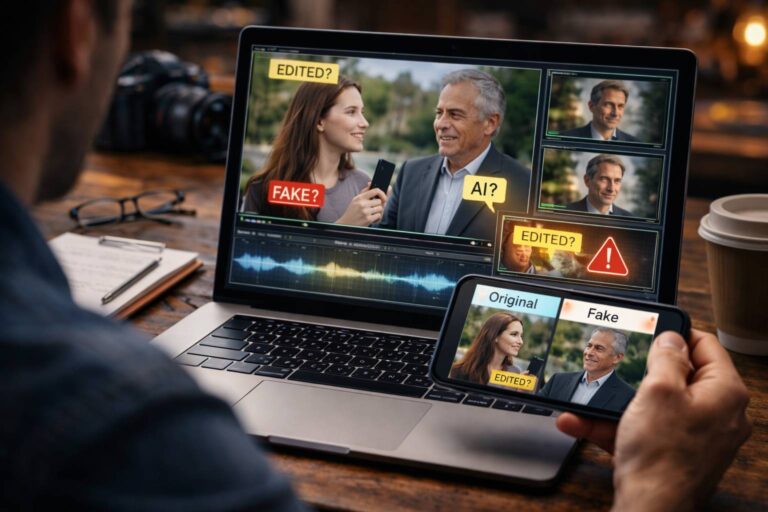
A fake video is not always an AI video. A clip can be staged for the camera, deceptively edited, paired with false audio, generated with AI, or completely real but shared with the wrong story. That is why the best fake video check does not begin with one visual glitch. It begins by asking what kind of deception is possible here?
If you are wondering “Is this clip real or edited?”, the most useful evidence usually comes from several places at once: the source, the sequence of events, the audio, the continuity between frames, the file history, and the claim attached to the video.
Quick answer: signs of a fake video can include an untraceable source, evidence that a scene was staged, cuts that change meaning, audio that does not belong to the visible scene, objects or identities that change unnaturally across frames, technical history that conflicts with the claimed origin, or independent evidence that contradicts the post. None of these clues is universal proof on its own.
First, Decide What “Fake Video” Means in This Case
The phrase fake video covers several different problems. Treating them as one category leads to bad verification decisions.
| Type of fake video | What actually happened | Best first check |
|---|---|---|
| Staged video | The scene was acted, arranged, or recreated for the camera | Source history and evidence about how the scene was produced |
| Deceptively edited video | Real footage was cut, reordered, cropped, sped up, or otherwise changed to alter meaning | Find a longer or earlier version and compare the sequence |
| AI-manipulated video | Part of the footage, face, voice, object, or background was synthetically changed | Temporal, audio-video, source, and technical analysis |
| Fully synthetic video | The scene or subject may have been generated rather than captured by a camera | Provenance, source history, and synthetic-media analysis |
| Real video with false context | The recording is genuine, but the caption, date, location, identity, or claim is wrong | Trace the original source and verify the event |
This distinction also matches professional media-forensics practice. The Scientific Working Group on Digital Evidence treats video authentication as an examination of a file’s content, context, structure, provenance, and integrity, rather than a simple search for visual defects. Its digital video authentication guidance provides the forensic framework behind that approach.
Seven Signs of a Fake Video That Are Actually Worth Checking
You do not need a list of 30 tiny artifacts. Start with seven evidence patterns that can apply to edited, staged, synthetic, and miscaptioned videos.
1. The source story does not hold together
A dramatic clip appears from an anonymous account, a repost page, a screen recording, or a profile with no clear connection to the event.
Ask:
- Who recorded or first published the video?
- Can the uploader explain when and where it was filmed?
- Does an earlier or higher-quality version exist?
- Is the account actually connected to the people or event shown?
An unknown source does not prove a video is fake. It simply means one of the strongest authenticity signals is missing.
2. The scene looks staged rather than captured naturally
A staged video can contain completely real pixels. The people, location, and camera may all be genuine, while the event itself was performed for the viewer.
Possible warning signs include an implausibly convenient camera position, missing details that should be easy to verify, repeated actors or scenarios, a source known for scripted content, or behavior that seems designed primarily to make a dramatic point.
But these are only reasons to investigate. You cannot reliably prove staging from “bad acting” or camera angle alone.
3. The edit changes the meaning, not just the length
Most legitimate videos are edited. The question is whether the edit materially changes what the viewer is led to believe.
Watch for a cut immediately before an important answer, missing context between statements, sudden changes in posture or background sound, a crop that hides another person, or a sequence that appears to jump forward without explanation.
A normal jump cut is not evidence of deception. The important issue is whether something relevant disappeared.
4. The audio does not belong naturally to the scene
Sound can expose a fake even when the picture looks convincing.
Listen for room tone that changes between sentences, a voice that stays equally clear while the speaker turns away, speech that sounds detached from the environment, missing breaths, abrupt noise transitions, or lip movement that does not consistently match the words.
If the main concern is synthetic speech rather than the whole video, the voice deepfake guide covers that evidence separately.
5. Something changes across frames without a physical reason
For AI-manipulated or generated video, the strongest visual clue is often continuity failure.
Look for identity details, objects, reflections, text, shadows, jewelry, fingers, facial geometry, or background elements that change from one moment to the next even though the scene gives them no reason to change.
This is more reliable than rules such as “AI does not blink normally.” Modern synthetic video can reproduce natural blinking, skin, teeth, and facial movement surprisingly well.
6. The file history conflicts with the story
If someone claims to have the original camera recording, technical evidence should be broadly compatible with that story.
For example, a supposed camera original may instead show signs of a later social-media download or editing export. Timestamps may conflict with the claimed event. Metadata may identify software that does not fit the explanation.
Metadata is supporting evidence, not truth. It can be removed or changed. The useful clue is a conflict between the technical history and the claimed history.
7. The real world contradicts the clip
A video can look perfect and still be false.
If the clip claims a major event happened at a certain place and time, independent evidence should make sense. Look for official statements when appropriate, other camera angles, local reporting, identifiable landmarks, weather, public schedules, or people who were actually present.
When the external evidence clearly contradicts the caption, there may be no reason to spend another hour studying pixels.
Signs of a Staged Video: What You Can and Cannot Tell From the Clip
The Search Console query “signs of a staged video” deserves its own answer because staging is fundamentally different from AI generation.
A staged video records a scene that was arranged or performed for the camera while presenting it as spontaneous or real. The camera footage itself may be perfectly authentic.
That means there is no universal “staged-video artifact.”
Useful questions include:
- Does the original creator describe the video as a skit, prank, reenactment, or performance?
- Do the same actors appear in other scripted scenarios?
- Can the claimed event be independently confirmed?
- Does a longer version reveal setup or aftermath that was removed?
- Is the account’s normal content entertainment rather than documentary footage?
- Does reverse search lead to an earlier post with a different description?
A good real-world example comes from an AFP fact check published in 2026. A viral clip was presented as genuine sectarian violence, but reverse-image searching led investigators to a longer version, the location was matched in Bangladesh, and the person who created the video confirmed that the scene was acted and the child knew what would happen. The decisive evidence came from source tracing and creator confirmation, not from visual guesswork. See the AFP staged-video investigation.
Practical rule: suspicious acting can start an investigation. It should not finish one.
How to Tell If a Video Recording Has Been Edited
Editing is not automatically suspicious. News reports, documentaries, interviews, ads, social videos, and professional productions are edited every day.
The useful question is:
Was this recording edited in a way that changes what happened, what was said, or what the viewer understands?
Look for continuity changes
Compare body position, hands, objects, camera angle, lighting, clocks, screens, clothing, and background activity before and after a cut. A meaningful discontinuity can indicate missing footage.
Listen across the cut
Audio can reveal an edit that looks visually smooth. Room tone, reverberation, background traffic, crowd noise, or microphone character may change suddenly.
Compare with the full recording
If a longer version exists, compare the statements immediately before and after the viral segment. This is often the fastest way to determine whether a short clip changed meaning.
Check whether timing was manipulated
Speed changes can make a normal movement look aggressive, hesitant, or unnatural. Reversing, looping, and frame interpolation can also change the apparent sequence of events.
Separate evidence of editing from evidence of deception
A codec change, export tag, or visible cut may prove that the file was processed. It does not prove that the editor intended to mislead.
For a broader analysis of conventional and AI-assisted manipulation, use the AI video analysis guide.
How to Identify a Video Glitch Without Mistaking It for a Fake
One strange frame is one of the weakest reasons to call a video fake.
Video glitches can come from:
| Possible cause | Typical behavior | What to check |
|---|---|---|
| Compression | Blockiness, smearing, mosquito noise, lost texture | Does the same degradation affect many moving areas? |
| Network or streaming error | Frozen frames, skipped frames, buffering artifacts | Does a downloaded or alternate copy show the same problem? |
| Camera processing | Noise reduction, sharpening, rolling shutter, exposure changes | Does the behavior match camera motion or low light? |
| Normal editing | Cuts, stabilization, reframing, interpolation | Does the edit alter meaning or simply improve presentation? |
| AI manipulation | Localized identity, geometry, object, or temporal inconsistency | Does the same semantic region fail repeatedly across time? |
A useful diagnostic rule is to ask whether the glitch is global or local. Compression often damages many moving edges at once. A manipulation may repeatedly affect one face, object, or region differently from the rest of the frame.
Is This Clip Real? Use This Three-Minute Triage
You do not need a long forensic workflow for every social-media clip. Use this short sequence to decide whether the video deserves deeper investigation.
- State the claim. What exactly is the video asking you to believe?
- Check the source. Is this the original or a repost?
- Look for an earlier or longer version. A source comparison can resolve editing and context questions quickly.
- Watch for one repeated inconsistency. Do not collect random glitches. Look for a pattern that returns across time.
- Listen independently. Does the audio fit the room, motion, and visible speech?
- Check the real-world claim. Can the place, date, person, or event be corroborated?
If you need to trace where a clip came from, the reverse video search guide explains how to find earlier versions and source material.
For a full investigative workflow rather than this quick triage, use the dedicated video verification guide.
Reverse Search Is Often More Useful Than Zooming Into a Face
When the video is a repost, keyframes can reveal where the footage appeared before.
Choose frames with useful context: a building, sign, stage, logo, distinctive object, landscape, or clear person. Generic close-ups are often less useful.
Google says Lens can return similar images and websites containing the same or similar image. That makes a carefully chosen video frame useful for source discovery. Google’s official Lens guidance explains the image-search workflow.
The InVID Verification Plugin is also designed for verification work and can extract keyframes from supported videos or URLs for reverse-image searching and contextual analysis.
Finding an older upload does not automatically mean you found the camera original. It does give you a stronger timeline to investigate.
What AI Changes About a Fake Video Check
AI does not replace older forms of manipulation. It adds new ones.
A fake video may now combine:
- real footage
- synthetic face or voice
- conventional editing
- AI-generated background or objects
- false captions and distribution context
This is why professional forensic frameworks distinguish broader video manipulation detection from narrower deepfake detection. NIST’s Open Media Forensics Challenge defines Video Manipulation Detection as detecting potentially any deliberate video manipulation, while Video Deepfakes Detection specifically evaluates deepfaked video. See the NIST OpenMFC task definitions.
NIST’s synthetic-content guidance also separates synthetic-content detection from provenance and content authentication. Detection looks for evidence that content is synthetic; provenance examines origin and history. Those approaches support different questions and work best together. The distinction is summarized in NIST AI 100-4.
What Not to Call Fake
Good verification includes avoiding false accusations.
A staged reenactment that is clearly disclosed
A reconstruction, skit, parody, training video, or dramatic reenactment is not deceptive merely because it was staged. The problem begins when it is presented as spontaneous evidence of a real event.
A normally edited video
Trimming silence, correcting color, adding subtitles, stabilizing a shot, or combining camera angles does not automatically make a video fake.
A compressed or filtered video
Beauty filters, low-light processing, denoising, and platform compression can create strange faces and textures.
A video you cannot verify
Unverified is not the same as fake. If the evidence is incomplete, say so.
This distinction is essential for trust. A verification page should help users reduce both false acceptance and false accusation.
How DetectVideo AI Fits Into a Fake Video Check
When source and context checks leave the media question unresolved, technical analysis can add another evidence layer.
DetectVideo AI currently combines multiple detection models with available visual, temporal, audio, compression, metadata, and source evidence. Original uploaded files generally preserve the broadest evidence; reposts, screen recordings, heavy compression, and missing metadata can reduce what can be analyzed.
Use the result to answer questions such as:
- Which evidence groups were actually available?
- Are suspicious signals localized or repeated across time?
- Do audio, motion, source, and compression evidence support the same conclusion?
- Does the technical result agree with the source history?
A detector can help identify manipulation evidence. It cannot independently prove that a staged event really happened, that a caption is accurate, or that an uploader is trustworthy.
A Better Final Answer Than Simply “Real” or “Fake”
After checking the clip, use the most precise conclusion the evidence supports.
| Conclusion | What it means |
|---|---|
| Authentic and context-consistent | The available source, media, and contextual evidence support the claim |
| Authentic but edited | The recording was processed or cut, but there is no clear evidence that the edit changed the claim |
| Deceptively edited | Editing appears to alter meaning, sequence, or relevant context |
| Staged | The recorded scene was arranged or performed while being presented as real |
| AI-manipulated | Evidence indicates synthetic alteration of part of the media |
| Fully synthetic | Significant or complete content appears to have been generated |
| Real footage, false context | The video may be genuine while the attached claim is wrong |
| Unresolved | The available evidence is not strong enough for a reliable conclusion |
This vocabulary is more useful than forcing every suspicious clip into a binary verdict.
Key Takeaway
The most reliable fake video check is not a hunt for strange eyes, warped teeth, or one dramatic glitch. It is a comparison between what the video claims and what the evidence can support.
Start by identifying the type of possible deception. A staged video needs source and production evidence. An edited recording needs sequence and context comparison. An AI-manipulated clip needs temporal and technical analysis. A fully synthetic video may require provenance and source checks. And a real video with a false caption can be disproved without finding any visual artifact at all.
If one principle is worth remembering, it is this: look for contradictions, not vibes.
FAQ About Fake Videos
What are the signs of a fake video?
Useful signs include an untraceable source, evidence of staging, edits that change meaning, audio that does not fit the scene, repeated temporal inconsistencies, technical history that conflicts with the claimed origin, or external evidence that contradicts the video’s story.
What are the signs of a staged video?
Possible warning signs include a source known for scripted content, a suspiciously arranged scene, missing real-world evidence, repeated actors or scenarios, or a longer version that reveals setup. These clues do not prove staging by themselves. Source history or creator confirmation is much stronger evidence.
How can I tell if a video recording has been edited?
Look for meaningful continuity changes, abrupt audio transitions, missing context around cuts, altered speed, and differences between the viral clip and a longer original. Technical metadata may support the analysis, but editing alone does not mean the video is deceptive.
Is this clip real or edited?
A clip can be both real and edited. Most professional video is edited. The key question is whether the editing changes the meaning, hides important context, or introduces synthetic content. Compare the clip with the strongest available source.
How do I identify a video glitch?
Check whether the problem affects the whole image or repeatedly affects one meaningful region. Compression and streaming errors often damage many moving edges, while localized manipulation may repeatedly affect the same face, object, text, or boundary across frames.
Can a staged video be technically authentic?
Yes. The camera can record a real performance accurately even though the event itself was arranged. That is why staged-video verification depends heavily on source and context rather than pixel-level analysis.
Does a jump cut prove a video is fake?
No. Jump cuts are common editing techniques. They become relevant when the removed material changes the meaning or when the clip is presented as a continuous recording even though important sections are missing.
Can a real video look AI-generated?
Yes. Compression, beauty filters, sharpening, denoising, low light, frame interpolation, and screen recording can create artifacts that resemble synthetic media. One unusual frame is weak evidence.
Can a fake video contain mostly real footage?
Yes. A manipulator may change only the voice, mouth, face, caption, or sequence while leaving most of the original camera footage untouched.
What is the difference between a fake video and a deepfake?
Fake video is a broader category that can include staged scenes, deceptive editing, false context, CGI, AI-generated scenes, and deepfakes. Deepfake usually refers more specifically to AI-based identity or performance manipulation.
Can an AI detector prove a video is fake?
No single detector can prove every type of fake video. A detector may find synthetic or manipulation signals, but it cannot by itself determine whether a scene was staged or whether a real clip has a false caption.
What should I do if I cannot tell whether a video is real?
Use an unresolved conclusion. Do not present the clip as verified fact. Preserve the source, look for earlier or longer versions, seek independent evidence, and run deeper technical analysis when the media itself remains uncertain.