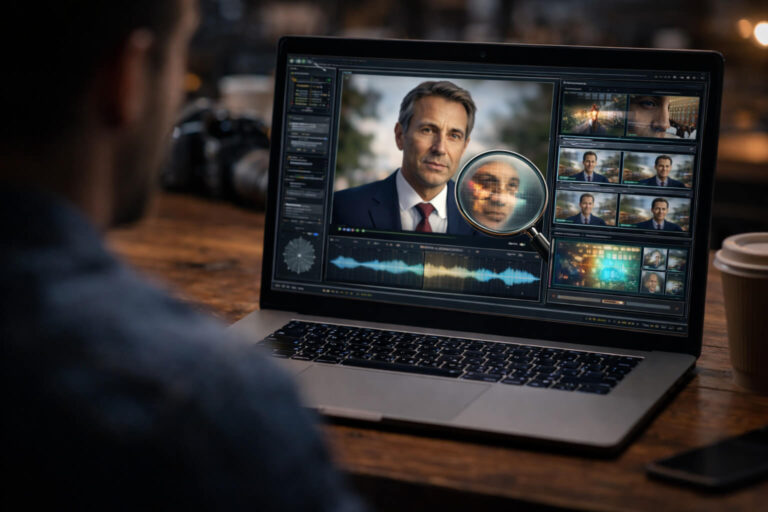
AI video analysis helps you determine whether footage has been conventionally edited, AI-manipulated, synthetically generated, or presented out of context. If you are asking “Is this video real or edited?”, the key is not simply whether editing exists. Most professional videos are edited. The real question is whether those changes alter the meaning of the footage, replace or generate content, hide important context, or make someone appear to say or do something that was never recorded.
A reliable AI video analysis looks at the footage as a complete evidence system. That includes cuts and continuity, frame-to-frame motion, audio, lighting, facial and object behavior, timing, metadata, source history, and the claim attached to the clip. AI-assisted analysis can help surface subtle manipulation signals, but those signals are most useful when they are evaluated together with source and context checks.
Quick answer: to check whether a video has been edited or manipulated, start by reviewing continuity across cuts. Check whether movement, audio, lighting, objects, and timing remain consistent. Then inspect suspicious moments frame by frame, compare the soundtrack with the visible scene, look for an earlier or longer version, and review technical evidence when available. If AI involvement is suspected, analyze it as a separate layer rather than assuming that every edited video is synthetic or deceptive.
| If you notice… | It may indicate… | But it can also come from… | Best next check |
|---|---|---|---|
| A sudden jump in position or body movement | A cut, removed segment, or splice | Normal editing or a camera change | Compare audio, background motion, and the full sequence |
| Room tone changes between words | Audio editing or replaced speech | Automatic noise reduction | Listen with headphones and inspect nearby cuts |
| Facial detail shifts across frames | Localized AI manipulation | Compression, motion blur, beauty filters | Compare the face with nearby unedited regions |
| The video is real but the caption feels wrong | Out-of-context reuse | A simple posting mistake | Trace the earliest credible source |
| Metadata shows editing software | The file was exported or processed | Routine trimming, color correction, transcoding | Ask what was changed, not only whether software was used |
| No obvious visual artifacts | Nothing by itself | High-quality real or manipulated footage | Use source, temporal, audio, and technical evidence together |
Edited, Manipulated, AI-Generated, or Out of Context?
Before analyzing a video, classify the question you are actually trying to answer. These categories overlap, but they are not interchangeable.
Normal editing
Trimming a beginning, combining camera angles, adjusting color, cleaning audio, adding captions, or changing aspect ratio are ordinary production choices. They do not make footage fake.
Deceptive editing
A video becomes misleading when editing changes the viewer’s understanding of what happened. Removing a sentence, reordering events, hiding a reaction, replacing audio, or combining unrelated moments can create a false impression even when every frame started as real footage.
AI-assisted manipulation
AI can change a face, mouth, voice, object, background, expression, or local region of a frame. These edits may affect only a few seconds of an otherwise authentic recording. For identity-focused cases, the dedicated deepfake detection guide covers face replacement, reenactment, and related signals in more depth.
Fully synthetic video
Some clips are generated almost entirely from a model rather than captured by a camera. That is a different forensic problem from asking whether a real recording was cut or altered. If the whole scene may be synthetic, use the AI-generated video detection workflow.
Authentic footage in a false context
A completely real video can still mislead if the date, location, identity, or event description is false. This is one of the most important distinctions in modern verification because pixel-level authenticity does not prove that the caption is true.
How to Tell If a Video Is Edited: Start With Continuity
The most useful manual test is continuity. Real-world events unfold continuously, even when a camera records them imperfectly. Editing creates boundaries. Some boundaries are obvious and harmless, while deceptive edits may be designed to disappear.
Watch the action, not the face
People often stare at a speaker’s face and miss easier clues elsewhere. Track the position of hands, shoulders, objects, background people, doors, vehicles, smoke, shadows, and camera movement.
A suspicious cut may reveal itself because:
- a hand jumps from one position to another
- a person in the background suddenly moves several steps
- an object changes orientation without enough time passing
- the camera angle changes while the audio pretends the shot is continuous
- a gesture begins but never completes
- someone reacts before the event that supposedly caused the reaction
None of these proves malicious editing. They tell you where to slow down.
Check whether time flows naturally
Look for clocks, screens, moving traffic, changing sunlight, smoke, water, crowds, or any element that gives you a sense of time. If a one-second cut seems to remove twenty seconds of real-world change, something was omitted.
Sometimes that omission is perfectly normal. The key question is whether the missing time matters to the claim.
Compare the beginning and end of a suspicious cut
Pause just before and just after the transition. Compare body position, gaze direction, background details, exposure, focus, and camera geometry. A clean visual cut can still create a strong continuity break when the surrounding evidence is considered together.
Audio Often Reveals Edits Before the Picture Does
Video editing can be visually seamless while the sound still carries evidence of the splice. If a clip matters, listen to it once without watching the screen.
Room tone
Every recording environment has a background sound profile: air conditioning, traffic, crowd noise, wind, electrical hum, reverberation, or microphone hiss. A hard change in that background between words can reveal an audio edit.
Breath and speech rhythm
Natural speech contains inhalations, pauses, false starts, mouth noises, and changes in pacing. If several words appear to have been joined together, breath patterns may become implausible or disappear exactly at the edit point.
Reverberation and distance
A voice recorded in a large room should interact with that room. If the speaker turns away but the voice remains identical in level and tone, or if room echo changes during a supposedly continuous sentence, inspect the segment more closely.
Voice replacement
Sometimes the image is authentic and the audio is the manipulation. Cloned speech, redubbing, and generated voice tracks can be paired with real footage. If the voice itself is the main concern, see the voice deepfake analysis guide.
Frame-by-Frame Clues That Suggest Local Manipulation
Once you identify a suspicious moment, temporal analysis becomes more valuable than staring at a single screenshot. Many generation and compositing errors only appear as details change across time.
Edges that behave differently from the scene
Watch hairlines, jawlines, glasses, fingers near the face, clothing boundaries, and objects crossing in front of a subject. Localized edits can become unstable when one object occludes another.
Texture that changes without a physical reason
Skin pores, beard detail, fabric texture, logos, or small background patterns may become smoother, sharper, or differently compressed for a few frames. Compare suspicious regions with nearby areas under the same lighting and motion.
Geometry that drifts
AI-generated or heavily composited regions sometimes change shape subtly. Facial proportions, teeth, jewelry, fingers, or object edges may shift as the camera moves.
Lighting that belongs to a different object
Do not ask whether the lighting looks “weird.” Ask whether all visible surfaces respond to the same scene. A face, neck, glasses, wall, and nearby object should be affected by the same light sources in a physically compatible way.
Reflections and occlusion
Mirrors, glasses, glossy surfaces, windows, and objects passing in front of a person can expose inconsistencies because the edited region must remain compatible with the surrounding geometry.
How to Analyze Motion Without Overreacting to Compression
Motion is powerful evidence, but social media processing can create false alarms. Compression, frame-rate conversion, stabilization, denoising, and interpolation all change how motion looks.
A better method is to compare local behavior with global behavior.
- If the whole frame becomes blocky during fast motion, compression is a plausible explanation.
- If only one face loses detail while the rest of the frame stays stable, localized processing deserves more attention.
- If every moving edge shows ghosting, frame interpolation may be responsible.
- If one object changes shape while nearby objects move cleanly, the inconsistency is more informative.
The goal is not to reward yourself for finding something strange. It is to find a pattern that has a better explanation under manipulation than under normal video processing.
Is This Clip Real or Edited? Use the Claim Test
A technically sophisticated analysis can still answer the wrong question. Before deciding whether a clip is trustworthy, write the claim in one sentence.
For example:
- “This video shows the CEO saying this sentence during today’s interview.”
- “This recording is uncut security footage.”
- “This clip proves the event happened at this location.”
- “This is the original video, not a repost.”
Now test that claim directly.
If you are evaluating an interview, an edit that removes unrelated small talk may not matter. If you are evaluating whether the speaker admitted something, removing the question or half of the answer may change everything.
This claim-first approach is the foundation of a broader video verification workflow, where media authenticity and factual context are treated as related but separate questions.
Source History Can Expose a Misleading Edit Faster Than Forensics
Before spending an hour inspecting pixels, ask where the video came from. A longer or earlier version can reveal the answer immediately.
Search for:
- the earliest credible upload
- a full-length version
- an official recording
- another camera angle
- the original caption
- the complete interview, livestream, speech, or event
If the viral clip is fifteen seconds long but the original recording is forty minutes, context may be more important than synthetic manipulation.
When the main task is tracing reposts, source pages, or the full recording, use reverse video search rather than trying to solve the entire case through artifact inspection.
Metadata: Useful Evidence, Weak Verdict
Metadata can tell you something about a file’s history, but it rarely answers “Is this video fake?” on its own.
Depending on the file and how it was shared, you may find:
- creation and modification timestamps
- camera or device information
- encoding software
- codec and container details
- frame rate and resolution
- GPS or location data
- editing or export software identifiers
A file that names editing software is not automatically deceptive. Normal workflows often involve trimming, color grading, transcoding, captioning, or format conversion.
The more useful question is: does the technical history agree with how the uploader describes the file? If someone claims a file is untouched camera-original footage but the file clearly shows a later editing export, that conflict matters.
Content Credentials Can Add Provenance, Not a Truth Label
Where available, Content Credentials can provide tamper-evident provenance information about how compatible digital media was created or changed. They can record assertions about actions, ingredients, tools, and other parts of the asset’s history.
That is useful because it shifts part of the question from “Can I visually guess whether this was edited?” to “What verifiable information about the asset’s history is available?”
However, provenance is not the same as truth. A valid credential can help establish a history, but it does not independently prove that the story told by the video is accurate. Likewise, missing credentials do not prove manipulation.
For a practical explanation of how to inspect this layer, use the Content Credentials guide.
What Video Manipulation Detection Actually Means
Video manipulation detection is broader than deepfake detection. It can include detecting splices, copied regions, removed objects, inserted content, compositing, AI-generated regions, frame-level alterations, or other changes that affect the integrity of the recording.
Professional media forensics often separates two tasks:
- Detection: deciding whether meaningful manipulation is present.
- Localization: identifying which frames, regions, or segments were altered.
This distinction matters because a detector that says “something may be manipulated” is less useful than evidence that shows where the suspicious section occurs and what other signals agree with it.
What Can a Video Checker Actually Check?
A video checker can mean many things. Some tools inspect metadata. Some focus on AI-generated content. Some compare frames. Others analyze audio, compression, provenance, or source information.
A useful checker should help you answer specific questions instead of presenting one unexplained score.
| Question | Useful evidence | What not to assume |
|---|---|---|
| Was the file processed? | Metadata, codec, export history | Processing means deception |
| Was a section cut or spliced? | Continuity, audio boundaries, frame timing | Every cut changes meaning |
| Was AI used? | Temporal, visual, audio, model-based signals | A low score proves authenticity |
| Was the context changed? | Original source, date, caption, full version | Real pixels mean a true claim |
| Can the history be verified? | Provenance and Content Credentials | No credential means fake |
Can AI Review Video Footage?
Yes. AI systems can assist with large-scale or detailed video analysis by comparing frames, modeling temporal patterns, identifying objects and faces, measuring audio-video relationships, flagging anomalies, and summarizing long footage.
But “AI reviewed the video” is not a complete forensic conclusion. The output depends on the model, the task, the quality of the submitted file, the type of manipulation, and whether the model has seen similar examples during development.
AI is especially useful for triage. It can direct attention to suspicious frames or segments that a person can then inspect more carefully.
If you want to understand the role of automated detection specifically, see the AI video detector guide.
A Better Way to Analyze a Video: Use an Evidence Ladder
Instead of running ten unrelated checks, move from the cheapest evidence to the most technical.
Level 1: Claim
What exactly is the clip being used to prove?
Level 2: Source
Who posted it, where did it first appear, and is a longer version available?
Level 3: Continuity
Do motion, objects, timing, and audio flow naturally through suspicious transitions?
Level 4: Local manipulation
Do specific regions show temporal instability, blending, inconsistent geometry, or lighting conflicts?
Level 5: Technical history
What do metadata, encoding, provenance, or credentials reveal about the file?
Level 6: Automated analysis
Do independent technical signals support the same hypothesis you formed manually?
Level 7: Corroboration
Does external evidence confirm the event, statement, date, place, or identity?
This ladder prevents a common mistake: jumping straight to an AI score before checking whether an older full-length video already explains the clip.
How to Check If a Video Is Edited Online
If you want to check a suspicious video online, use the strongest version of the footage you can access. Original files preserve more information than screen recordings and repeatedly downloaded social media copies.
- Save the source details. Record the URL, account, caption, date, and claim.
- Watch the full clip once. Do not pause yet. Understand the sequence.
- Mark suspicious timestamps. Note cuts, audio changes, visual instability, or context gaps.
- Inspect those sections slowly. Compare before and after each transition.
- Listen separately. Check continuity of speech, breath, room tone, and background audio.
- Find the strongest source. Look for the original or a longer version.
- Review technical evidence. Use a structured tool when manual checks are not enough.
- State the conclusion at the right confidence level. Edited, likely manipulated, contextually misleading, no strong evidence found, or unresolved are different outcomes.
DetectVideo AI is designed to add a technical evidence layer to this process. Rather than treating one visual artifact as a verdict, the workflow can combine available visual, temporal, audio-video, compression, source, metadata, and manipulation signals. The current product flow is explained in how DetectVideo AI works.
How to Interpret “No Manipulation Found”
A clean result should be read narrowly. It means the checks used on that version of the file did not surface strong evidence of the manipulations they are designed to detect.
It does not automatically mean:
- the video was never edited
- the caption is accurate
- nothing important was removed before the uploaded segment
- the audio is original
- the uploader is the creator
- the event happened at the claimed time or place
This distinction is crucial. Verification is stronger when different evidence types agree, not when one test appears reassuring.
How to Interpret “Possible Manipulation”
A manipulation warning should start an investigation, not end it.
Ask:
- Which segment or region triggered concern?
- Is the signal repeated across several frames?
- Could compression, stabilization, or a filter explain it?
- Does the audio show a related discontinuity?
- Does the source history reveal an edit or longer version?
- Would the suspected alteration actually change the claim?
The strongest conclusion is usually built from agreement between several independent clues.
When a Real Video Looks Edited
False alarms are common because modern camera and platform processing is aggressive.
Video stabilization
Stabilization can warp frame edges and crop the image dynamically.
Low-light processing
Noise reduction can smear skin, hair, and texture from frame to frame.
Variable frame rate
Phones and apps may record or export with timing behavior that looks irregular during frame-by-frame inspection.
Compression
Block artifacts and detail loss become worst during fast motion, exactly where people are most likely to suspect manipulation.
Background effects
Video conferencing, portrait modes, and virtual backgrounds can create segmentation errors around hair, hands, and objects without changing the underlying event.
AI enhancement
Upscaling, denoising, frame interpolation, and face enhancement can add synthetic processing to genuine footage without changing what the scene depicts.
This is why “AI touched the file” and “the video is deceptive” are different claims.
When an Edited Video Looks Completely Real
The opposite problem is more dangerous. Some of the most misleading edits do not create any visible artifact at all.
Examples include:
- cutting away the question before an answer
- removing the sentence that reverses the meaning
- reordering two authentic moments
- using a real video with a false caption
- replacing subtitles while keeping the original audio
- taking a real clip from a different date or country
These cases can defeat a purely visual detector because there may be nothing synthetic to detect. The evidence lives in the source and context.
Video Analysis for Different Stakes
Not every clip deserves the same amount of work.
| Use case | Reasonable standard |
|---|---|
| Casual entertainment | Basic source and plausibility check |
| Brand or creator content | Source verification plus manipulation review before reposting |
| Financial or scam-related claim | High caution, identity confirmation, source tracing, technical analysis |
| Newsworthy footage | Original source, corroboration, context, chronology, technical checks |
| Legal, safety, or evidentiary use | Preserve originals and chain of custody, use qualified forensic procedures |
The higher the consequence of being wrong, the less you should rely on a single visual impression or automated score.
A Practical Video Manipulation Checklist
| Layer | Question |
|---|---|
| Claim | What exactly is this video supposed to prove? |
| Source | Can I find the original uploader or a longer version? |
| Sequence | Do movement and timing remain continuous through cuts? |
| Audio | Do speech, room tone, breath, and background sound remain coherent? |
| Frames | Do important details remain stable across adjacent frames? |
| Physics | Do lighting, shadows, reflections, motion, and occlusion agree? |
| Technical history | Do metadata and provenance agree with the uploader’s description? |
| AI evidence | Do automated signals support what I observed manually? |
| Context | Do date, place, identity, and surrounding events support the claim? |
| Corroboration | Can independent evidence confirm the important part of the story? |
Key Takeaway
If you want to know how to tell whether a video has been edited, do not begin with the assumption that editing equals fakery. Begin with the claim, then examine continuity, sound, temporal behavior, source history, and technical evidence.
The most important insight is that deception and manipulation are not the same thing. A synthetic face can be deceptive, but so can a perfectly authentic video cut at the wrong moment or reposted with a false date.
Good AI video analysis therefore asks two questions in parallel: What happened to the media? and Does the media support the story being told about it? When both questions are answered with evidence, your conclusion becomes far more useful than a simple “real” or “fake” label.
FAQ About Edited and Manipulated Videos
How can you tell if a video has been edited?
Check continuity across cuts, including body position, object movement, background activity, camera motion, audio, room tone, and timing. Then inspect suspicious segments frame by frame and compare the clip with an earlier or longer source. Editing software metadata alone does not prove deceptive editing.
How can you tell if a video recording has been altered?
Look for evidence that changes the recorded event rather than ordinary production edits. Useful clues include missing time, reordered moments, replaced audio, inconsistent motion, localized visual changes, conflicting metadata, or a source history that reveals a different original version.
Is this video real or edited?
A video can be both real and edited. Most edited videos begin with authentic footage. The important question is whether the edit changes the meaning, identity, sequence, or context. Treat “real” and “edited” as separate properties rather than opposites.
What is a doctored video?
A doctored video is footage altered in a way that misrepresents the original event or content. The alteration may use conventional editing, compositing, replaced audio, manipulated captions, AI-generated regions, face or voice synthesis, or a misleading rearrangement of authentic material.
Can an online video checker tell if a clip was edited?
An online checker can provide useful technical evidence, but its capabilities depend on what it analyzes. Some tools focus on AI generation, others on metadata, frames, audio, or provenance. No single check can reliably identify every kind of edit, especially context manipulation and ordinary cuts.
Can AI review video footage?
Yes. AI can compare frames, detect objects, model motion, inspect audio-video relationships, flag anomalies, and summarize footage. Its output should be treated as analytical evidence rather than a guaranteed verdict, especially when source quality is poor or the manipulation type is unfamiliar.
Can you analyze a video to see if it has been manipulated?
Yes. A structured analysis can examine continuity, frame behavior, audio, lighting, motion, metadata, provenance, and source context. The strongest conclusion comes from multiple independent signals that support the same explanation.
What are common signs of an edited video?
Possible signs include abrupt continuity changes, inconsistent room tone, missing movement, strange timing, localized visual instability, mismatched lighting, altered subtitles, and source versions that contain material absent from the viral clip. Many legitimate edits produce some of the same signs, so context matters.
Does metadata prove a video was edited?
Metadata may show that software processed or exported a file, but that does not reveal whether the edit was deceptive. Trimming, transcoding, color correction, captions, and platform processing can all change metadata in legitimate footage.
How do I check if a video is AI-generated or just edited?
First determine whether the clip is based on recorded footage. Conventional cuts, captions, and color changes point toward ordinary editing. Synthetic motion, generated regions, identity manipulation, or model-based artifacts may indicate AI involvement. Source history and technical analysis can help distinguish the two.
Can a real video be taken out of context?
Yes. Authentic footage can be misleading when it is reposted with the wrong date, place, identity, sequence, or explanation. In these cases the pixels may be genuine while the claim is false.
Can a manipulated video look completely normal?
Yes. High-quality synthetic edits can be visually convincing, and deceptive conventional edits may leave no visual artifact at all. This is why source tracing, audio continuity, chronology, provenance, and corroboration are important parts of video analysis.
Does “no AI detected” mean a video is authentic?
No. It means only that the analysis did not find strong evidence of the AI patterns it checks in that version of the file. The clip may still be conventionally edited, incomplete, miscaptioned, or taken out of context.
Technical References
- NIST Open Media Forensics Challenge, an evaluation program for media-forensics technologies, including detection of inauthentic image and video content and analysis of digital media origins.
- NIST: Reducing Risks Posed by Synthetic Content, an overview of detection, provenance, watermarking, labeling, and related technical approaches for synthetic content transparency.
- C2PA Content Credentials Specification 2.4, the current technical specification for cryptographically verifiable media provenance and content history.