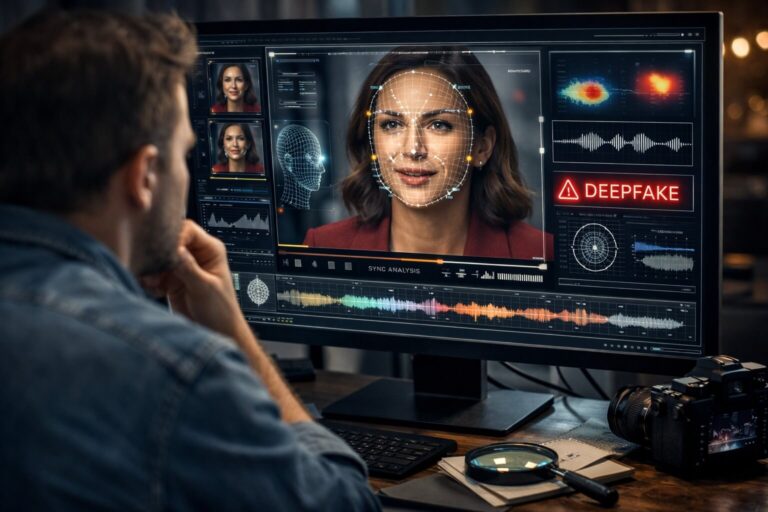
Video deepfake detection is the process of examining a video for evidence that a face, voice, identity, action, or scene has been synthetically generated or manipulated with artificial intelligence. The goal is not simply to notice that a clip “looks strange.” Good deepfake detection combines visual evidence, behavior across frames, audio-video consistency, technical signals, provenance, and source verification.
That distinction matters because modern deepfakes can be highly convincing in a single frame. A manipulated face may preserve realistic skin, lighting, and expression for several seconds. A lip-synced statement can reuse genuine footage. A fake video can also be compressed, cropped, screen-recorded, or reposted until the original forensic clues become difficult to see.
Quick answer: if you want to detect a deepfake video, first find the best available source, then look for repeated inconsistencies across time rather than one strange frame. Check facial identity and geometry, motion continuity, lip sync, voice and room acoustics, lighting, occlusion, compression, and provenance. For suspicious or high-impact clips, use a deepfake video detector as an additional evidence layer and interpret its result together with the source and context.
| Detection layer | What to examine | What can be suspicious | Common false alarm |
|---|---|---|---|
| Source | Original uploader, full clip, publication history | No traceable source, only cropped reposts, conflicting context | Legitimate reposts can also lose context |
| Spatial detail | Face boundaries, skin, hair, glasses, mouth, local texture | Localized warping, inconsistent texture, unstable fine detail | Compression, filters, motion blur |
| Temporal behavior | How features change across frames | Feature drift, flicker, inconsistent motion, identity instability | Dropped frames, stabilization, low frame rate |
| Audio-video sync | Speech timing, expression, breath, acoustic environment | Repeated lip-sync drift or voice that does not fit the scene | Dubbing, editing delay, screen recording |
| Scene physics | Lighting, shadows, reflections, occlusion, perspective | Face or object behavior that conflicts with the rest of the scene | Complex lighting, camera processing |
| Technical evidence | Metadata, codec, compression, frame-level and model signals | Multiple independent indicators point toward manipulation | Re-encoding can alter or erase technical traces |
| Provenance | Content Credentials and verifiable source history | Claimed origin conflicts with available provenance | Missing credentials do not mean a video is fake |
What Is Video Deepfake Detection?
Video deepfake detection is a branch of media forensics focused on identifying synthetic or AI-manipulated video. In human-centered deepfakes, the manipulation may change a person’s identity, mouth movement, expression, voice, or apparent behavior. Other synthetic videos can alter backgrounds, objects, or entire scenes.
The word deepfake is often used broadly online, but it helps to separate several categories:
- Face swap: one person’s facial identity is transferred onto another person’s performance.
- Face reenactment: expressions, pose, or facial movement are synthetically controlled.
- AI lip sync: mouth motion is generated or changed to match different speech.
- Voice deepfake: speech is cloned, synthesized, or modified to imitate a real speaker.
- Partial video manipulation: only a region, object, person, or time segment is altered.
- Fully AI-generated video: most or all of the visible footage is synthesized rather than captured by a camera.
These categories can overlap. A single deceptive clip might use a real interview as the base, a cloned voice for new speech, AI lip synchronization for the mouth, and conventional editing to hide transitions.
For that reason, deepfake detection is not the same as looking for one visual defect. It is an evidence problem. You want to know what appears authentic, what appears manipulated, where the manipulation may occur, and whether the claim attached to the video is supported by the source.
Deepfake Video Detection vs Fake Video Detection vs Video Manipulation Detection
Searches for deepfake video detection, fake video detection, and video manipulation detection often lead to the same practical question: “Can I trust this clip?” Technically, however, the terms cover different scopes.
| Term | Main question | Typical examples |
|---|---|---|
| Deepfake video detection | Was AI used to synthesize or manipulate identity, speech, face motion, or related content? | Face swaps, reenactment, lip sync, synthetic speaking faces |
| Fake video detection | Is the video or its presentation deceptive? | Deepfakes, staged clips, false captions, recycled footage, synthetic scenes |
| Video manipulation detection | Has the video been altered in a technically meaningful way? | Splicing, object removal, compositing, deepfakes, localized edits |
| Video verification | Do the file, source, date, place, context, and claim agree? | Authenticity checks for news, social posts, evidence, UGC |
This distinction is also reflected in media-forensics research. The NIST Open Media Forensics Challenge separates Video Manipulation Detection from Video Deepfakes Detection. A video can therefore be manipulated without being a deepfake, and it can be misleading even when no pixels were synthetically generated.
If your concern is broader than AI manipulation, use the dedicated fake video check. If you need to confirm the source, date, context, and claim as well as the media itself, follow the video verification workflow.
Why Deepfake Video Detection Is Harder Than It Looks
Older deepfakes often failed in obvious ways. Faces flickered. Skin looked artificial. Blinking was strange. Jawlines broke when the head turned. Those artifacts still appear in low-quality fakes, but they are no longer reliable universal rules.
Modern generation and face manipulation systems can create strong individual frames. The challenge increasingly moves from “Does this screenshot look fake?” to “Does this video behave like a coherent real recording over time?”
Recent deepfake research reflects this shift. Work presented at CVPR and ICCV has focused on spatiotemporal artifacts and facial feature drift, pixel-level temporal inconsistencies, and multimodal relationships between facial movement and audio.
Real-world distribution creates another problem. Social platforms resize video, change codecs, remove metadata, alter frame rates, and compress detailed regions. Users then crop, caption, download, re-upload, or screen-record the same clip. Each step can destroy genuine forensic evidence and create new artifacts that resemble manipulation.
This gap between laboratory benchmarks and real-world media is measurable. The Deepfake-Eval-2024 benchmark, built from in-the-wild deepfakes, reported a major drop in open-source detector performance compared with earlier academic benchmarks. NIST’s current GenAI Deepfakes evaluation work likewise emphasizes the need for operationally relevant and adversarially challenging testing.
The practical conclusion is simple: a confident deepfake decision should come from multiple independent signals, not one artifact and not one detector score.
How Deepfake Video Detection Works
Deepfake detectors do not all use the same architecture. Some analyze selected face frames, some model motion over time, some compare audio and video, and others combine forensic features across the full frame. A modern detection workflow may use several of these approaches together.
Spatial artifact analysis
Spatial analysis examines what is visible inside individual frames. A model may learn differences in texture, blending, face boundaries, frequency patterns, skin detail, local noise, or generated image statistics.
This can be useful when a manipulation leaves a consistent visual fingerprint, but spatial clues have an important limitation: a new generation method may not produce the same artifacts as the training data.
Temporal and motion analysis
Video contains a dimension that still images do not: time. Temporal analysis asks whether pixels, facial features, expressions, pose, texture, and motion evolve naturally from frame to frame.
Researchers increasingly study temporal evidence because a generated frame can look realistic while the sequence contains small inconsistencies. Examples include:
- facial features drifting slightly as the head moves
- fine texture changing in ways that do not follow physical motion
- identity features becoming less stable during fast movement
- local flicker concentrated around a manipulated region
- motion relationships between facial regions that do not remain anatomically coherent
This does not mean every flicker is a deepfake. It means repeated temporal patterns can carry evidence that one paused frame misses.
Audio-visual analysis
When a person is speaking, audio and video provide two related streams of evidence. A detector can compare speech timing, mouth movement, facial behavior, voice characteristics, and temporal synchronization.
Advanced multimodal research now looks not only at whether lips match words, but also at how audio and visual signals behave internally and relative to each other. This is particularly important for partial deepfakes where only specific moments or modalities are manipulated.
Identity and facial consistency
Face-based deepfake detection can examine whether the identity remains stable across pose, expression, occlusion, and lighting changes. Subtle identity drift may appear when a synthetic face turns, moves behind an object, changes expression, or transitions through difficult angles.
Full-frame forensic analysis
Not every modern synthetic video is centered on a face. Fully generated videos and edited scenes can change backgrounds, objects, body motion, or the entire image. Recent research therefore also explores detectors that analyze full-frame manipulation instead of assuming that the face is the only relevant area.
If you suspect the entire clip was generated rather than a real video with a manipulated face, continue with the guide to AI-generated video detection.
Metadata, codec, and compression analysis
Technical file properties can add context. Metadata may reveal editing software, creation information, or an unusual export chain. Compression and codec behavior can sometimes expose re-encoding, localized inconsistencies, or source limitations.
These signals are supportive rather than conclusive. Metadata can be stripped, changed, or absent, and normal editing platforms can re-encode authentic video.
How to Detect Deepfake Videos: A Practical Step-by-Step Workflow
If you are trying to identify a fake video in the real world, use a sequence that protects you from both false positives and false confidence.
- Define the claim. Write down what the video is supposedly proving. “This person said X today” is different from “this face was AI-generated.”
- Find the best available source. Prefer the original file, official upload, or earliest high-quality version over a repost or screen recording.
- Watch once at normal speed. Observe the complete performance, scene, audio, and emotional context before hunting artifacts.
- Review suspicious moments slowly. Check head turns, mouth movement, hands near the face, occlusion, fast expression changes, and transitions.
- Compare several frames, not one. Look for repeated feature drift, localized instability, or changes that follow a manipulated region.
- Listen separately. Ask whether the voice, breathing, room acoustics, pauses, emotion, and background sound belong to the visible scene.
- Check audio-video synchronization. Focus on speech onset, lip closure, long vowels, jaw motion, laughter, and expressive moments.
- Inspect lighting and scene physics. Compare the face with the neck, ears, hair, glasses, reflections, shadows, and nearby objects.
- Check source history and provenance. Look for an original publisher, full version, Content Credentials when available, and independent corroboration.
- Run technical analysis when appropriate. Use a deepfake video detector to add independent evidence.
- Form a calibrated conclusion. Separate “likely manipulated,” “no strong manipulation signal,” and “insufficient evidence.” Do not force certainty when the file does not support it.
The Most Useful Visual Signs of a Deepfake Video
Human inspection is still useful, especially for low and medium quality manipulations. The key is to treat visual signs as patterns that justify deeper review, not as proof.
1. Localized facial texture changes
Compare the face with nearby unedited regions. Suspicious manipulation can sometimes create a patch where sharpness, skin texture, grain, or compression changes differently from the rest of the frame.
- skin detail disappears and returns during motion
- one facial region looks smoother than equally lit areas
- noise or grain changes near the face boundary
- beard, hair, makeup, or wrinkles become unstable in difficult frames
Uniform softness across the entire video is less meaningful. Compression and beauty filters often affect authentic footage too.
2. Facial feature drift
Instead of looking for a permanently “wrong” nose or eye, watch whether features move coherently over time. In some forgeries, the eyes, nose, mouth, jaw, or facial proportions shift subtly as pose changes.
This temporal behavior is more informative than a single unusual frame because generation systems must keep identity consistent through every movement.
3. Boundary errors during difficult motion
Face swaps and localized edits can become less stable when the head turns, hair crosses the face, a hand creates occlusion, glasses reflect light, or the person moves quickly.
Look for short-lived problems such as:
- jaw or cheek edges blending into the neck
- hairline detail changing during head turns
- glasses or earrings briefly deforming near the face
- a hand passing in front of the face and producing a broken transition
- the visible identity changing slightly during profile views
4. Inconsistent eyes and reflections
Do not use blinking frequency as a standalone test. Modern models can generate normal-looking blinks. A better eye check is consistency: do eyelids, gaze direction, catchlights, glasses reflections, and eye geometry remain physically plausible as the head and camera move?
Reflections are especially useful when the scene gives you a clear reference. If the lighting direction changes across the face but a reflection remains fixed, or if one eye behaves differently from the other without a scene-based explanation, inspect the segment more closely.
5. Expression and facial biomechanics that do not fully agree
Real expressions are coordinated. A smile affects the cheeks and often the eyes. Strong speech changes the jaw and chin. Tension can affect the mouth, brow, and surrounding muscles.
Some manipulated videos preserve the central expression but lose these secondary relationships. Watch the transition into and out of expressions, not only the peak pose.
Temporal Signs: Why Motion Across Frames Matters
One of the most useful changes in modern video deepfake detection is the move from static artifacts toward temporal reasoning. Current research repeatedly treats spatiotemporal consistency as a major detection problem.
Frame-to-frame instability
Scrub slowly through a suspicious sequence. Does a detail change for one or two frames and then return? Examples include a shifting facial contour, changing tooth geometry, moving skin texture, or a feature that loses sharpness only during motion.
A few unstable frames can come from compression. A repeated pattern concentrated on the same semantic region is more interesting.
Motion that is locally smooth but globally inconsistent
A generated face can look smooth while still moving differently from the head, neck, hair, or body. Compare connected structures. When the head rotates, the jawline, ears, hair, neck muscles, and shadows should all respond to the same three-dimensional movement.
Partial manipulation across time
Not every deepfake modifies every frame. A deceptive clip may contain a short synthetic sentence inserted into a longer authentic video. That means averaging your judgment across the full clip can hide the manipulation.
If one section seems suspicious, isolate that time range and compare it with authentic-looking portions before and after it. Differences in face texture, voice, compression, cadence, or motion may become easier to see.
Audio and Lip Sync Clues in Deepfake Video Detection
A video deepfake may use authentic audio, cloned audio, or completely new speech. That makes the audio track an important second source of evidence.
Speech and mouth timing
Listen for repeated disagreement between sound and visible articulation. B, P, and M sounds normally involve clear lip closure. F and V typically bring the lower lip toward the upper teeth. Strong vowels change mouth opening and jaw position.
For a detailed phonetic and visual workflow, see the dedicated guide to AI lip sync detection. It explains how to evaluate mouth timing without treating one imperfect frame as proof.
Voice and acoustic consistency
Ask whether the voice behaves like it was recorded in the visible environment:
- Does the room or outdoor space produce the expected reverberation?
- Does volume change naturally as the person turns or moves away?
- Do breathing, pauses, laughter, and emotion align with facial behavior?
- Does background sound continue naturally during speech?
- Does the speaker’s cadence remain stable through suspicious segments?
If the voice itself may have been cloned or synthesized, use the voice deepfake guide as a separate verification layer.
Do not confuse dubbing with deception
Dubbing, translation, poor editing, Bluetooth playback delay, or screen recording can all produce lip-sync mismatch. Check whether the offset is constant across the clip and whether the video is clearly presented as dubbed or translated.
Lighting, Shadows, Reflections, and Scene Physics
A convincing manipulation has to fit into a real three-dimensional scene. This gives you another family of clues, but the comparison should be relational rather than absolute.
Compare the face with the neck and ears
If a face has been replaced or heavily edited, compare highlight direction, color temperature, shadow softness, and brightness with the neck, ears, hair, and clothing. A mismatch that persists through head movement can be more informative than unusual lighting by itself.
Track shadows through movement
Shadows should react when the head moves relative to the light. Watch the nose, chin, eye sockets, jawline, and objects near the face. Sudden shadow jumps can be suspicious, but automatic exposure and compressed video can also create abrupt changes.
Check reflections and occlusion
Glasses, shiny surfaces, mirrors, windows, and objects passing in front of a face can stress a manipulation. A system must correctly preserve which surface is in front, what is reflected, and how the hidden facial area should reappear.
These moments are especially useful because they combine geometry, identity, motion, and lighting in the same short sequence.
How to Detect Deepfakes in Low-Quality Video
Low-quality deepfake detection is harder because the same processes that hide synthetic artifacts also create fake-looking artifacts in real footage. Heavy compression can smear facial edges. Low frame rate can remove brief lip closures. Noise reduction can make skin look unnaturally smooth. Upscaling can invent detail that never existed in the source.
If the only available video is low quality, change your strategy:
- Do not overinterpret tiny facial defects. At low resolution, they may be codec artifacts rather than manipulation.
- Search for a better copy. The same clip may exist on the original account, another platform, or in a longer upload.
- Prioritize temporal patterns. Repeated identity or motion inconsistencies can remain visible even when fine texture is lost.
- Prioritize audio and context. Speech, source history, timing, and corroboration can carry more evidence than blurred pixels.
- Record the limitation. If the source quality prevents a reliable conclusion, say so rather than upgrading suspicion into certainty.
A low-quality clip can be suspicious without being identifiable as a deepfake. “Insufficient evidence” is a valid forensic outcome.
Source Verification Often Beats Artifact Hunting
Deepfake detection begins with media forensics, but a viral claim can often be evaluated faster by tracing its source. If a clip supposedly shows a major public statement, interview, product endorsement, emergency, or event, ask where the full recording is.
Find the earliest credible upload
Search for the person, event, distinctive quote, background, or visible text. Compare upload dates and look for a longer version. An official source does not guarantee truth, but it gives you a much stronger starting point than a screen recording from an anonymous repost account.
Separate media authenticity from claim accuracy
A technically authentic video can still be misleading. It may be old footage with a new caption, a real interview cut to reverse the meaning, or a genuine clip paired with false subtitles.
This is why DetectVideo AI treats deepfake analysis as one part of a broader video authenticity question. The pixels and the claim both need verification.
Check Content Credentials and Provenance
Provenance can complement deepfake detection by showing verifiable information about how compatible media was created or edited. The current C2PA specification defines Content Credentials as a way to associate digital media with cryptographically verifiable provenance information.
When valid credentials are present, they may help you understand the source, edits, tools, or history associated with a file. They should not be interpreted as a universal “true” or “false” label. C2PA itself distinguishes verifiable provenance assertions from a value judgment about whether the content should be trusted.
Also remember the inverse: missing Content Credentials do not prove that a video is fake. Credentials can be absent because the capture or editing workflow did not support them, or because later processing removed them.
For a practical walkthrough, see how to check Content Credentials.
Can You Detect a Deepfake Video Online for Free?
Yes, you can begin deepfake video detection online for free, but free analysis should still be interpreted with the same care as any automated result.
DetectVideo AI currently offers free scans for quick checks and smaller videos. You can upload a supported video file or paste a supported public video link, run the analysis, and review the available result. Paid scan packs are available when you need larger uploads, repeated scans, or deeper result sections.
If you searched for a free deepfake video detector online, the most important thing is not whether the tool produces a red or green label. A useful detector should give you evidence you can compare with the source and your manual review.
You can start a free deepfake video check directly in the browser without installing desktop software.
How to Use DetectVideo AI as a Deepfake Video Detector
DetectVideo AI is designed for real-world video checks rather than a single face screenshot. The current workflow accepts uploaded video files and supported public links, then analyzes available visual, temporal, source, metadata, compression, and manipulation signals.
- Use the strongest source you have. Upload the original file when possible. If you only have a public social link, paste the link.
- Run the scan. The system prepares the footage and evaluates the available evidence.
- Review the verdict and confidence. Do not stop at the headline result. Read the supporting evidence and any limitations.
- Inspect deeper signals when available. Frame review, timeline evidence, temporal heatmaps, and audio-video sync information can help explain why a clip deserves more attention.
- Compare the result with manual checks. Look at the same time ranges, facial regions, motion events, and source details yourself.
- Verify the underlying claim. A technically authentic video can still be presented dishonestly.
For the product workflow and current analysis stages, see how DetectVideo AI works. For a broader explanation of detector technology and interpretation, see the AI video detector guide.
How to Interpret a Deepfake Detector Result
A deepfake detector produces an inference from the evidence in the submitted video. It does not have direct access to the historical truth of how every clip was created.
A high deepfake or AI likelihood
A high score means the available signals are more consistent with patterns associated with synthetic or manipulated media. Treat this as a reason for deeper verification. Look for agreement between technical evidence, visible behavior, source history, and the claim.
A low likelihood
A low score means the detector found fewer strong synthetic indicators in that file. It does not prove that the clip is authentic, complete, correctly captioned, or free from a manipulation the detector was not designed to recognize.
An uncertain or limited result
Short duration, heavy compression, tiny faces, missing metadata, screen recordings, unusual editing, unsupported sources, or new generation techniques can reduce the amount or quality of usable evidence.
When evidence is weak, the correct conclusion may be “needs deeper review” rather than “real.”
Why No Deepfake Detector Is 100 Percent Accurate
Deepfake detection is an adversarial problem. Generators improve, detectors adapt, new manipulation methods appear, and old forensic fingerprints become less useful. A model that performs well on one benchmark may perform worse on new or heavily processed videos.
Real-world evaluation makes this limitation particularly clear. Deepfake-Eval-2024 found that open-source state-of-the-art detection models suffered large performance drops on contemporary in-the-wild material compared with earlier benchmarks. Newer research continues to focus heavily on generalization, meaning the ability to detect manipulations the model did not see during training.
NIST guidance on synthetic content also treats detection as one part of a wider transparency toolkit that includes provenance, watermarking, testing, and other approaches. See the NIST report on synthetic content transparency for the broader technical framework.
This is why important decisions should not rely on a single automated probability. Use detectors as forensic evidence, not as an oracle.
Common False Positives in Fake Video Detection
False positives happen when authentic footage contains patterns that resemble synthetic media. Understanding these cases is essential if you want to identify fake videos responsibly.
Heavy compression and repeated re-uploads
Compression can destroy facial texture, blur boundaries, create block noise, and make motion inconsistent. Repeated social media processing can amplify these effects.
Beauty filters and face enhancement
Real footage with skin smoothing, face reshaping, stabilization, sharpening, or AI upscaling may look synthetic even when the underlying performance is authentic.
Low light and motion blur
Phones use aggressive noise reduction and computational photography in difficult lighting. Fast movement can produce warped or blended frames that resemble generation errors.
Video conferencing and live-stream processing
Background replacement, bandwidth adaptation, dropped frames, auto-exposure, denoising, and synchronization issues can all make a genuine call look unusual.
Dubbing and translated speech
Audio may not match the original mouth movement because the content was legitimately dubbed. Increasingly, legitimate localization can also use AI lip synchronization, so synthetic mouth motion by itself does not prove malicious deception.
Conventional compositing and post-production
A video can contain VFX, color grading, background replacement, or cinematic editing without being a deceptive deepfake. The intended representation and disclosure matter.
Common False Negatives: When a Deepfake Looks Real
A false negative occurs when manipulated media appears authentic to a viewer or detector. Several conditions make this more likely:
- the clip is very short
- the face remains mostly frontal
- lighting is stable
- the source is heavily compressed
- the manipulation affects only a short segment
- the generation method is newer than the detector’s training distribution
- the fake combines real footage with only a small synthetic region
- the content has been post-processed to hide common artifacts
The absence of obvious errors is therefore not proof of authenticity. This is one reason source and provenance checks remain important even when a clip looks perfect.
Where Deepfake Videos Are Commonly Used
Scam ads and fake endorsements
A common deceptive pattern uses a recognizable person to promote an investment, product, giveaway, account, or service they never endorsed. The attacker may combine real footage, synthetic speech, lip synchronization, and persuasive captions.
If the video asks for money, credentials, crypto transfers, urgent action, or an off-platform conversation, review the broader warning signs in the scam video detection guide.
AI impersonation
Deepfakes can impersonate executives, creators, public figures, colleagues, or family members. The threat is not limited to a perfect face swap. A convincing identity can be assembled from cloned voice, familiar footage, synthetic mouth movement, and social engineering.
See the AI impersonation guide for identity-specific verification steps.
Fake interviews, statements, and confessions
Selective manipulation can be more convincing than a fully generated video because most of the footage is authentic. A single sentence may be changed inside an otherwise real interview.
Always search for the full recording and compare the exact passage with other copies.
Viral news and breaking-event clips
Breaking news creates ideal conditions for manipulated media because viewers have little time and incomplete context. A video may be deepfaked, AI-generated, old, staged, miscaptioned, or simply unrelated to the event.
For high-impact news claims, combine deepfake analysis with the news verification workflow.
A Deepfake Video Detection Checklist You Can Reuse
| Check | Question | What to do if uncertain |
|---|---|---|
| Claim | What exactly is this video supposed to prove? | Write the claim in one sentence before analyzing |
| Original source | Can I find the earliest or highest-quality version? | Search official accounts, longer clips, and alternate uploads |
| Facial identity | Does the face remain stable through pose and expression? | Review difficult angles and transitions frame by frame |
| Temporal consistency | Do facial features, texture, and motion behave coherently over time? | Compare several nearby frames instead of one screenshot |
| Lip sync | Does visible articulation repeatedly match the speech? | Check multiple words and rule out dubbing or playback delay |
| Voice | Does the voice fit the speaker, expression, distance, and room? | Listen separately and check for possible voice synthesis |
| Lighting and physics | Do shadows, reflections, occlusion, and perspective agree? | Compare manipulated-looking regions with the rest of the scene |
| Compression | Could the apparent artifact come from low quality or re-encoding? | Find a higher-quality original if possible |
| Provenance | Are Content Credentials or source-history signals available? | Treat absence as unknown, not as proof of fakery |
| Detector evidence | Do technical signals agree with manual and contextual evidence? | Keep the conclusion calibrated if signals conflict |
| Corroboration | Do independent credible sources support the event or statement? | Do not share the claim as confirmed until it is supported |
What to Do If You Cannot Tell Whether a Video Is Fake
Uncertainty is not a failure. It is often the most accurate conclusion available from a compressed or incomplete video.
- Do not share the clip as confirmed fact.
- Preserve the original URL and the best available file.
- Record exact timestamps where suspicious behavior appears.
- Search for a longer, earlier, or higher-quality copy.
- Check the speaker’s or publisher’s official channels.
- Compare independent reporting or other recordings of the same event.
- Run technical deepfake analysis on the strongest source available.
- State the conclusion accurately: likely manipulated, likely authentic, or unresolved.
The safest verification habit is to distinguish absence of evidence from evidence of authenticity. A detector that finds no strong deepfake signal has not automatically verified the story attached to the video.
Key Takeaway
Video deepfake detection is no longer about memorizing a list of visual glitches. Modern deepfakes can survive casual inspection and can look convincing frame by frame. Strong detection combines spatial clues with temporal behavior, audio-video consistency, scene physics, technical evidence, provenance, and source verification.
If you only remember one principle, use this one: look for agreement across independent evidence. A facial artifact is weak by itself. A detector score is incomplete by itself. A repost with no context is incomplete by itself. But when temporal anomalies, audio mismatch, source problems, provenance gaps, and technical detection signals point in the same direction, your assessment becomes much stronger.
For suspicious clips, begin with the original source whenever possible and use DetectVideo AI to add a structured technical review before you trust, publish, repost, or act on the video.
FAQ About Video Deepfake Detection
What is video deepfake detection?
Video deepfake detection is the process of identifying evidence that a video has been synthetically generated or manipulated with AI, especially when a person’s face, identity, speech, expression, or actions have been altered. Reliable detection combines visual, temporal, audio, technical, provenance, and source evidence.
How do I detect a deepfake video?
Start with the original or highest-quality source. Watch for repeated facial or motion inconsistencies across frames, check lip sync and voice, compare lighting and reflections, verify the source and context, and use a deepfake video detector for additional technical evidence. Do not decide from one artifact alone.
What are the most common signs of a deepfake video?
Possible signs include localized facial texture changes, identity or feature drift during motion, unstable boundaries during head turns or occlusion, inconsistent lip sync, voice that does not fit the scene, and lighting or reflection behavior that disagrees with nearby real regions. Compression and filters can create similar artifacts, so signs should be combined.
Can I use a deepfake video detector online?
Yes. Online deepfake video detectors can analyze uploaded files or supported video links for synthetic and manipulation signals. For the strongest result, use the original file whenever possible and interpret the detector output together with manual and source verification.
Is there a free deepfake video detection tool online?
DetectVideo AI offers free scans for quick checks and smaller videos. You can upload a supported file or paste a supported public video link to begin an online deepfake check. Paid scan packs provide higher limits and deeper analysis features when needed.
Can a deepfake detector prove a video is fake?
No detector should be treated as absolute proof by itself. A detector estimates whether the available evidence resembles synthetic or manipulated media. Important conclusions should combine detector output with source history, context, manual review, provenance, and independent corroboration.
Can a deepfake video pass an AI detector?
Yes. False negatives are possible, especially with short clips, heavy compression, subtle partial manipulation, new generation methods, or high-quality post-processing. Real-world benchmark research shows that detector performance can drop substantially when models encounter newer in-the-wild deepfakes.
Can a real video be flagged as a deepfake?
Yes. Compression, filters, low light, motion blur, upscaling, video conferencing, dubbing, or aggressive post-production can create signals that resemble manipulation. This is why a result should be interpreted as evidence rather than a final verdict.
How can I identify a fake video if it is low quality?
Do not rely heavily on tiny facial artifacts. Search for a higher-quality copy, compare temporal behavior across frames, listen to the audio separately, verify the original uploader and context, and treat the result as uncertain if the source quality is too poor for reliable analysis.
Is video manipulation detection the same as deepfake detection?
No. Video manipulation detection is broader and can include splicing, object edits, compositing, speed changes, or other modifications. Deepfake detection focuses more specifically on synthetic or AI-driven manipulation. A manipulated video is not necessarily a deepfake.
Does missing metadata mean a video is fake?
No. Metadata is often stripped during uploading, messaging, editing, or social media processing. Missing metadata reduces one source of evidence but does not prove AI generation or manipulation.
Do Content Credentials prove that a video is real?
Content Credentials can provide cryptographically verifiable information about a compatible file’s provenance and editing history. They are useful evidence, but they are not a universal truth label. Their absence also does not prove that a video is fake.
What is the best way to detect deepfakes in 2026?
The strongest practical approach is multi-signal verification: use the best available source, analyze spatial and temporal behavior, check audio-video consistency, inspect source and provenance, and add a modern detector. Current research increasingly emphasizes temporal and multimodal evidence because individual synthetic frames can look highly realistic.
Research and Further Reading
- NIST GenAI: Deepfakes 2026, current NIST work on operationally relevant evaluation of deepfake detection systems.
- NIST AI 100-4: Reducing Risks Posed by Synthetic Content, covering detection, provenance, labeling, watermarking, testing, and digital content transparency.
- Deepfake-Eval-2024, a multi-modal in-the-wild benchmark studying current deepfake detector performance on real-world material.
- Generalizing Deepfake Video Detection with Plug-and-Play, CVPR 2025 research on spatiotemporal artifacts and facial feature drift.
- Beyond Spatial Frequency: Pixel-wise Temporal Frequency-based Deepfake Video Detection, ICCV 2025 research on temporal inconsistencies across video frames.
- C2PA Technical Specification 2.4, the current specification for Content Credentials and digital media provenance.