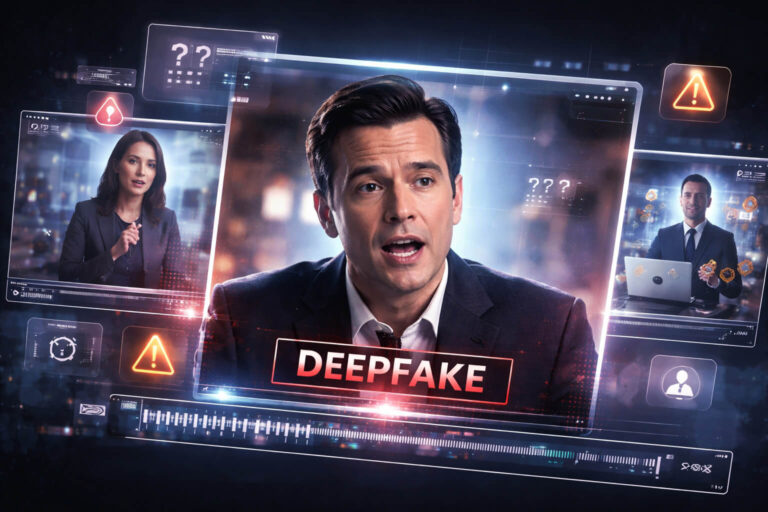
Deepfake examples are most useful when they teach you a pattern, not when they simply show you a shocking fake. The best examples reveal what was manipulated, why the result looked believable, and which evidence actually exposed the deception.
Today, a deepfake may be a face swap, cloned voice, synthetic talking head, altered interview, fake video call, or a fully generated scene. Some examples look obviously artificial. Others are difficult to judge even when you know something is wrong.
Quick answer: the most common deepfake examples involve identity manipulation, synthetic speech, altered lip movement, fake endorsements, impersonation scams, and fully generated people or scenes. Low-end deepfakes often fail at temporal consistency, mouth movement, lighting, occlusion, or audio continuity. Higher-quality examples may show few visible artifacts, so source, context, provenance, and technical analysis become more important.
| Deepfake example | What is manipulated? | Why it can look convincing | Best evidence to check |
|---|---|---|---|
| Face-swap interview | Identity / face | Real body, camera, lighting, and background remain intact | Identity stability across motion and original source footage |
| AI lip-sync clip | Mouth movement and speech | Most of the original video stays real | Mouth timing, original audio, source comparison |
| Cloned-voice video | Audio only or audio plus lip movement | Visual footage may be completely genuine | Voice acoustics, room tone, speech history, source |
| Celebrity scam endorsement | Face, voice, captions, or context | Uses a familiar identity to borrow trust | Official endorsement, destination site, source clip |
| Fake executive video call | Multiple identities or participants | Real-time interaction creates social proof | Independent identity verification and call context |
| Fully generated talking head | Person, voice, background, performance | No real base footage is required | Provenance, source history, temporal and model-based analysis |
A Deepfake Example Is Not the Same as Any Fake Video
The word deepfake is often used loosely. A misleading video does not automatically qualify as a deepfake.
A real clip with a false caption can be deceptive without containing synthetic media. A video can be cut to remove context without using AI. Deepfakes are more specifically associated with AI-generated or AI-manipulated media that alters identity, speech, facial performance, or other realistic elements.
NIST’s current synthetic-media framework distinguishes several manipulation types, including identity swap, expression manipulation, attribute manipulation, entire face synthesis, and audio-driven video generation. That taxonomy is useful because it shows that “deepfake” is not one technique. It is a family of synthetic-media problems.
If you need a complete detection methodology rather than an example-based field guide, use the deepfake detection guide.
Deepfake Example 1: The Face-Swap Interview
This is the classic example most people imagine when they hear “deepfake.”
A real interview, speech, podcast, or webcam video is used as the base. The person’s body movement, camera motion, background, clothing, and often the original audio remain authentic. Only the facial identity is replaced.
Why this example works
The manipulator does not need to generate the entire scene. They inherit the physics of a real recording: natural body movement, realistic shadows, real compression, genuine camera shake, and plausible interaction with the environment.
What a low-end version often gets wrong
- face boundaries shift during head turns
- identity details drift across frames
- skin texture changes differently from the neck
- glasses, hair, microphones, or hands break the facial mask
- the face becomes unstable during motion blur
What a high-quality version may get right
Modern systems can maintain convincing face shape, blinking, skin texture, and expression. That means the old advice to look for one strange blink or one distorted tooth is not enough.
The stronger question is whether the identity remains temporally consistent when the face turns, becomes partially hidden, moves through changing light, or interacts with nearby objects.
Deepfake Example 2: The Real Video With New Words
One of the most persuasive deepfake examples uses almost entirely authentic footage. The manipulation changes only what the person appears to say.
The attacker may generate new speech, alter mouth movement, or combine both.
Why it is convincing
The viewer sees a real person, real clothing, a real room, real body language, and real camera behavior. If only the mouth and audio have changed, most of the evidence on screen is genuinely camera-captured.
What to examine
Do not focus only on whether the lips are “a little off.” Compare:
- mouth closure during sounds such as P, B, and M
- jaw movement during emphasized speech
- teeth and tongue continuity during fast phrases
- facial expression timing relative to sentence stress
- the suspicious version against the original interview
For this specific manipulation type, the AI lip-sync guide covers the technical details without repeating them here.
Deepfake Example 3: The Video Is Real but the Voice Is Fake
A visually authentic recording can carry completely synthetic speech.
This pattern matters because many viewers instinctively inspect the face first. If the face is real, they may stop looking.
Typical scenario
An executive, celebrity, relative, or public figure appears in genuine footage while a cloned voice changes the meaning of the clip.
What exposes it
Listen to the recording environment, not only the voice identity.
- Does room tone remain stable?
- Does the voice change naturally as the speaker turns away?
- Are breathing and pauses compatible with the visible performance?
- Does reverberation match the room?
- Does the speech cadence resemble known recordings?
If audio is the main uncertainty, use the voice deepfake analysis guide.
Deepfake Example 4: The Celebrity Investment Scam
This is one of the clearest examples of a deepfake being used as a persuasion tool rather than as a technical demonstration.
A recognizable celebrity or business figure appears to promote an investment, crypto platform, trading system, medical product, giveaway, or unfamiliar app.
What the deepfake is really doing
The video is often only the first stage of a fraud funnel:
- borrow trust from a famous identity
- make a surprising endorsement
- create urgency or exclusivity
- send the viewer to an external site or private contact
- request money or personal information
The FTC reported that consumers said they lost $3.5 billion to imposter scams in 2025. Deepfakes are only one impersonation method, but they can make this established scam model more convincing. The FTC’s 2026 imposter-scam report provides current context for the scale of the broader problem.
The most useful check
Do not begin with pixels. Verify whether the celebrity actually made the endorsement through official channels and independently investigate the product or investment being promoted.
For deeper analysis of this pattern, see the celebrity deepfake guide.
Deepfake Example 5: The Fake Executive or Coworker Video Call
Some of the most dangerous deepfake examples do not arrive as public viral videos. They appear inside meetings, messaging platforms, or business workflows.
The target believes they are speaking with a manager, executive, colleague, client, or trusted partner.
Why video calls feel trustworthy
Real-time interaction creates a powerful authenticity cue. Multiple familiar-looking participants can provide social proof, and urgency can discourage the target from verifying the request separately.
What matters more than facial artifacts
- Was the meeting expected?
- Did the request follow normal approval procedures?
- Can the person be verified through an existing trusted channel?
- Is the call pressuring someone to bypass standard financial controls?
- Can another participant independently confirm the request?
In this type of example, identity verification and process controls may be more reliable than trying to detect a facial glitch during a live call.
Deepfake Example 6: The Fully Synthetic Talking Head
Not every modern deepfake is created by replacing a face in existing footage. A model can generate an entire person, voice, background, camera movement, and performance.
Why this changes detection
Traditional face-swap clues assume that a synthetic face must be integrated with a real scene. Fully generated video removes that boundary. The model controls the entire frame.
You may still find temporal inconsistencies, unstable text, object changes, strange physical interactions, or audio problems, but high-quality generation can avoid many of the artifacts associated with older deepfakes.
The strongest evidence may be outside the pixels
Look for:
- where the video first appeared
- whether the subject has a verifiable identity
- whether Content Credentials or other provenance information exist
- whether other recordings corroborate the event
- whether the account regularly publishes synthetic media
For cases where the entire video may be synthetic, use the AI-generated video guide.
Deepfake Example 7: The “Breaking News” Clip
A synthetic anchor, fake public statement, altered interview, or AI-generated scene can be packaged to resemble breaking news.
Why the format is effective
News-style graphics, urgent captions, familiar logos, fast cuts, and authoritative narration encourage the viewer to process the claim quickly instead of verifying it.
What should exist if the claim is real?
For a major event, look for:
- an original broadcaster or newsroom page
- multiple independent reports
- a longer version of the statement
- matching event details from other sources
- official confirmation when appropriate
A visually convincing clip with no credible publication history remains unverified.
For public-interest claims, use a structured news verification process.
Deepfake Example 8: The Low-End Deepfake
The phrase low-end deepfake usually refers to a cheaper, less polished, or technically weaker manipulation. These examples are useful for training because their mistakes can be easier to observe.
Common low-end deepfake signs
| Sign | What you might see | Important caution |
|---|---|---|
| Mouth mismatch | Speech and lip motion drift apart | Bad dubbing can produce similar behavior |
| Lighting mismatch | Face brightness or shadow direction differs from the scene | Filters and local exposure correction can also cause this |
| Identity instability | Facial features shift during motion | Compression can distort details too |
| Edge artifacts | Jawline, hair, or face boundary flickers | Background segmentation can look similar |
| Audio glitches | Voice cadence, breaths, or room tone feel inconsistent | Noise reduction and editing can alter audio |
| Occlusion failures | Hands, glasses, hair, or objects break the synthetic region | Motion blur can complicate judgment |
The Search Console query that asks about “glitches, weird lighting, mouth not syncing” is broadly pointing toward the right family of warning signs for a low-end deepfake. But no combination of those clues should be treated as a universal quiz answer for every deepfake. Modern high-quality examples may show none of them clearly.
Deepfake Example 9: The Real Video With a Fake Story
This is included because it teaches one of the most important lessons in deepfake verification: sometimes the media is not the fake part.
A genuine video can be reposted with:
- a false date
- a false location
- a fabricated quote
- an unrelated political claim
- a fake product endorsement
- a misleading translation
Strictly speaking, this may not be a deepfake at all. But if you train yourself only on synthetic artifacts, this type of deception can be harder to catch than an actual AI manipulation.
The lesson from this example is simple: authentic media does not guarantee an authentic claim.
What Are the Most Common Types of Deepfake Videos?
The most common categories can be understood by asking which layer of the media was changed.
| Type | Primary manipulated layer | Typical real-world use |
|---|---|---|
| Identity swap | Face / identity | Impersonation, entertainment, fake endorsements |
| Facial reenactment | Expression and performance | Altered statements, dubbing, character animation |
| Lip-sync manipulation | Mouth movement | New speech over existing video |
| Voice cloning | Speech / identity | Scams, impersonation, fake statements |
| Hybrid deepfake | Several local layers | High-quality impersonation |
| Full synthetic generation | Entire scene | Fictional people, fake events, generated social content |
NIST’s synthetic-content work similarly treats identity swaps, expression changes, facial attribute manipulation, entire-face synthesis, and audio-driven video as distinct manipulation classes. See NIST AI 100-4 for the broader technical taxonomy and detection landscape.
What a Deepfake Training Example Can Teach You, and What It Cannot
Training examples are useful because they build pattern recognition. They are dangerous when people turn yesterday’s artifact into tomorrow’s rule.
Good lesson: look for repeated inconsistency
If the same facial region repeatedly becomes unstable during motion, that pattern matters more than one distorted frame.
Bad lesson: deepfakes do not blink
Older systems helped popularize blinking as a clue. Modern systems can generate plausible blinking. Normal blinking therefore proves nothing.
Good lesson: difficult interactions reveal weaknesses
Hands crossing the face, reflective glasses, rapid turns, changing light, and complex speech can expose local manipulation.
Bad lesson: high resolution means real
High-quality synthetic video exists. Resolution is not provenance.
Good lesson: compare against a known source
If the suspicious clip is derived from a real interview, locating that source can reveal exactly what changed.
This source-comparison mindset is more durable than memorizing the visual defects of one generation model.
Why “Real Deepfake Examples” Are Harder Than Demonstration Videos
A laboratory or educational example usually tells you in advance that the media is manipulated. Real-world deepfakes remove that advantage.
They may be:
- recompressed by several platforms
- cropped vertically
- covered by captions
- embedded inside a reaction video
- mixed with genuine footage
- shown for only a few seconds
- attached to a plausible account or news-like design
This is why detection systems are evaluated against transformations and adversarial conditions rather than only pristine synthetic files. NIST’s current forensic evaluation work explicitly considers robustness, generalization, post-processing, social-media laundering, and changing generation methods.
Deepfake Examples That Fool Humans but Not the Source Check
Some examples look visually excellent but collapse when you ask basic source questions.
A fake celebrity endorsement may use flawless video, but the celebrity has never mentioned the product.
A synthetic press conference may look realistic, but no newsroom has the full recording.
A generated CEO message may look plausible, but it requests a payment that violates normal company procedure.
A fake political statement may mimic the speaker perfectly, but the original speech is publicly available and says something else.
These examples show why source verification is not a backup method. It is often the shortest route to the answer.
Deepfake Examples That Fool Source Checks but Fail Technically
The opposite can also happen. A manipulated clip may be posted from a compromised real account or inserted into a legitimate-looking context.
Then source credibility alone is insufficient.
Technical concerns may include:
- identity drift through adjacent frames
- one facial region responding differently to compression
- audio that does not match the recording environment
- manipulation localized to a few seconds
- provenance that conflicts with the claimed workflow
The most reliable conclusion comes when source, provenance, content, and context are tested independently.
How AI Detectors Fit Into Deepfake Examples
A detector can be useful when the manipulation itself remains uncertain, but examples should not be used to create the illusion that any detector recognizes every fake.
NIST’s current forensic research emphasizes the need to evaluate detection systems against realistic and manipulated media, post-processing, and evolving generation methods. Recent NIST work also notes that commercial detectors are not 100% accurate and that resized, blurred, or otherwise processed synthetic media can affect performance.
For supported video footage, DetectVideo AI can add technical evidence across available visual, temporal, audio-video, source, metadata, compression, and manipulation signals.
The useful interpretation is:
Example + detector + source evidence is stronger than example + intuition alone.
A Deepfake Example Decision Matrix
| What you find | What it suggests | Best next move |
|---|---|---|
| Obvious face artifacts and no credible source | Strong suspicion of manipulation | Find source and run technical checks |
| No visible artifacts but original footage contains different speech | Manipulated or deceptively edited version | Compare versions and preserve the source evidence |
| Video looks synthetic but Content Credentials disclose AI generation | AI involvement is documented | Evaluate whether the context is transparent or misleading |
| Detector flags a real-looking clip but source is unknown | Technical concern, unresolved identity | Seek provenance and independent source evidence |
| Real source found, but caption changes the event | Contextual misinformation, not necessarily a deepfake | Correct the claim rather than searching for AI artifacts |
| Several checks disagree | Unresolved | Do not force a real/fake verdict |
How to Study Deepfake Examples Without Amplifying Harm
You do not need to spread abusive, sexualized, defamatory, or fraudulent deepfakes to learn from them.
A safer educational approach is to focus on:
- synthetic examples created for research or demonstrations
- descriptions of manipulation patterns
- cropped non-sensitive frames when necessary for analysis
- official fact checks and source comparisons
- technical benchmarks and provenance records
Avoid treating “celebrity deepfake sites,” “leaked deepfakes,” or non-consensual synthetic media repositories as educational datasets. Those sources can amplify abuse and are not reliable authenticity references.
Deepfake Examples vs AI-Generated Video Examples
The categories overlap, but they are not identical.
A deepfake usually centers on realistic identity or performance manipulation. An AI-generated video can contain a fictional landscape, product, animal, abstract scene, or imaginary person without impersonating anyone.
This difference matters because the diagnostic question changes:
- For a deepfake: Was this person’s identity or performance manipulated?
- For a generated scene: Was this scene captured by a camera at all?
Using the correct category helps avoid calling every synthetic video a deepfake.
Key Takeaway
The best deepfake examples are not memorable because they contain one weird eye or one broken tooth. They are useful because they show how different manipulation strategies work.
A face-swap example teaches identity consistency. A lip-sync example teaches source comparison. A voice-clone example teaches audio independence. A scam example teaches that intent and destination can be stronger evidence than pixels. A fully generated example teaches why provenance and source history matter when no real base video exists.
Learn the pattern behind the example, not just the artifact inside it. Deepfake technology changes too quickly for a fixed visual checklist to remain reliable.
FAQ About Deepfake Examples
What are deepfake examples?
Deepfake examples are synthetic or AI-manipulated media that demonstrate techniques such as face replacement, voice cloning, facial reenactment, lip-sync alteration, identity impersonation, or full synthetic generation.
What are the most common types of deepfake videos?
Common types include face swaps, facial reenactment, AI lip sync, cloned voices, hybrid face-and-audio manipulation, fake endorsements, and fully synthetic talking-head or scene generation.
What is a low-end deepfake example?
A low-end deepfake is a relatively weak or poorly integrated manipulation. It may show mouth-sync errors, inconsistent lighting, unstable identity, edge flicker, audio glitches, or failures when hands and objects cross the face. These signs are not universal proof.
What are real-world deepfake examples?
Real-world examples include celebrity endorsement scams, fake executive or coworker calls, cloned-voice impersonation, altered political statements, synthetic news-style clips, fake confessions, and manipulated interviews used to support scams or misinformation.
Are celebrity deepfakes the most common examples?
They are among the most visible because public figures have extensive source footage and familiar identities. But deepfake impersonation can also target executives, employees, relatives, journalists, and ordinary people.
What does a real deepfake look like?
There is no single appearance. Some deepfakes show obvious edge, mouth, lighting, or temporal errors, while high-quality examples can look natural. Source history, provenance, audio, and technical analysis may be more revealing than visual inspection.
What are signs of a low-end deepfake?
Common signs include glitches around the face boundary, inconsistent lighting, mouth movement that does not match speech, unstable identity during motion, unusual audio continuity, and errors when objects cross the manipulated region.
Does perfect lip sync mean a video is real?
No. Modern AI systems can produce convincing lip synchronization. Likewise, poor sync can come from ordinary dubbing or editing. Lip movement is one evidence layer, not an authenticity certificate.
Does weird lighting prove a deepfake?
No. Lighting conflicts can be useful clues when a manipulated region reacts differently from the rest of the scene, but filters, exposure correction, mixed light sources, and compression can also produce unusual results.
Are all fake videos deepfakes?
No. A fake or misleading video may use conventional editing, a false caption, reordered footage, or incorrect context without any AI-generated content.
Can a deepfake use mostly real video?
Yes. Many convincing examples preserve the original scene, body movement, camera, and lighting while changing only the face, mouth, or voice.
Can a completely AI-generated video be called a deepfake?
Sometimes the term is used that way in everyday language, especially when a realistic person is being impersonated. Technically, fully synthetic video is broader than identity-focused deepfake manipulation.
Can deepfake examples fool AI detectors?
Yes. Detector performance varies by model, manipulation type, video quality, compression, and post-processing. A clean detector result is not universal proof that a video is authentic.
How should I verify a suspicious deepfake example?
Define the claim, find the strongest source, compare with earlier or original footage, inspect visual and audio consistency, check provenance when available, and use technical detection as an additional evidence layer.
Should I use deepfake websites to find examples?
Use caution. Unknown deepfake-generation or aggregation sites are not reliable verification sources, and some may host abusive or non-consensual material. Prefer research datasets, official fact checks, trusted demonstrations, and technical documentation.