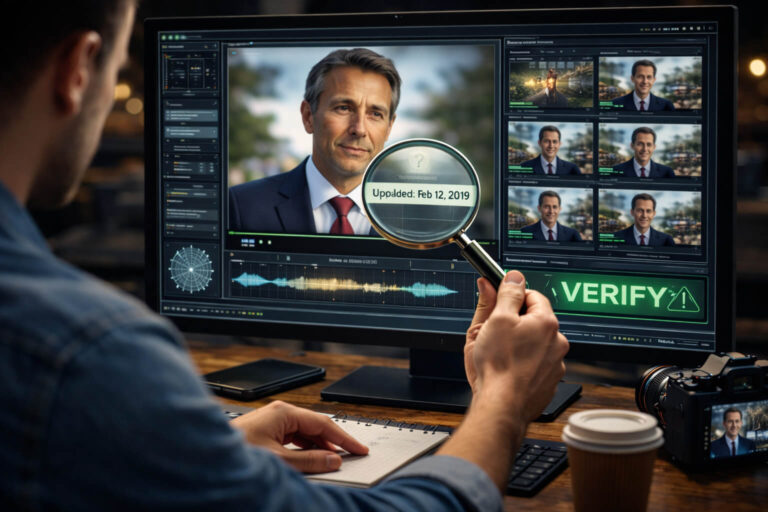
Video authenticity is not one binary question. A clip can contain real camera footage but use a false caption. It can show the correct event but contain edited audio. It can be visually untouched yet come from an unknown source. Or it can be partly or fully generated by AI.
A useful authenticity assessment therefore asks three separate questions: Where did this video come from? Has the media itself been materially altered? Does the video actually support the claim attached to it? A strong conclusion requires evidence across those layers, not simply a visual impression that the clip “looks real.”
Quick answer: to verify video authenticity, preserve the best available copy, identify the original or earliest credible source, inspect provenance and metadata when available, compare the video’s visual and audio behavior across time, and test the surrounding claim against independent evidence. If those layers agree, confidence rises. If they conflict, the correct result may be “manipulated,” “misleading context,” or simply “unresolved.”
| Authenticity question | Best evidence | What it does not prove by itself |
|---|---|---|
| Where did the video come from? | Original file, earliest credible source, provenance record | That the event or caption is truthful |
| Was the file altered? | File structure, metadata, provenance, temporal and content analysis | That every edit was deceptive |
| Was AI used? | Provenance, AI disclosure, video and audio analysis | That all unlabeled media is human-made |
| Does the clip show the claimed event? | Source history, time, location, full context, independent corroboration | That the pixels themselves are untouched |
| Who owns or created the video? | Original records, publication history, provenance, contracts or rights evidence | Legal ownership from authenticity alone |
What Does Video Authenticity Actually Mean?
In digital forensics, authenticity is broader than “AI or not AI.” The Scientific Working Group on Digital Evidence defines authentication as substantiating that data is an accurate representation of what it purports to be. Its video-authentication guidance examines whether a video’s content, context, and structure align with the information provided about the file.
That framing is useful because it separates several problems people often combine into one:
- Source authenticity: Is the claimed source genuinely connected to the video?
- Content integrity: Has the recording been materially changed?
- Synthetic-media authenticity: Was part or all of the video generated or manipulated with AI?
- Contextual authenticity: Do the date, location, identity, event, and caption match what the footage actually shows?
- Provenance: Is there a trustworthy record of how the asset was created or changed?
The professional framework behind these distinctions is described in the SWGDE Best Practices for Digital Video Authentication.
Video Authenticity vs Video Verification
The two phrases are closely related, but they are not identical.
Video authenticity is the property you are trying to assess. You want to know whether the media, source, history, and claim are consistent with what the video purports to be.
Video verification is the process used to collect and test the evidence. It includes source tracing, contextual checks, reverse search, metadata analysis, provenance inspection, content analysis, and corroboration.
This page focuses on the authenticity decision itself: what evidence matters, how different forms of authenticity can fail, and how to interpret conflicting signals. If you want the broader step-by-step investigative process, use the separate video verification workflow.
A Video Can Be Authentic in One Way and False in Another
The word “authentic” becomes misleading when it is treated as a single label. Consider four very different cases.
Authentic recording, false context
The footage is a genuine camera recording, but it is posted with the wrong date, location, identity, or event description. Nothing in the pixels needs to be fake for the post to mislead people.
Authentic source, edited content
The video comes from a legitimate source, but a later version removes a sentence, replaces audio, rearranges scenes, or crops out important context.
Real base footage, synthetic element
The body, scene, and camera movement may be authentic while the face, voice, mouth movement, or another local region is AI-generated.
Fully synthetic video
The apparent recording may never have been captured by a camera. A generative model can create the scene, subject, movement, and audio.
These cases require different evidence. A detector built for synthetic faces will not solve a false-caption problem, and a source check alone will not reveal a manipulated voice.
How to Verify the Authenticity of a Viral Video
For a viral clip, use an evidence ladder. Start with evidence that can resolve the case quickly, then move toward deeper technical analysis only when necessary.
1. Preserve the exact claim and the strongest available copy
Before the post changes or disappears, record:
- the original URL or message source
- the uploader or account
- the publication time
- the caption and exact claim
- the best available version of the file
This matters because authenticity is always evaluated against a claim. “This file contains edits” is a different question from “This video proves this event happened today.”
2. Establish the source before judging the pixels
Search for the earliest credible version, a longer recording, an official upload, another camera angle, or the original livestream. The viral post may be several generations removed from the source.
If locating the source is the main problem, use a reverse video search workflow to trace reposts, clips, frames, and earlier versions.
3. Inspect provenance when it exists
Provenance can give you evidence about how a digital asset was created, processed, and signed. C2PA Content Credentials are designed to carry tamper-evident provenance records that can include creation information, actions, ingredients, software, and other assertions.
Under the C2PA model, cryptographically verifiable provenance can support authenticity of the recorded history, but it is not the same as factual truth. A valid credential does not prove that the scene was unstaged or that a later caption is correct.
The current technical model, including validation of manifests, signatures, content bindings, and trust states, is defined in the C2PA 2.4 specification.
4. Compare the file history with the story being told
Metadata and file structure are most useful when they can test a specific claim.
Examples:
- A post claims “raw camera original,” but the file indicates a later export workflow.
- A supposed original recording has dimensions and encoding consistent with a social-media re-download.
- The creation time conflicts with the alleged event date.
- The metadata is absent, but the uploader claims the file came directly from the camera.
None of these automatically proves fraud. The value comes from the conflict between the technical history and the claim.
5. Analyze the content across time
Video is a sequence, not a collection of independent images. Examine how identity, objects, motion, lighting, reflections, textures, and geometry behave from frame to frame.
Repeated temporal inconsistency is more meaningful than one ugly frame. A face that changes shape every time a hand crosses it deserves more attention than a single blocky frame in a heavily compressed clip.
6. Separate the audio question from the visual question
A video can be visually authentic while the voice is synthetic, dubbed, cut, or replaced.
Listen for continuity in:
- room tone
- reverberation
- background noise
- speech rhythm
- breathing and pauses
- mouth and speech timing
If the voice itself is the main authenticity question, use the dedicated voice deepfake guide rather than inferring audio authenticity from the face.
7. Test the real-world claim independently
Finally, ask whether independent evidence supports the event, date, location, identity, and narrative.
A real video with a false caption is still misleading. A valid provenance record with an inaccurate story is still misleading. An AI detector cannot verify a location or confirm that the surrounding social-media claim is true.
What Counts as Strong Evidence of Video Authenticity?
Not all signals deserve equal weight.
| Evidence | Typical strength | Why |
|---|---|---|
| Original file from a credible documented source | Strong | Preserves more technical and contextual evidence |
| Valid, trustworthy provenance tied to the asset | Strong for documented history | Provides cryptographically verifiable provenance claims |
| Independent recordings or corroborating sources | Strong for event verification | Reduces dependence on one uploader or one file |
| Earlier or longer source version | Strong | Can expose cropping, recaptioning, removed context, or later edits |
| Consistent metadata and file structure | Supporting | Can strengthen a source claim but is not inherently trustworthy |
| AI or manipulation detector output | Supporting | Useful technical evidence, but dependent on model coverage and file quality |
| One visual artifact | Weak | Compression and ordinary processing can create similar effects |
| Comments, likes, repost counts, or virality | Very weak | Popularity does not authenticate media |
Provenance Is Becoming More Important for Video Authenticity
For years, most video verification happened after publication: investigators received a file and tried to reconstruct its history. New provenance systems aim to preserve more of that history from the beginning.
In 2026, the Content Authenticity Initiative demonstrated end-to-end C2PA video workflows spanning capture, editing, publication, and playback. The important idea is not one specific camera or editor. It is that authenticity evidence can increasingly travel through the media lifecycle instead of being reconstructed only after a suspicious clip goes viral.
You can see the current direction of that ecosystem in the Content Authenticity Initiative’s 2026 verified-video recap.
For a practical explanation of how those credentials are displayed and interpreted, see the Content Credentials guide. For the underlying provenance fields and validation terminology, use the separate C2PA metadata explainer.
Metadata Can Support Authenticity, but It Cannot Create Trust
Metadata can be useful when you have a meaningful copy of the file. Depending on the container and workflow, you may find creation timestamps, device information, codecs, software identifiers, location data, or other technical fields.
But metadata has three major limitations:
- It can be removed. Social platforms, messengers, transcoders, and editors may strip fields.
- It can be changed. Ordinary metadata is not automatically cryptographically protected.
- It can be irrelevant. A correct camera model does not prove the caption is true.
The right question is not “Does metadata exist?” It is “Does the available technical history agree with the claimed source and workflow?”
Why Visual Inspection Alone Is No Longer Enough
Manual inspection still matters, but it has limits. Modern synthetic video can be visually convincing, while genuine footage can look artificial after compression, denoising, stabilization, beauty filters, low-light processing, or repeated re-encoding.
A better visual strategy is to compare local behavior with global behavior.
- If every moving edge becomes blocky, compression is plausible.
- If only one face loses identity detail during motion, localized manipulation deserves more attention.
- If all textures soften during a low-light exposure change, camera processing may explain it.
- If one object changes geometry while the rest of the scene remains stable, that inconsistency is more informative.
For detailed analysis of edited, altered, and AI-manipulated footage, the AI video analysis guide covers temporal, audio, metadata, and manipulation evidence in more depth.
Deepfake Authenticity Is Only One Part of the Problem
Deepfakes receive disproportionate attention because identity manipulation is emotionally powerful. But a video-authenticity assessment should not assume the problem is always a synthetic face.
A suspicious clip may instead contain:
- normal editing that removes context
- reordered real footage
- synthetic audio over authentic video
- a false subtitle
- a real person placed in a false narrative
- a fully generated scene
If the main question is specifically whether a person’s face or identity was manipulated, use the deepfake detection workflow.
Tools for Verifying Real vs Fake Audio and Video
No single tool verifies every form of video authenticity. The useful approach is to match the tool to the evidence question.
| Tool or method | Best for | Main limitation |
|---|---|---|
| Google Lens | Finding pages with the same or similar extracted frame | Searches images and visual matches, not the full authenticity of a video |
| InVID Verification Plugin | Keyframe extraction, reverse search, contextual information, metadata support | Results still require human interpretation |
| C2PA / Content Credentials viewer | Inspecting provenance and signed media history | Credentials may be absent or incomplete |
| Metadata tools | Inspecting file, device, encoding, and timestamp information | Ordinary metadata can be missing or editable |
| AI video and audio detectors | Finding patterns associated with synthetic or manipulated content | No detector covers every generator and transformation |
| Independent source verification | Testing the real-world claim, date, place, identity, and event | May take longer and can remain unresolved |
Google confirms that Lens results can include similar images and websites containing the same or a similar image, which makes extracted video frames useful for source research. See Google’s official image-search guidance.
For video-specific work, the InVID Verification Plugin can extract keyframes from supported video files or URLs and send those frames to reverse-image-search services. It also provides contextual and metadata-oriented verification features.
Why AI Detection Should Be One Layer, Not the Whole Verdict
AI detection is valuable because provenance is often missing and source history may be incomplete. But detection is an inference problem: the model evaluates patterns in the submitted media and estimates whether they are more consistent with real or synthetic content.
NIST treats synthetic-content detection, provenance, watermarking, labeling, and authentication as distinct technical approaches rather than interchangeable solutions. Its synthetic-content transparency report also emphasizes evaluation and testing because every approach has limitations.
The broader technical landscape is summarized in NIST AI 100-4.
For practical use, detector output is strongest when it agrees with source history, provenance, and the media’s observable behavior. When those layers disagree, investigate the disagreement rather than averaging them into a simplistic “real/fake” label.
A Better Outcome System Than “Real or Fake”
Binary verdicts hide useful distinctions. A more precise authenticity assessment can end in one of these categories:
Authentic and context-consistent
The available source, content, provenance, and contextual evidence support the claim being made about the video.
Authentic but normally edited
The footage appears genuine, but it has been trimmed, color-corrected, transcoded, captioned, or otherwise processed without evidence that the edit materially changes the claim.
Authentic media, misleading context
The recording itself may be real, but the date, place, identity, caption, or surrounding story is inaccurate.
Manipulated
Evidence indicates that meaningful parts of the original media were altered, inserted, removed, reordered, or replaced.
Synthetic or AI-generated
Evidence indicates that significant content was generated rather than conventionally captured.
Unresolved
The available evidence is insufficient or contradictory. This is a valid result, not a failure.
This classification is more useful for journalists, brands, investigators, moderators, and ordinary users because it explains what kind of authenticity problem exists.
Can Video Authenticity Prove a Video Is Mine?
Not by itself.
Authenticity can help establish that a particular file is consistent with a source, history, or provenance record. It may also support attribution when a trusted credential, original file, publication record, or documented workflow identifies a creator or publisher.
But authenticity, authorship, and legal ownership are different questions. A video can be authentic without proving who owns the copyright. Likewise, being the first account to repost a video does not establish authorship.
If ownership matters, preserve the original file, project or capture records, publication timestamps, source-account history, licensing records, and any available signed provenance. Those records can support an ownership claim, but legal rights may require additional evidence.
What Does “Original Video” Actually Mean?
The word “original” is often used too loosely.
It can mean:
- the camera-original file
- the first exported edit
- the earliest known public upload
- the longest available version
- the source from which later reposts were copied
Those are not always the same file.
A repost may be the earliest version you can find online while still being several generations away from the camera original. A professional news video may be authentic but legitimately edited before publication. A provenance-aware file may document both capture and editing history.
When you report an authenticity conclusion, say which meaning of “original” you actually established.
How DetectVideo AI Fits Into a Video Authenticity Check
When the source or provenance does not fully answer the question, technical analysis can add another evidence layer. DetectVideo AI is designed to analyze supported video footage across available visual, temporal, audio-video, compression, metadata, source, and manipulation signals.
The useful role of a detector is not to replace the investigation. It is to surface evidence that may be difficult to inspect manually, help prioritize suspicious regions or signals, and make the final reasoning more structured.
A detector result should therefore be interpreted alongside the question you are trying to answer. A strong synthetic-media signal does not prove a social-media caption is false, and a clean detector result does not prove that a real video has not been miscaptioned or deceptively edited.
A Practical Video Authenticity Checklist
| Layer | Question to answer |
|---|---|
| Claim | What exactly is this video being used to prove? |
| Source | Who supplied the best available version, and can I trace an earlier source? |
| Provenance | Are trustworthy Content Credentials or other provenance records available? |
| File history | Do metadata, codec, export, and structural signals fit the claimed workflow? |
| Visual continuity | Do identity, motion, geometry, light, texture, and objects behave consistently over time? |
| Audio continuity | Do voice, room tone, timing, and visible speech belong to the same scene? |
| AI evidence | Do automated analysis results support or conflict with the other evidence? |
| Context | Do date, place, identity, event, and caption match the strongest source evidence? |
| Corroboration | Can independent evidence confirm the important part of the claim? |
| Outcome | Is the best conclusion authentic, edited, misleading, manipulated, synthetic, or unresolved? |
Key Takeaway
Video authenticity is not something you prove with one visual clue, one metadata field, or one AI score. It is an evidence problem.
The strongest assessment separates origin, media integrity, provenance, AI involvement, and factual context instead of collapsing them into one “real or fake” question. A genuine video can carry a false story. A professionally edited video can still be authentic. A valid provenance record can document history without proving factual truth. And a synthetic video may look completely natural.
For viral clips, the most reliable habit is to identify the claim, trace the strongest source, inspect provenance and technical history, analyze the media across time and sound, then test the claim against independent evidence. If the evidence does not converge, keep the conclusion unresolved rather than forcing certainty.
FAQ About Video Authenticity
What is video authenticity?
Video authenticity describes whether a video’s source, content, technical history, and context are consistent with what the media purports to be. It can involve provenance, file integrity, manipulation, AI generation, audio authenticity, and whether the surrounding claim matches the footage.
How do I verify the authenticity of a viral video?
Preserve the claim and best available copy, identify the earliest credible source, inspect provenance and metadata when available, compare visual and audio behavior across time, and confirm the event, date, location, and identity through independent evidence.
How can I tell if a video is real or fake?
Do not rely on one visual sign. Check source history, provenance, contextual evidence, file information, temporal consistency, audio-video agreement, and technical detector results. The answer may be more precise than real or fake: authentic but edited, contextually misleading, manipulated, synthetic, or unresolved.
Can metadata prove video authenticity?
Metadata can support an authenticity assessment when it agrees with the claimed source and workflow, but ordinary metadata can be removed, modified, or stripped during distribution. It should not be treated as proof by itself.
Can Content Credentials prove a video is real?
Content Credentials can provide cryptographically verifiable provenance information about an asset and its documented history. They do not automatically prove that the depicted event, caption, or real-world claim is true.
What tools verify real vs fake audio and video?
Different tools answer different questions. Reverse-image and keyframe tools help trace sources, provenance viewers inspect Content Credentials, metadata tools inspect file history, and AI video or audio detectors analyze synthetic-media signals. No single tool verifies every dimension of authenticity.
Can an AI detector guarantee that a video is authentic?
No. A detector can provide technical evidence about patterns associated with synthetic or manipulated content, but detector performance depends on the model, media quality, manipulation type, and post-processing. Source and context still need separate verification.
Can a video be authentic even if it was edited?
Yes. Trimming, color correction, subtitles, transcoding, stabilization, and other normal production steps do not automatically make a video inauthentic. The important question is whether the edits are consistent with the claimed history and whether they materially change the meaning.
Can a real video be misleading?
Yes. Real footage can be paired with a false date, location, identity, subtitle, or caption, or can be selectively clipped to create a misleading impression. Authentic pixels do not guarantee authentic context.
How do I verify the original source of a video?
Look for the earliest credible upload, longer versions, visible source clues, matching frames on the web, and official or independent copies. Remember that the earliest public upload you find is not necessarily the camera-original file.
Can video authenticity prove that a video is mine?
Authenticity evidence can support attribution, especially when combined with original files, publication history, project records, or signed provenance. It does not by itself establish legal ownership or copyright.
What should I do if video authenticity is uncertain?
Use an unresolved conclusion. Preserve the evidence, avoid presenting the clip as verified fact, and continue searching for the original source, provenance, independent corroboration, or better-quality media. Uncertainty is preferable to a false verdict.